EasyManua.ls Logo

Hitachi VM-C52E - Microphone Mixing; Index Signal Recording

Hitachi VM-C52E
29 pages
Print Icon
To Next Page IconTo Next Page
To Previous Page IconTo Previous Page
Loading...
MICROPHONE
MIXING
You
can
mix
audio
through
a
microphone
during
playback.
Connect
a
source
from
which
you
want
to
mix
sound,
following
the
procedure
shown
on
page
21.
NOTE:
If
no
external
microphone
is
connected,
you
can
mix
sound
from
the
built-in
microphone.
1.
Set
the
MIC
MIX
switch
to
“ON”.
2.
Slide
the
mode
shifter
to
turn
on
VTR
power.
3.
Press
PLAY
button
to
play
a
tape.
The
picture
appears
on
the
TV
and
sound
is
out-
put.
When
you
speak
to
the
built-in
microphone,
your
voice
is
also
output
from
the
TV.
When
ex-
ternal
equipment
is
connected,
the
sound
from
it
is
also
output
from
the
TV.
NOTE:
{f
you
use
this
microphone
mixing
function
when
copying
a
tape
from
the
camera/recorder
to
a
VTR,
you
can
copy
the
mixed
sound.
INDEX
SIGNAL
RECORDING
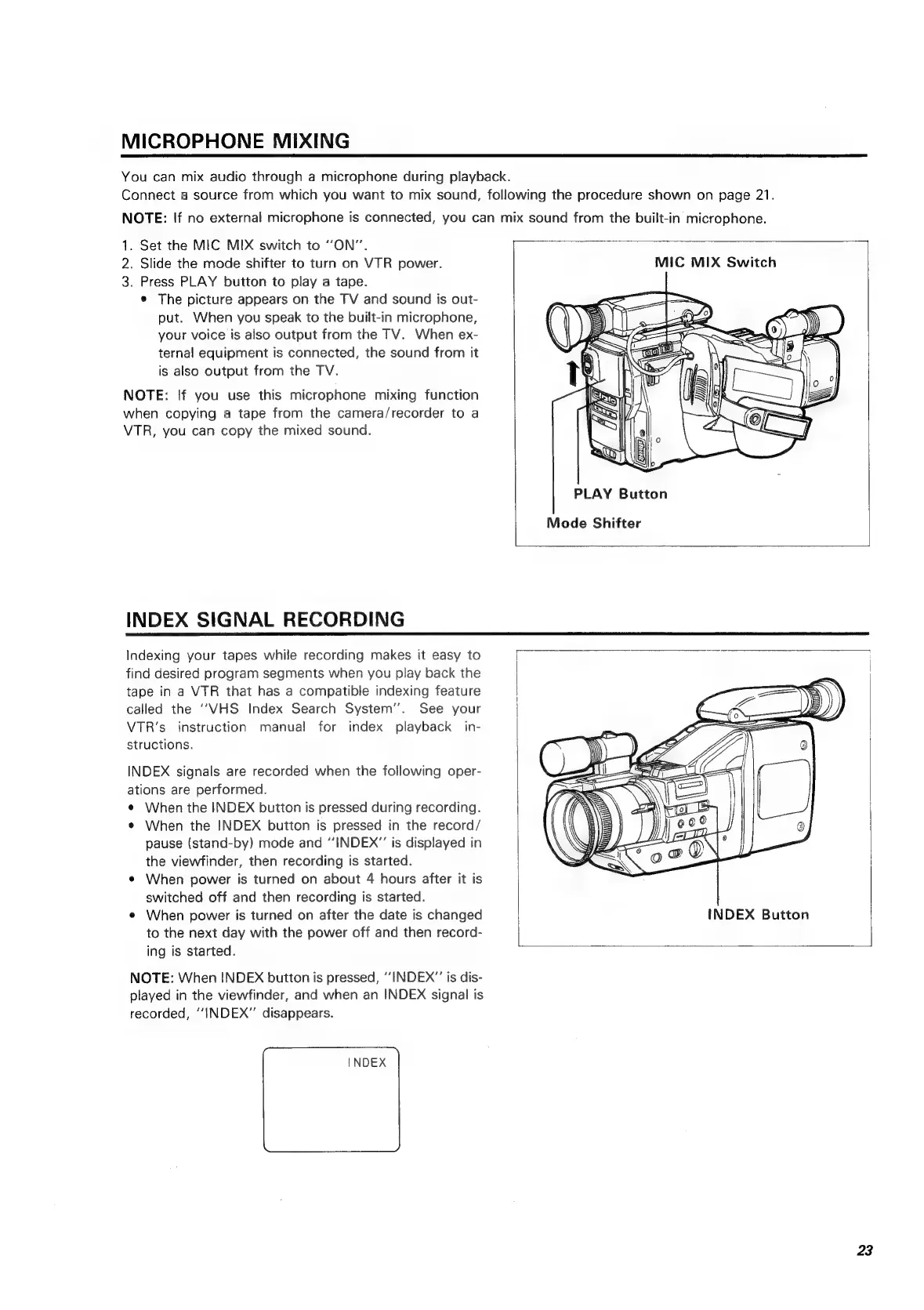
MIC
MIX
Switch
PLAY
Button
Mode
Shifter
Indexing
your
tapes
while
recording
makes
it
easy
to
find
desired
program
segments
when
you
play
back
the
tape
in
a
VTR
that
has
a
compatible
indexing
feature
called
the
‘‘VHS
Index
Search
System”.
See
your
VTR’s
instruction
manual
for
index
playback
in-
structions.
INDEX
signals
are
recorded
when
the
following
oper-
ations
are
performed.
¢
When
the
INDEX
button
is
pressed
during
recording.
¢
When
the
INDEX
button
is
pressed
in
the
record/
pause
(stand-by)
mode
and
“INDEX”
is
displayed
in
the
viewfinder,
then
recording
is
started.
¢
When
power
is
turned
on
about
4
hours
after
it
is
switched
off
and
then
recording
is
started.
¢
When
power
is
turned
on
after
the
date
is
changed
to
the
next
day
with
the
power
off
and
then
record-
ing
is
started.
NOTE:
When
INDEX
button
is
pressed,
‘INDEX’’
is
dis-
played
in
the
viewfinder,
and
when
an
INDEX
signal
is
recorded,
“INDEX”
disappears.
INDEX
INDEX
Button
23

Related product manuals