EasyManua.ls Logo

Hitachi VM-C52E - Using the Time-Lapse Recording Feature; Using the One Shot Recording Feature

Hitachi VM-C52E
29 pages
Print Icon
To Next Page IconTo Next Page
To Previous Page IconTo Previous Page
Loading...
USING
THE
TIME-LAPSE
RECORDING
FEATURE
This
function
is
convenient
to
record
the
blooming
of
flowers,
etc.
as
it
starts
and
stops
recording
at
a
predetermined
interval.
For
example,
this
function
allows
recording
for
one
second
after
a
pause
of
30
seconds
and
repeats
this
procedure.
1.
In
the
record/pause
(stand-by)
mode,
press
TIME
LAPSE
button
repeately
until
the
length
of
time
you
want
between
recordings
appears
in
the
viewfinder.
¢
The
interval
is
changed
from
0:30
(30
seconds)
to
1:00
(1
minute),
2:00
(2
minutes),
5:00
(5
minutes),
MAN
(manual)
and
again
to
0:30
every
time
the
button
is
pressed.
INTERVAL
0:30
2.
Press
the
record
start/stop
button.
INTERVAL
0:30
INTERVAL
0:00
STANDBY
REC
¢
The
clock
starts
counting,
and
when
it
reaches
“0:00”,
a
recording
is
performed
for
a
second,
and
then
the
record/pause
(stand-by)
mode
is
entered.
After
30
seconds,
recording
is
repeated
for
another
second.
3.
Press
the
record
start/stop
button
to
stop
recording.
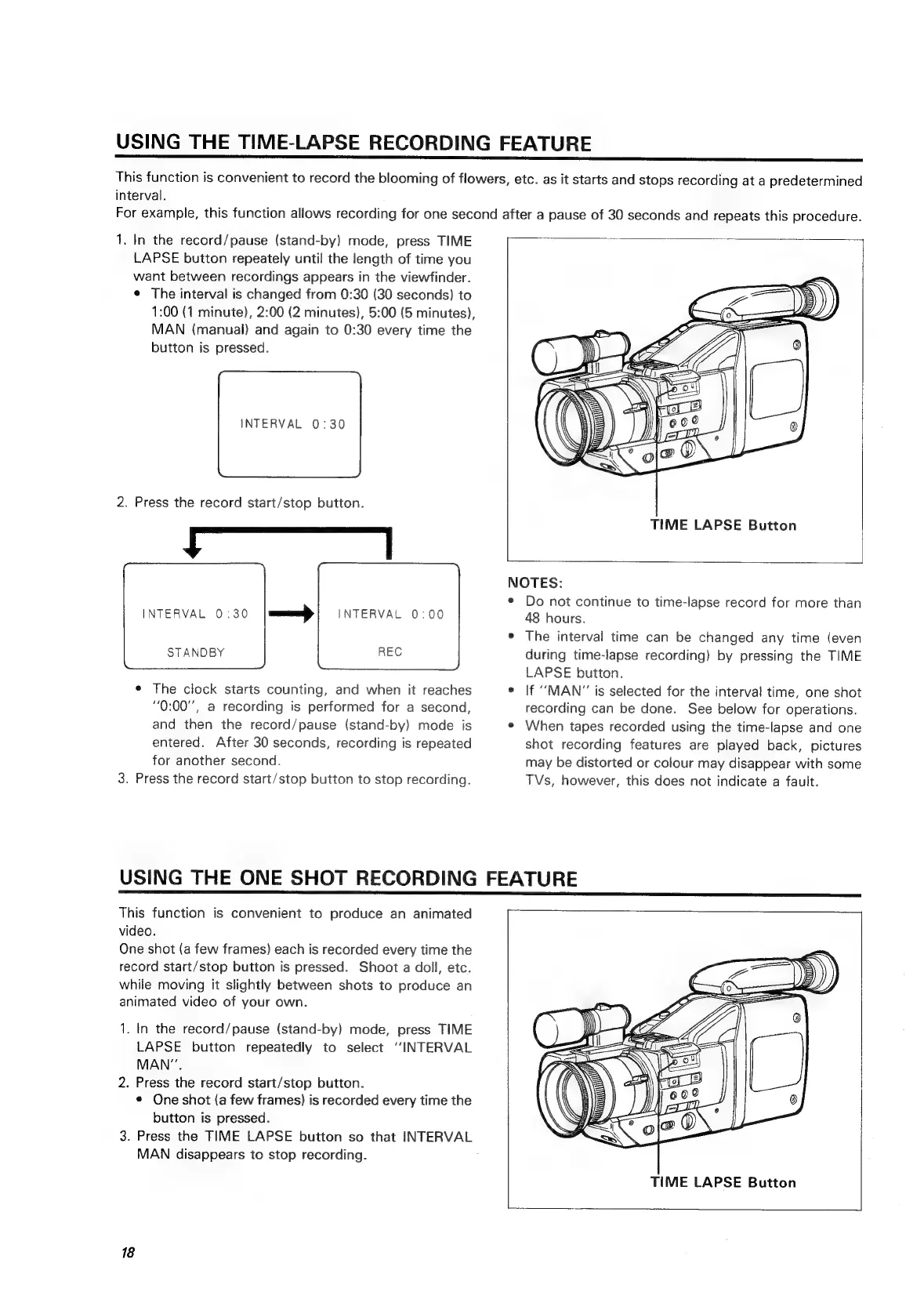
TIME
LAPSE
Button
NOTES:
Do
not
continue
to
time-lapse
record
for
more
than
48
hours.
The
interval
time
can
be
changed
any
time
(even
during
time-lapse
recording)
by
pressing
the
TIME
LAPSE
button.
If
“MAN”
is
selected
for
the
interval
time,
one
shot
recording
can
be
done.
See
below
for
operations.
When
tapes
recorded
using
the
time-lapse
and
one
shot
recording
features
are
played
back,
pictures
may
be
distorted
or
colour
may
disappear
with
some
TVs,
however,
this
does
not
indicate
a
fault.
USING
THE
ONE
SHOT
RECORDING
FEATURE
This
function
is
convenient
to
produce
an
animated
video.
One
shot
(a
few
frames)
each
is
recorded
every
time
the
record
start/stop
button
is
pressed.
Shoot
a
doll,
etc.
while
moving
it
slightly
between
shots
to
produce
an
animated
video
of
your
own.
1.
In
the
record/pause
(stand-by)
mode,
press
TIME
LAPSE
button
repeatedly
to
select
“INTERVAL
MAN”.
2.
Press
the
record
start/stop
button.
e
One
shot
(a
few
frames)
is
recorded
every
time
the
button
is
pressed.
3.
Press
the
TIME
LAPSE
button
so
that
INTERVAL
MAN
disappears
to
stop
recording.
.
18
TIME
LAPSE
Button

Related product manuals