EasyManua.ls Logo

Hitachi VM-C52E - Using the Self Timer Feature; Using the Fade-In;Fade-Out Feature

Hitachi VM-C52E
29 pages
Print Icon
To Next Page IconTo Next Page
To Previous Page IconTo Previous Page
Loading...
USING
THE
SELF
TIMER
FEATURE
The
self
timer
allows
you
to
automatically
start
recording
after
about
ten
seconds.
Slide
SELF
TIMER
switch
once
while
in
the
record/
pause
mode.
The
camera/recorder
will
automatically
start
recording
after
ten
seconds
when
the
switch
is
slid
and
will
continue
to
record
for
approx.
30
seconds.
If
you
slide
the
SELF
TIMER
switch
twice,
the
camera/
recorder
will
automatically
start
recording
after
ten
seconds
when
the
switch
is
slid
and
then
recording
will
continue
until
the
record
start/stop
button
is
pressed.
NOTES:
¢
Record
indicator
flashes
for
about
10
seconds
to
in-
dicate
self
timer
mode
when
you
slide
SELF
TIMER
switch
and
stays
on
during
recording.
e
Sliding
SELF
TIMER
switch
a
third
time
before
recording
starts
releases
the
self
timer
mode.
¢
To
stop
the
camera/recorder
during
self
timer
recording,
press
record
start/stop
button
and
the
camera/recorder
will
enter
the
record/pause
(stand-
by)
mode.
e
The
SELF
TIMER
switch
has
no
effect
during
normal
recording.
USING
THE
FADE-IN/FADE-OUT
FEATURE
This
feature
lets
you
add
a
professional
touch
to
your
home
recordings.
When
you
fade
into
a
scene,
the
recording
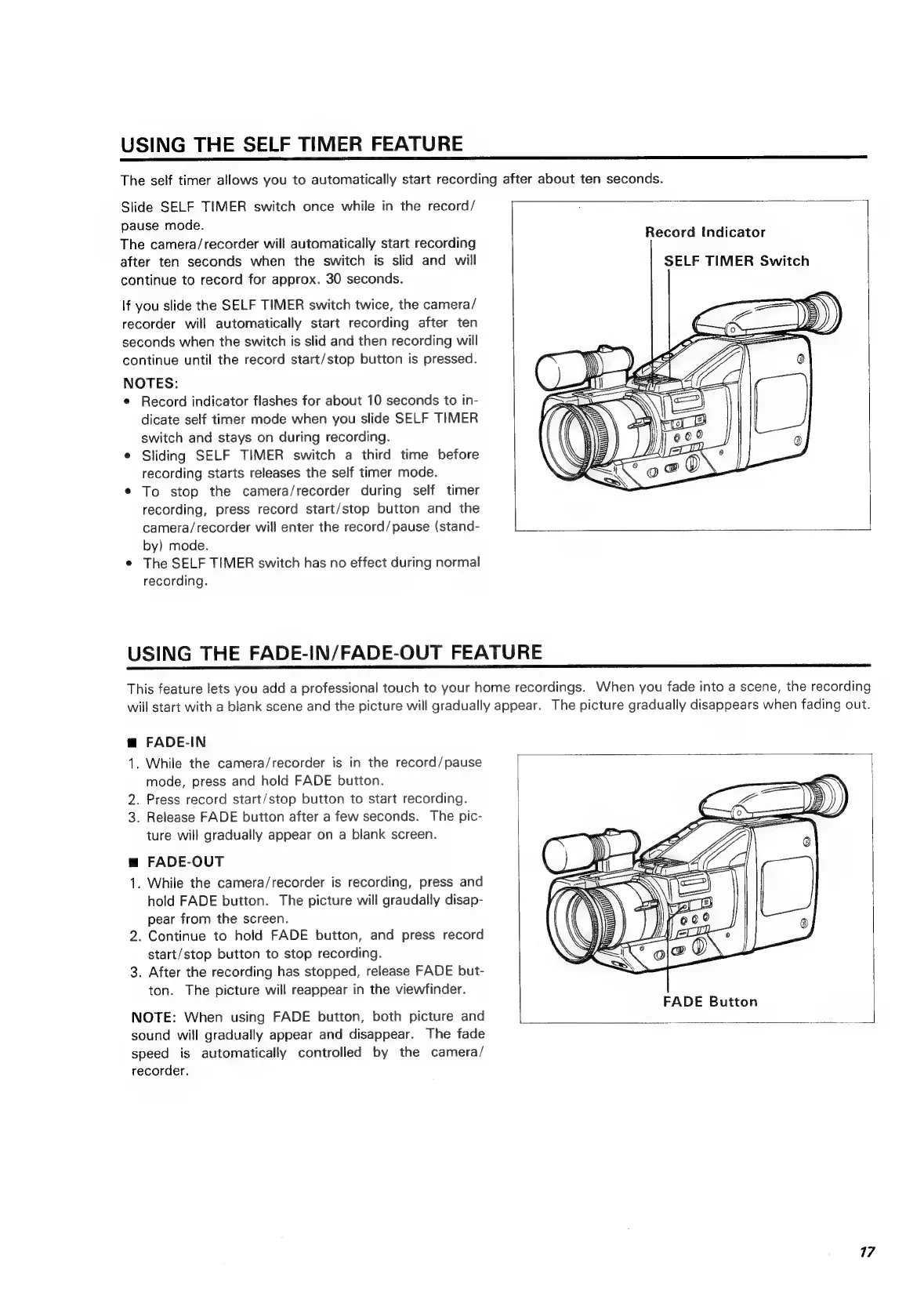
Record
Indicator
SELF
TIMER
Switch
will
start
with
a
blank
scene
and
the
picture
will
gradually
appear.
The
picture
gradually
disappears
when
fading
out.
@
FADE-IN
1.
While
the
camera/recorder
is
in
the
record/pause
mode,
press
and
hold
FADE
button.
2.
Press
record
start/stop
button
to
start
recording.
3.
Release
FADE
button
after
a
few
seconds.
The
pic-
ture
will
gradually
appear
on
a
blank
screen.
m
FADE-OUT
1.
While
the
camera/recorder
is
recording,
press
and
hold
FADE
button.
The
picture
will
graudally
disap-
pear
from
the
screen.
2.
Continue
to
hold
FADE
button,
and
press
record
start/stop
button
to
stop
recording.
3.
After
the
recording
has
stopped,
release
FADE
but-
ton.
The
picture
will
reappear
in
the
viewfinder.
NOTE:
When
using
FADE
button,
both
picture
and
sound
will
gradually
appear
and
disappear.
The
fade
speed
is
automatically
controlled
by
the
camera/
recorder.
FADE
Button
17

Related product manuals