EasyManua.ls Logo

Hitachi VM-C52E - Using the F-Search and R-Search Features; Using the Still Feature; Flying Erase Head

Hitachi VM-C52E
29 pages
Print Icon
To Next Page IconTo Next Page
To Previous Page IconTo Previous Page
Loading...
USING
THE
F-SEARCH
AND
R-SEARCH
FEATURES
When
you
press
F.FWD
or
REW
button
during
play-
back,
the
tape
will
be
played
back
at
a
speed
about
3
times
faster
than
the
normal
playback
speed
(SP
re-
corded
tape)
or
7
times
faster
than
the
normal
speed
(LP
recorded
tape),
and
you
can
easily
locate
a
certain
spot
on
the
tape.
NOTES:
®
There
will
be
some
noise
(interference)
in
the
F-
search
or
R-search
pictures.
©
Colour
may
disappear
or
the
picture
may
fluctuate
up
and
down.
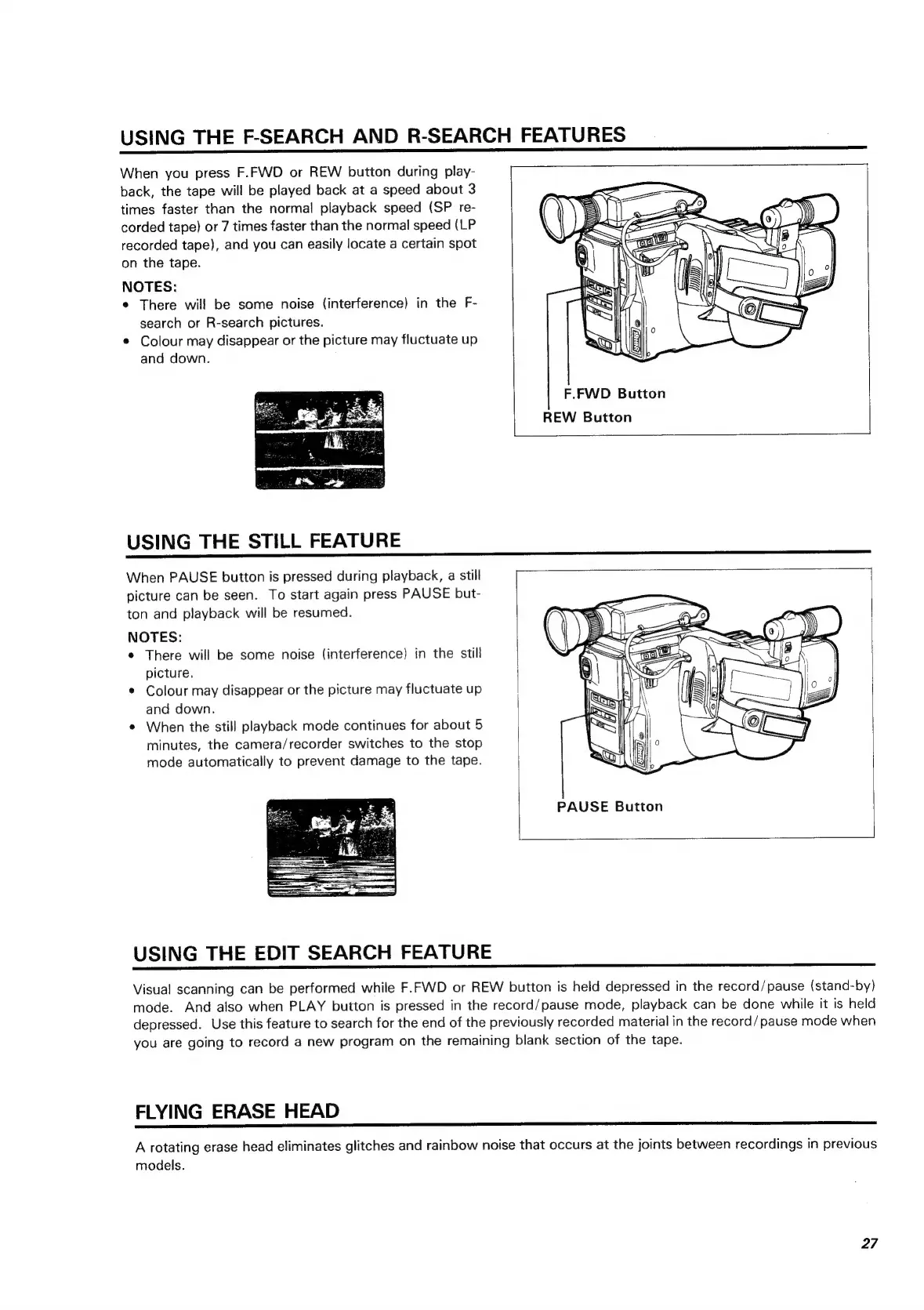
F.FWD
Button
REW
Button
USING
THE
STILL
FEATURE
When
PAUSE
button
is
pressed
during
playback,
a
still
1
picture
can
be
seen.
To
start
again
press
PAUSE
but-
ton
and
playback
will
be
resumed.
NOTES:
Be
*
There
will
be
some
noise
(interference)
in
the
still
SS
(ace
picture.
8)
(GZ
¢
Colour
may
disappear
or
the
picture
may
fluctuate
up
and
down.
When
the
still
playback
mode
continues
for
about
5
minutes,
the
camera/recorder
switches
to
the
stop
mode
automatically
to
prevent
damage
to
the
tape.
PAUSE
Button
USING
THE
EDIT
SEARCH
FEATURE
Visual
scanning
can
be
performed
while
F.FWD
or
REW
button
is
held
depressed
in
the
record/pause
(stand-by)
mode.
And
also
when
PLAY
button
is
pressed
in
the
record/pause
mode,
playback
can
be
done
while
it
is
held
depressed.
Use
this
feature
to
search
for
the
end
of
the
previously
recorded
material
in
the
record/pause
mode
when
you
are
going
to
record
a
new
program
on
the
remaining
blank
section
of
the
tape.
FLYING
ERASE
HEAD
A
rotating
erase
head
eliminates
glitches
and
rainbow
noise
that
occurs
at
the
joints
between
recordings
in
previous
models.
27

Related product manuals