EasyManua.ls Logo

Hitachi VM-C52E - Troubleshooting

Hitachi VM-C52E
29 pages
Print Icon
To Previous Page IconTo Previous Page
Loading...
TROUBLESHOOTING
r
Symptom
Check
Point
&
Correction
Cassette
holder
cannot
be
opened
when
you
press
EJECT
button.
Connect
the
power
source.
Cassette
cannot
be
inserted
into
cassette
compart-
ment.
Load
cassette
in
direction
indicated
by
arrow
on
cassette.
Picture
does
not
appear
in
the
viewfinder.
Remove
the
lens
cap.
Slide
the
mode
shifter
to
turn
on
VTR
power
or
camera
power.
The
camera/recorder
will
not
go
into
the
recording
mode,
even
when
record
start/stop
button
is
pressed.
The
cassette
has
had
the
erase
prevention
tab
removed.
Stick
a
piece
of
cellophane
tape
over
the
erase
prevention
hole
or
select
a
different
cassette.
Slide
the
mode
shifter
downward
to
turn
on
camera
power.
The
“E”
indication
in
the
electronic
viewfinder
flashes
to
indicate
battery
is
discharged.
Try
another
battery
or
charge
the
battery.
PLAY
button
cannot
be
engaged.
Slide
the
mode
shifter
upward
to
turn
on
VTR
power.
Interference
on
playback
picture.
Adjust
TRACKING
control.
When
you
see
the
playback
picture
on
your
TV,
adjust
fine
tuning
knob
on
television
set
to
obtain
the
best
picture.
Picture
is
out
of
focus.
Auto-focus
does
not
operate.
Set
AUTO/MAN
FOCUS
switch
to
“AUTO”.
bet
mode.
Release
the
‘‘MACRO”
mode.
Cassette
holder
won't
close.
The
video
camera/recorder
is
set
to
“MACRO”
:
Battery
has
lost
its
charge.
iit
Recharge
or
replace
battery.
CLEANING
THE
INSIDE
OF
THE
ELECTRONIC
VIEWFINDER
If
dust
or
foreign
matter
adheres
inside
the
viewfinder,
clean
it
by
the
following
procedure.
1.
Remove
the
eye
cup.
See
page
8.
2.
Clean
picture
tube
face
and
lens.
To
prevent
scratching,
use
a
soft
non
abrasive
cloth,
swab
or
lens
cleaning
paper.
3.
Attach
the
eye
cup.
See
page
8.
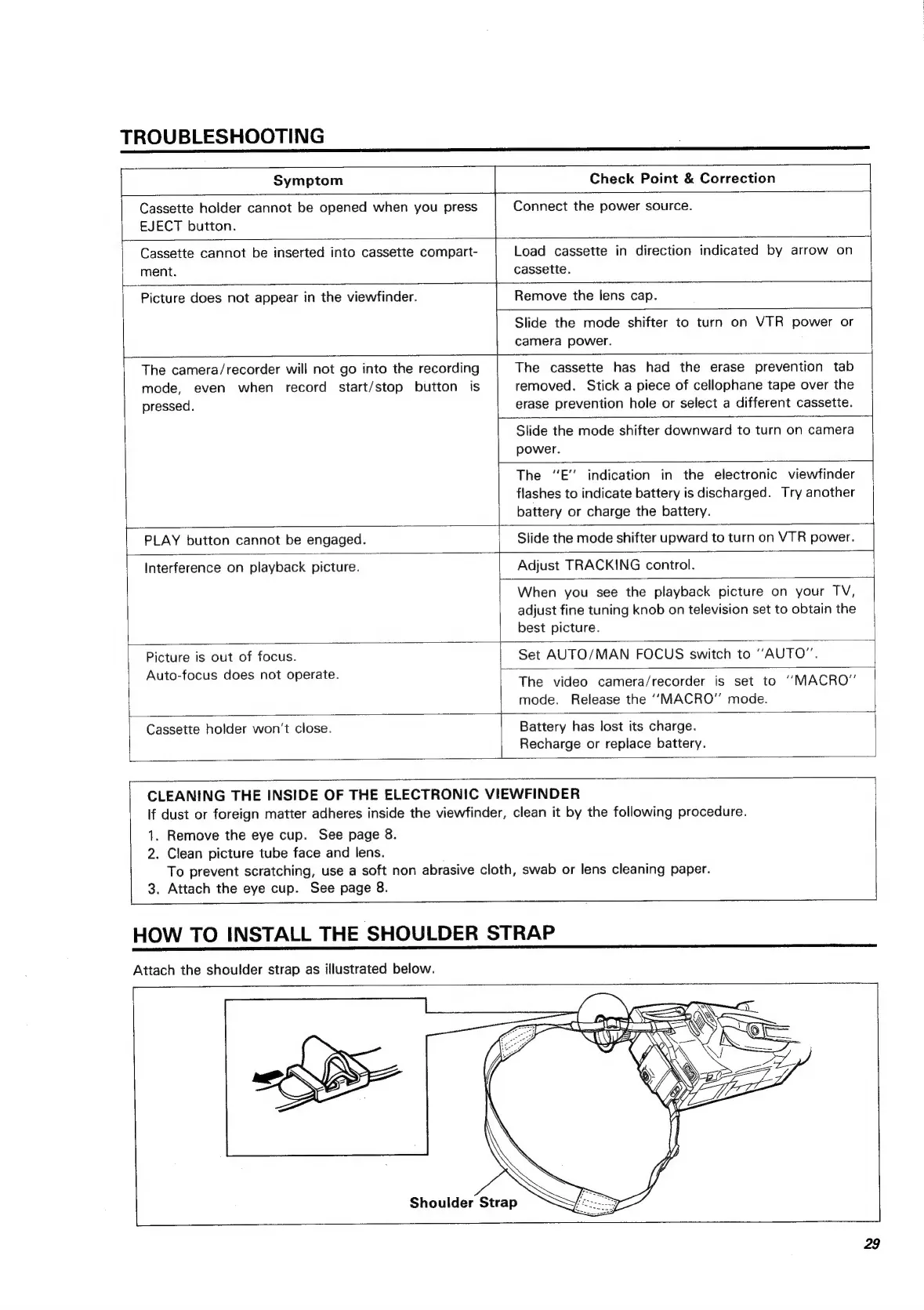
HOW
TO
INSTALL
THE
SHOULDER
STRAP
Attach
the
shoulder
strap
as
illustrated
below.
Shoulder
Strap
a
VS
‘\
WYO
29

Related product manuals