16
Customizing the Gauge
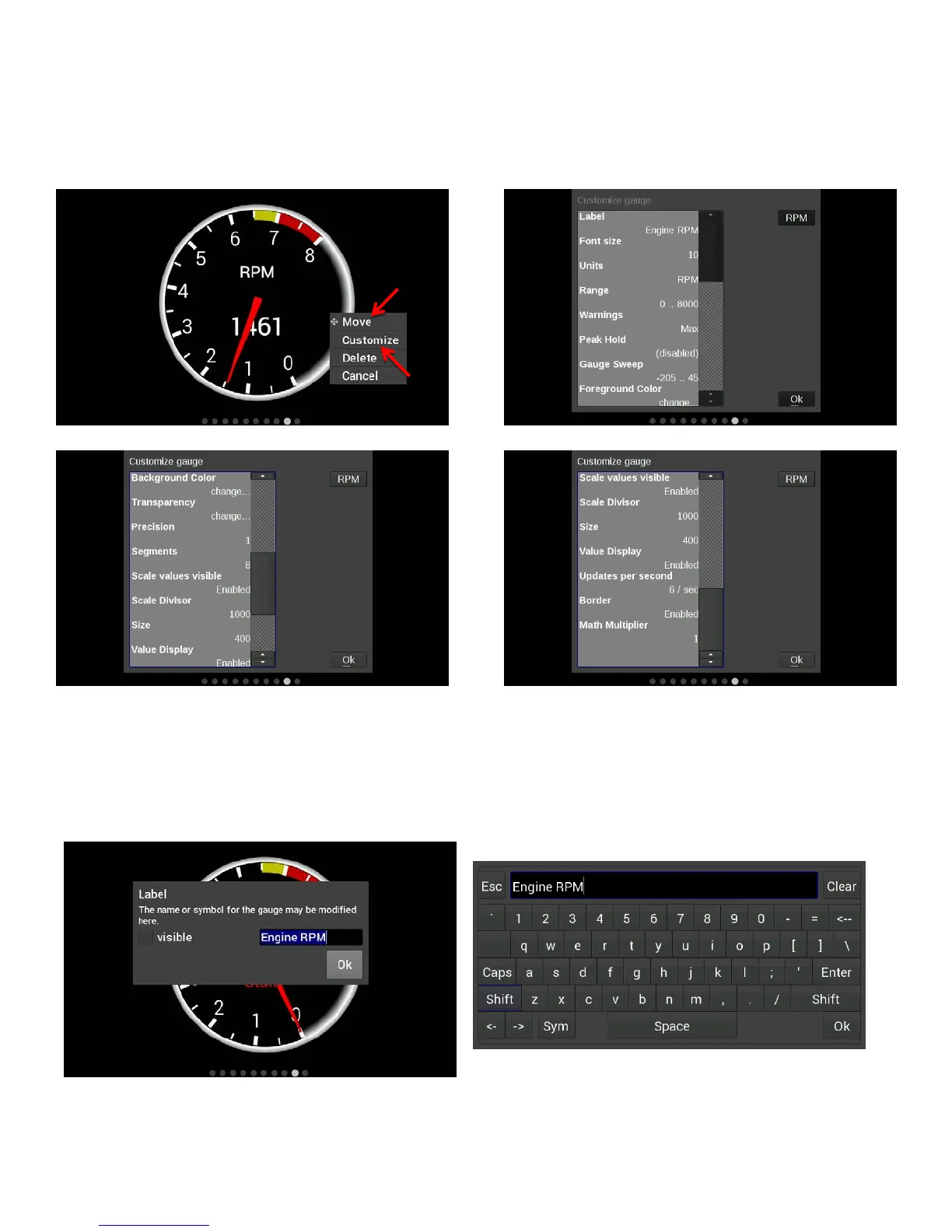
While in ‘Customize’ mode, touch the gauge you would like to modify and a menu will appear. To move the
gauge select ‘Move’ (A) and drag the gauge to place it in the desired location. To customize the visual
properties and warning indicators, select ‘Customize’ (B) from the pop up menu. In the scroll window you can
see the parameters that are configurable.
Label
The Label is used to name the gauge. Use the ‘Visible’ check box to enable or disable it. To edit the label,
select the text box and a full keyboard will appear. To use a symbol instead of text, touch the ‘Sym’ button.
There are two Symbol keyboards, pressing the shift key will toggle between the two. When finished, press
‘Ok’.










 To Next Page