37
EFI Tuning
The Digital Dash has been equipped to tune most of the EFI parameters. It is expected that the user is familiar
with the PC tuning software and general EFI tuning principles.
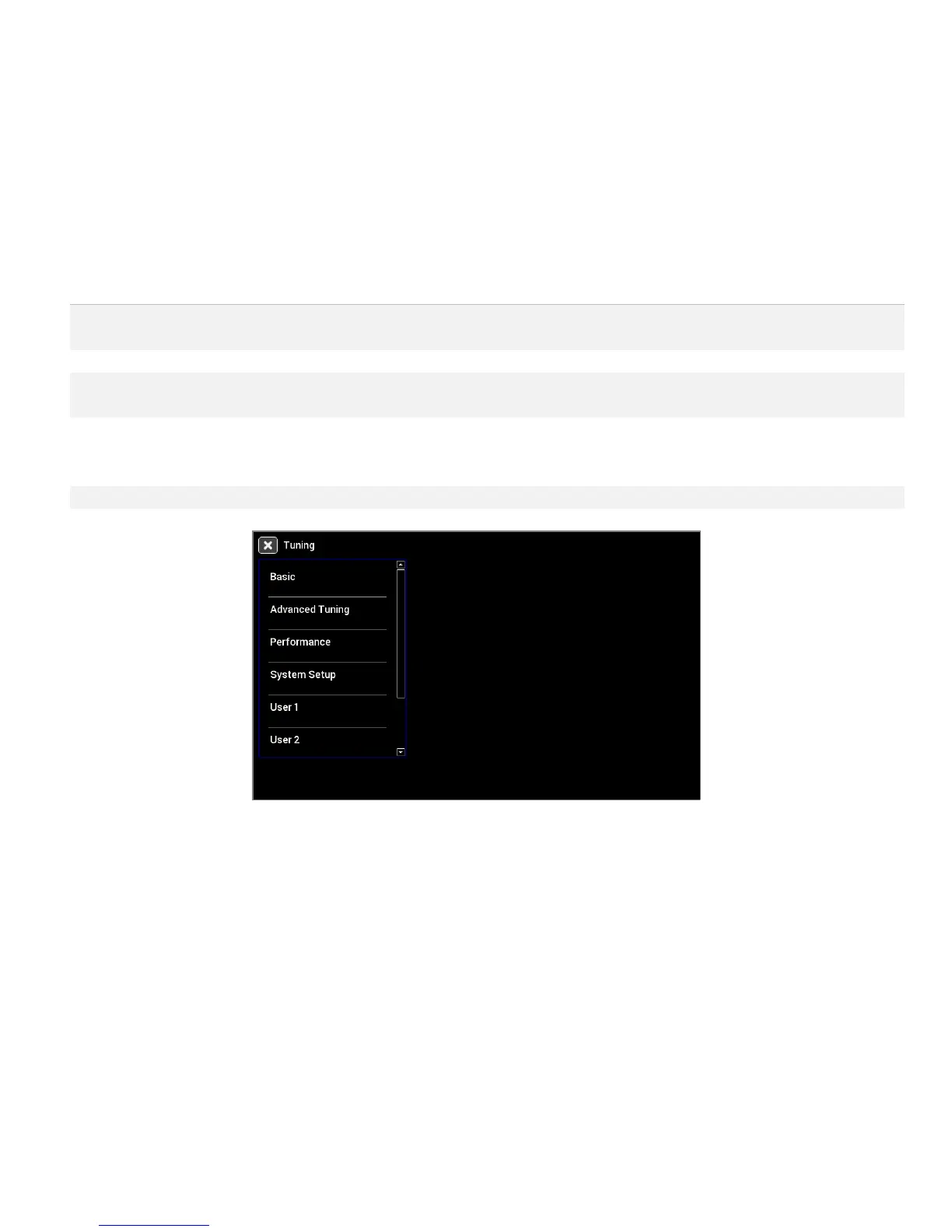
From the main menu, choose the Tuning menu to adjust most of the parameters in your Holley EFI.
Menu Organization
The left side contains the list of menus and items that can be used to change parameters on the EFI.
Basic tuning parameters including fuel, closed loop/learning speed, spark,
transmission shifts.
Detailed fueling, idle, spark and individual cylinder tuning.
Performance items such as Launch, Rev Limiters, Nitrous, Boost, Traction
Control, Water/Methanol, and Advanced Tables.
Initial EFI configuration and other system options including Fans, Fuel Pump, A/C
Shutdown, Engine Setup, Diagnostics selection, Ignition, Transmission. TPS
autoset and Static Timing are also available from the System Setup Menu.
Four user-customizable menus
Using the Tuning Menu
There are a number of different editors based on the value you choose to edit. The current value is displayed
in light blue beneath the parameter label.
Enable/Disable Toggle
Pressing on a toggle type menu item will toggle the state between disabled and enabled. Note that some
additional parameters may appear in the menu list once enabled. For example, the Fan 1 on and off settings
are not shown if Fan 1 is disabled.










 To Next Page