32
Modifying Channels on a Preconfigured Layout
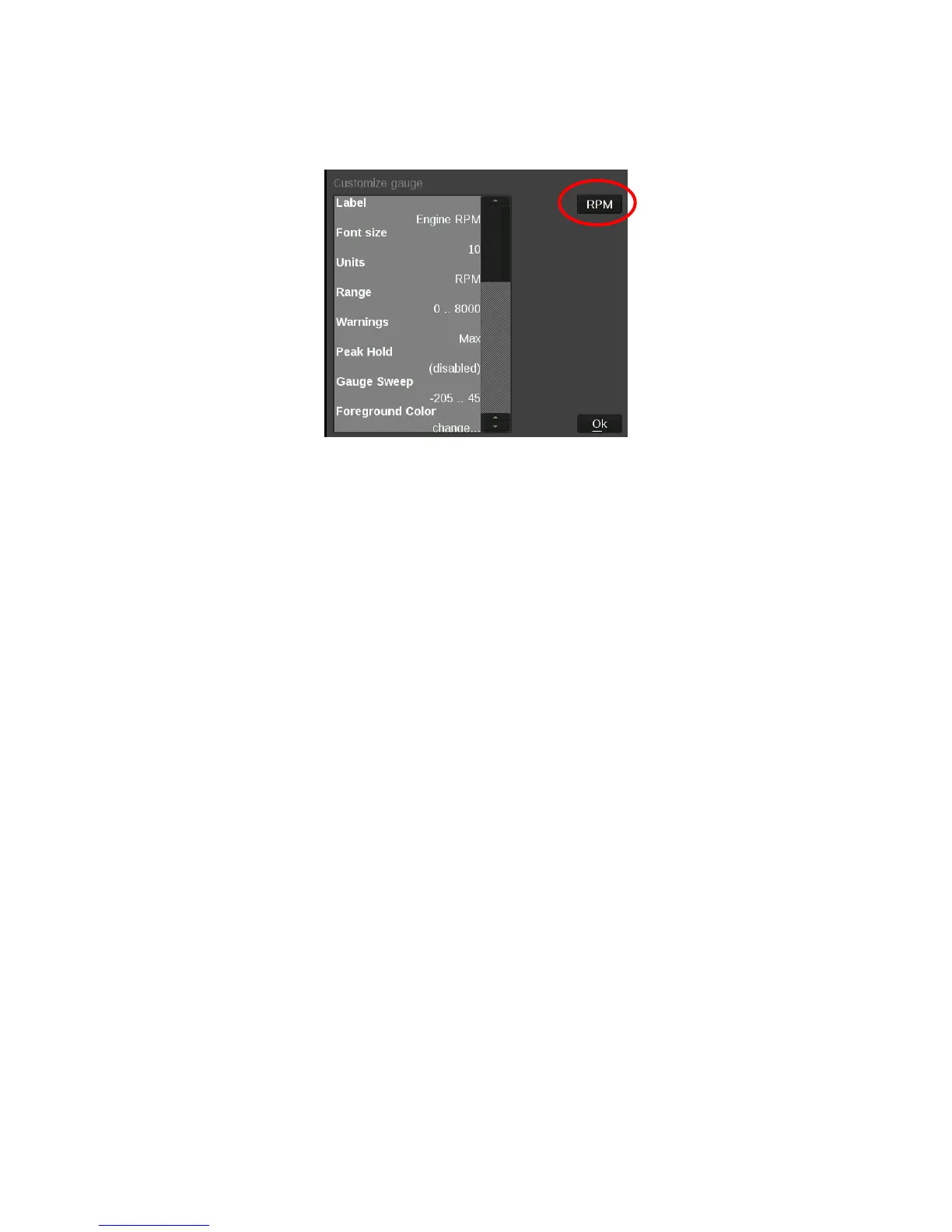
Any gauge channel can be changed to meet user needs. To do this, touch the gauge to modify and press
‘Customize’. At the top right corner of the customize gauge menu is a button that will allow the user to redefine
the channel being displayed. For instance, fuel pressure on Layout 10 could be changed to display Boost.
NOTE: Only the gauge value being display will be updated, the user MUST manually change Labels,
Units, Range, Warnings etc. with proper values as these will NOT be updated automatically! Refer to
the ‘Customizing Your Layout’ Section of this manual for instructions on gauge customization.
Data Log Record and Playback
Local Data Record
The Holley EFI Digital Dash has a record button that will record data logs directly to a USB flash drive or
internal storage. The record button can be shown by pressing anywhere on the dashboard display.
Pressing this button will record accelerometer data, local dash inputs, ECU broadcast data and the data from
the optional GPS directly to a USB flash drive or internal storage.
The data is recorded in the standard Holley Log File format and can be examined using PC software.
Data Log Playback
The Holley EFI Digital Dash will play back logs that have been locally recorded using the ‘Record’ button or
retrieved from a Holley EFI ECU. Pressing on the ’Playback’ button in the upper left corner of the dashboard
screen allows you to play back these logs from the Dash’s internal storage or a USB drive.
The data log playback will animate the gauges with data that has been previously recorded. To return to the
live data display, a ‘Stop’ button can be used from on the on-screen menu to stop the playback at any time.










 To Next Page