41
User Customizable Menus
You can change the title of the user customizable menu by pressing on the menu label for more than 2
seconds. A keyboard will appear allowing you to change the name of the menu.
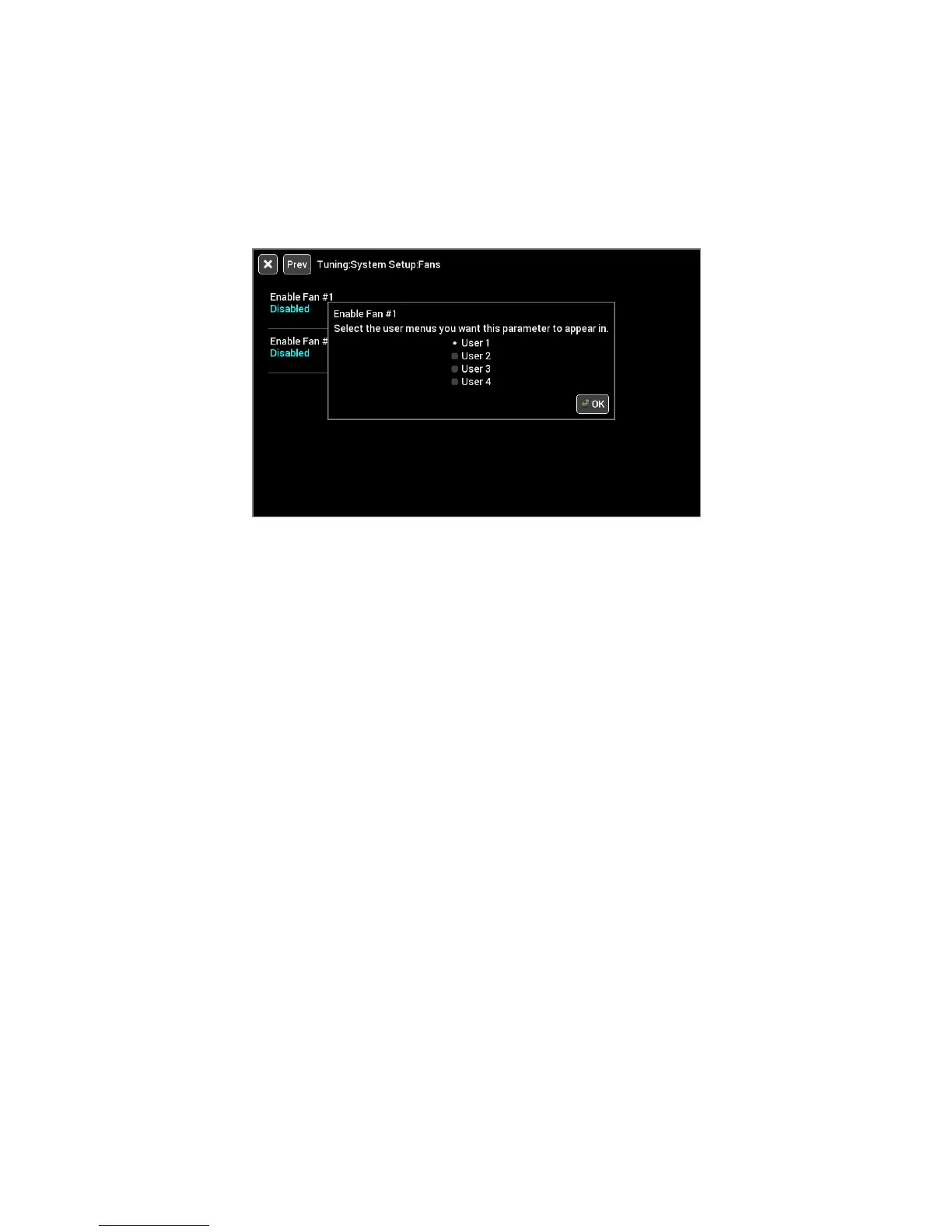
To add items to a user menu, you must first navigate to the desired item. Press on the desired menu item
label for more than 2 seconds and a dialog box will appear allowing you to select which menu to add or remove
this item to.
Cleaning
If screen needs cleaning, use the supplied microfiber cleaning cloth. Do not use harsh chemical cleaners on
the touch screen display.
Do not subject the display to a high pressure water stream from a pressure washer.










 To Next Page