35
Backup/Restore
Backup/Restore can be used to duplicate a dash configuration on a new dash. The backup includes all local
dash configuration settings and screen layouts.
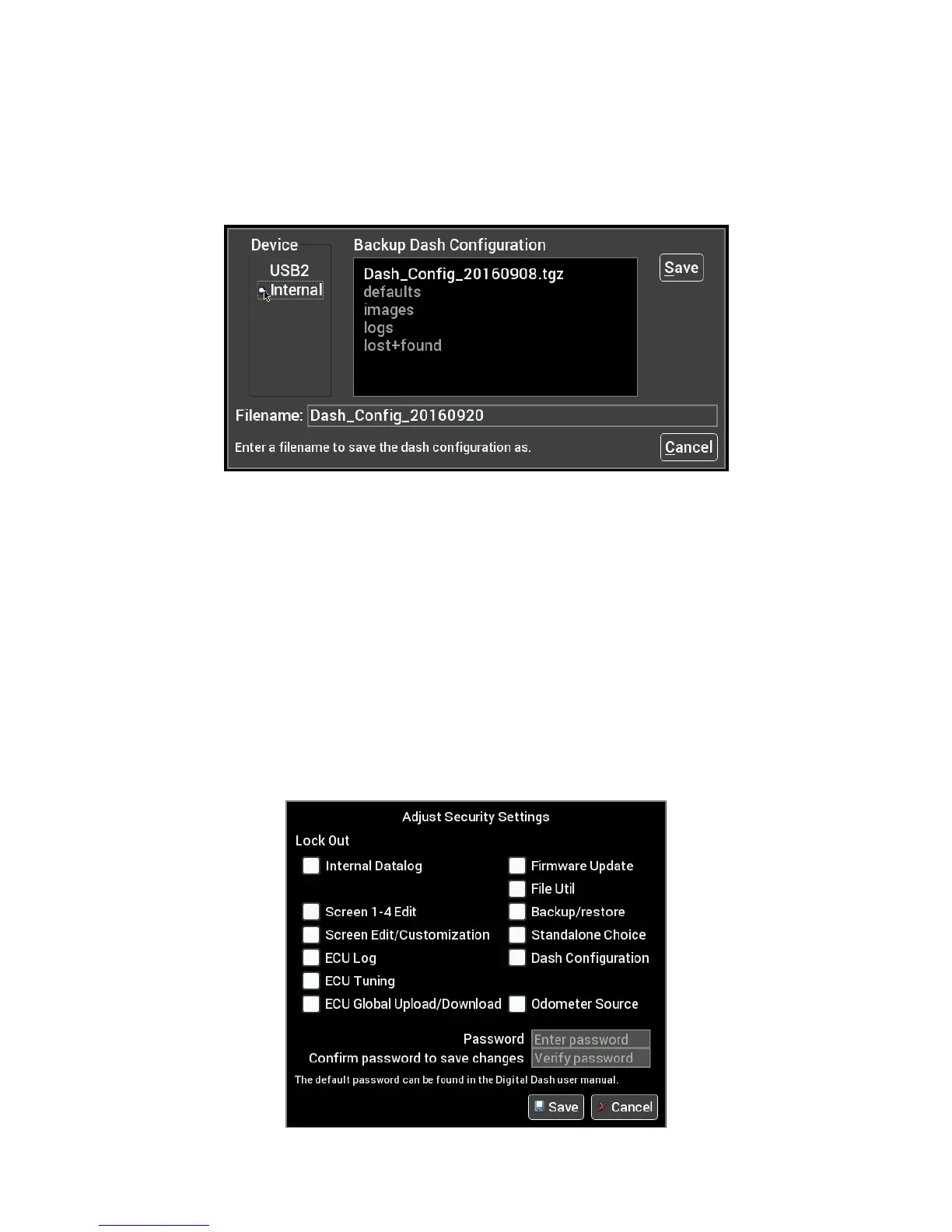
Backup
To create a backup copy of the complete Dash configuration, choose Backup Configuration.
Navigate to where you want the backup file stored, adjust the filename if necessary and press Save.
Restore
To restore a previously saved configuration, select the Restore Configuration from the menu, locate the
desired Dash_Config_*.tgz file and press Restore.
Security Settings
The Dash has the ability to lock out certain functionality. To disable a particular feature, place a checkmark
beside the feature you wish to lock out.
Default Password
Before you can change any settings, you will need to enter the default password of “holley” (without quotes.)










 To Next Page