34
Downloading the Current EFI Configuration
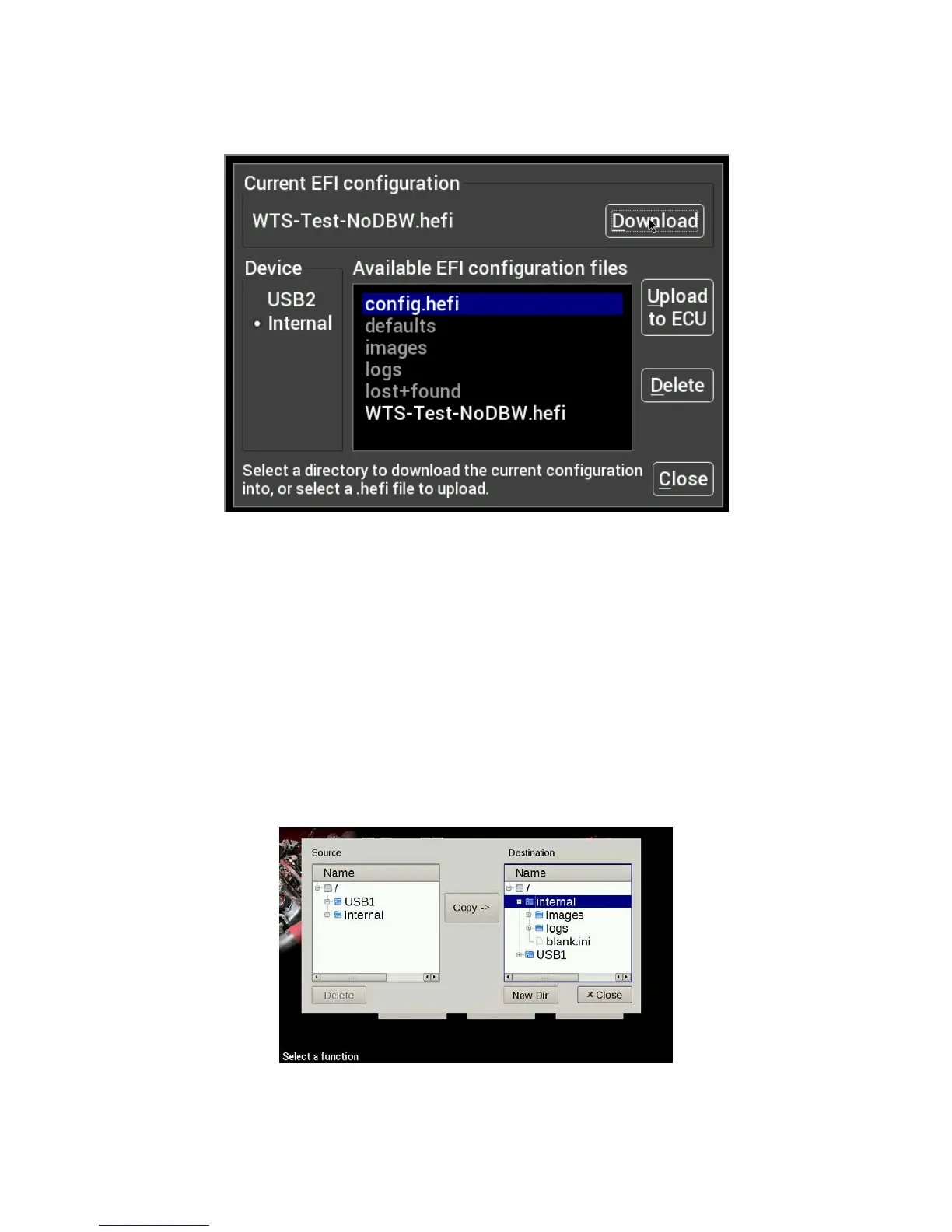
Connect a USB flash drive to one of the USB cables attached to the Dash. Navigate to the desired device and
folder where you want to store the current EFI configuration, and press Download to start the transfer.
Uploading a New EFI Configuration
To upload a new configuration to your Holley EFI, first ensure that the engine is not running. Navigate and
select the desired .hefi configuration file and press Upload to ECU to start the transfer.
Deleting EFI configuration files
If you no longer want to have a copy of the .hefi file you may remove it. Navigate to the desired file and press
Delete.
File Utilities
The utilities screen allows users to perform file functions such as deleting files and copying files to USB
memory sticks.










 To Next Page