40
Table Editor
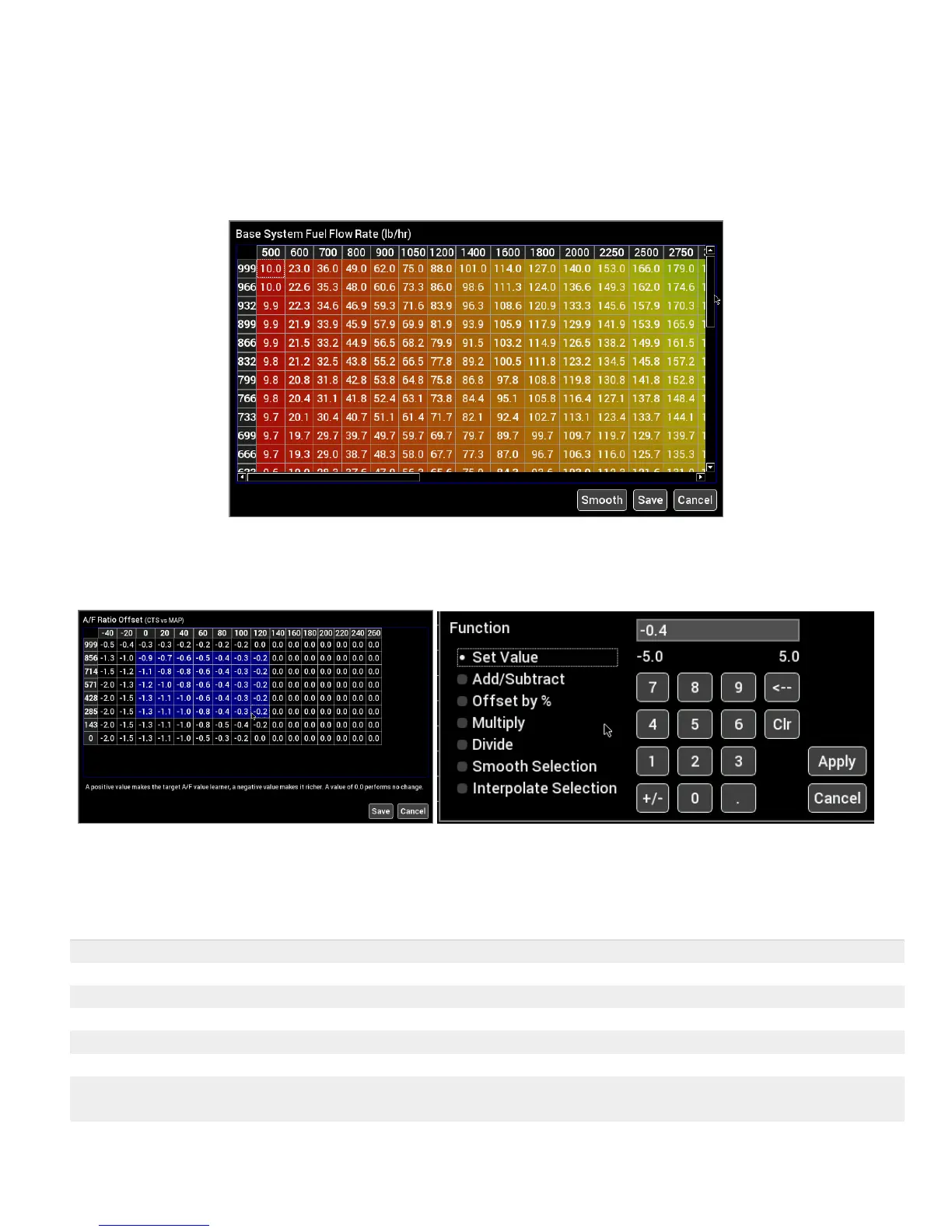
In table editor you can select a single cell or multiple cells to edit. Press once on a single cell to select it, then
press a second time to bring up the numeric table editor.
Multiple cells may be edited by first pressing and dragging to highlight the desired cell range in blue. Press on
any blue selected cell to bring up the numeric table editor.
To perform smooth and interpolate operations, first select a range of cells then press on any selected cell to
bring up the editor. Select Smooth or Interpolate then press Ok.
To perform an action, select the desired function, type in a value and press Apply. Changes are not sent to the
EFI until the ‘Save’ button is pressed.
Sets all selected cells to the same value
Adds an offset to the selected cells.
Offsets each selected cell by a percentage. 100% doubles the value.
Multiples each selected cell by a value
Divides each selected cell by a value
Smooths the selection using neighboring cell values
Perform a linear interpolation of values using the four corner cells in the
selection











 To Next Page