30
Start-up Gauge Layout
The Dash will use the last saved layout as the start-up layout. To configure the screen that will be shown upon
start-up of the Dash, follow these steps:
1. Toggle to the screen you would like displayed each time the unit is powered on.
2. Enter ‘Customize’ from the Main Menu.
3. Choose ‘Save’ in the top right corner of the gauge screen.
Preconfigured Layouts
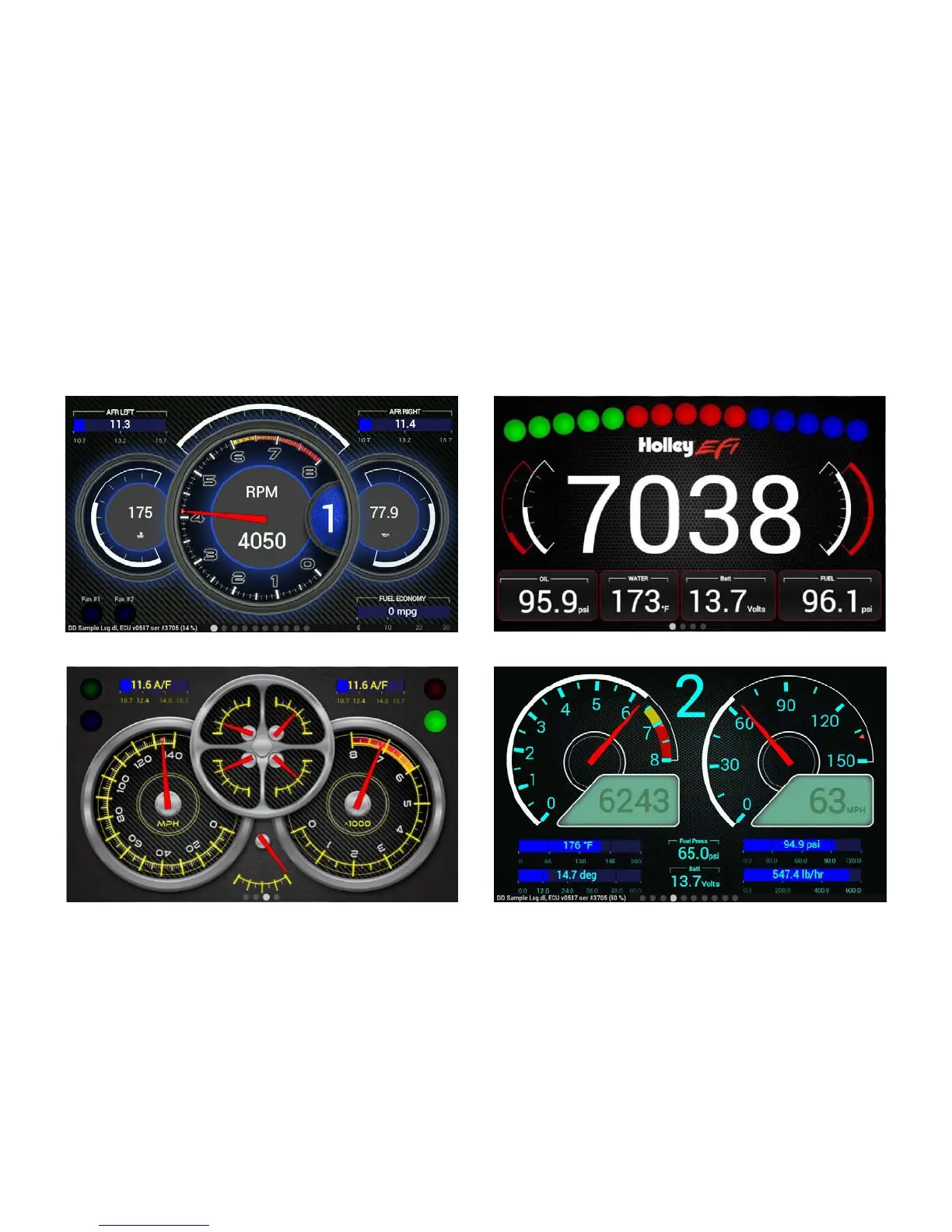
The Holley EFI Digital Dash comes standard with ten preconfigured gauge layouts. The first four of these
layouts are active by default. If a smaller or larger number of layouts are desired, select ‘Configuration’ from
the Main Menu. The minimum number of layouts is two and the maximum is ten.
Below are examples of the ten preconfigured layouts:










 To Next Page