27
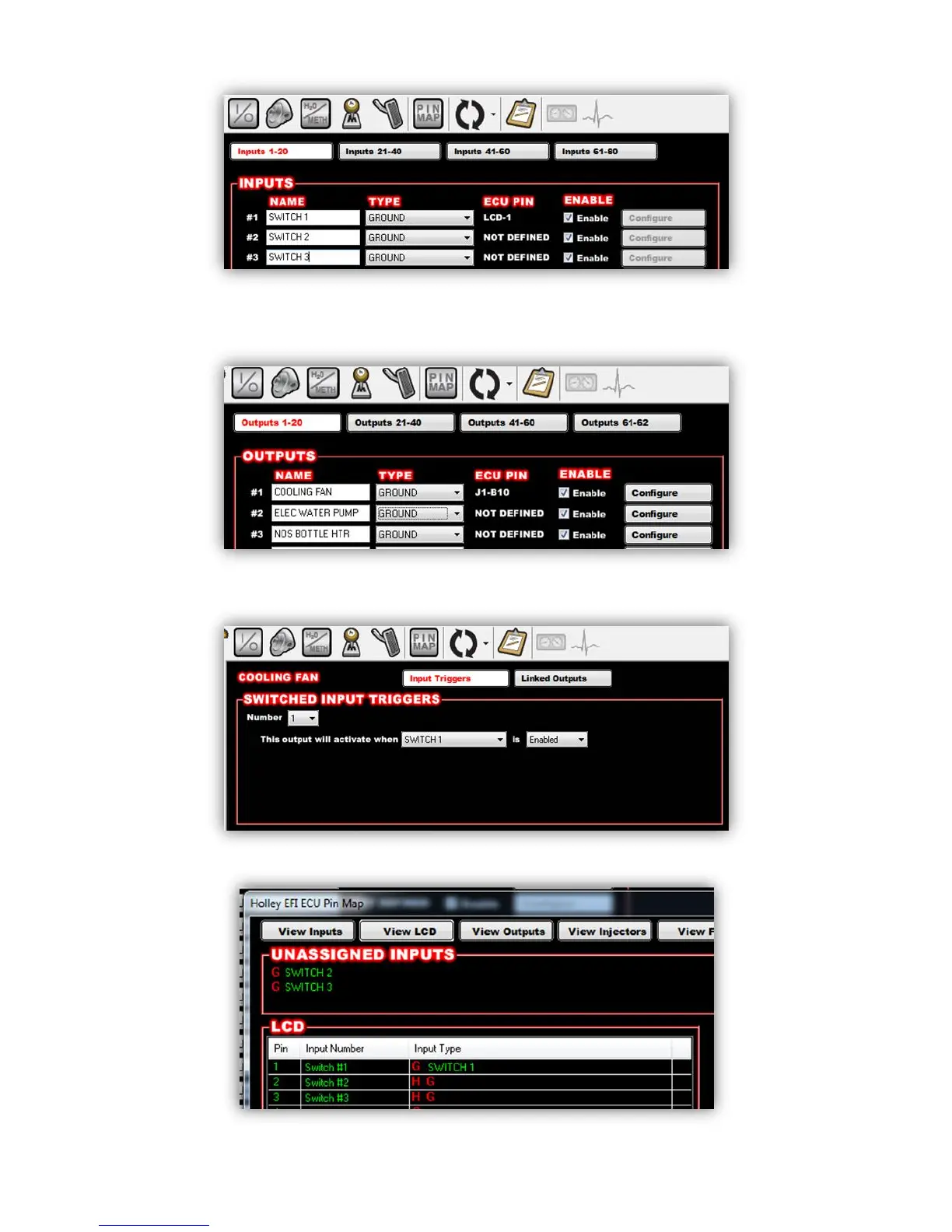
1. Create an input in the I/O screen and give it a name – for this example we have named it “SWITCH 1”
2. Create an output in the I/O screen and give it a name – in this example we have named them “Cooling
Fan”, “Elec Water Pump”, and “NOS Bottle Htr”. Once named, choose ‘Configure’ at the right of the
screen.
3. Set the Switched Input Trigger to activate when ‘SWITCH 1’ is enabled
4. Go to the ‘PIN Map’ Icon, select ‘View LCD’ and drag the switch inputs to the appropriate pin number.










 To Next Page