OPERATION OF THE SOFTWARE MENU
Imager Duo Operator’s Manual
4.27
Transport of patient slides:
if slides are to be transported or placed into storage,
be sure they are appropriately packaged and labeled.
Import
The Import function enables imaged data to be imported at a remote site from
media that was sent from the Imaging site.
Note:
Only slide image data is imported. Slide review data is not exported, so
it will not be imported.
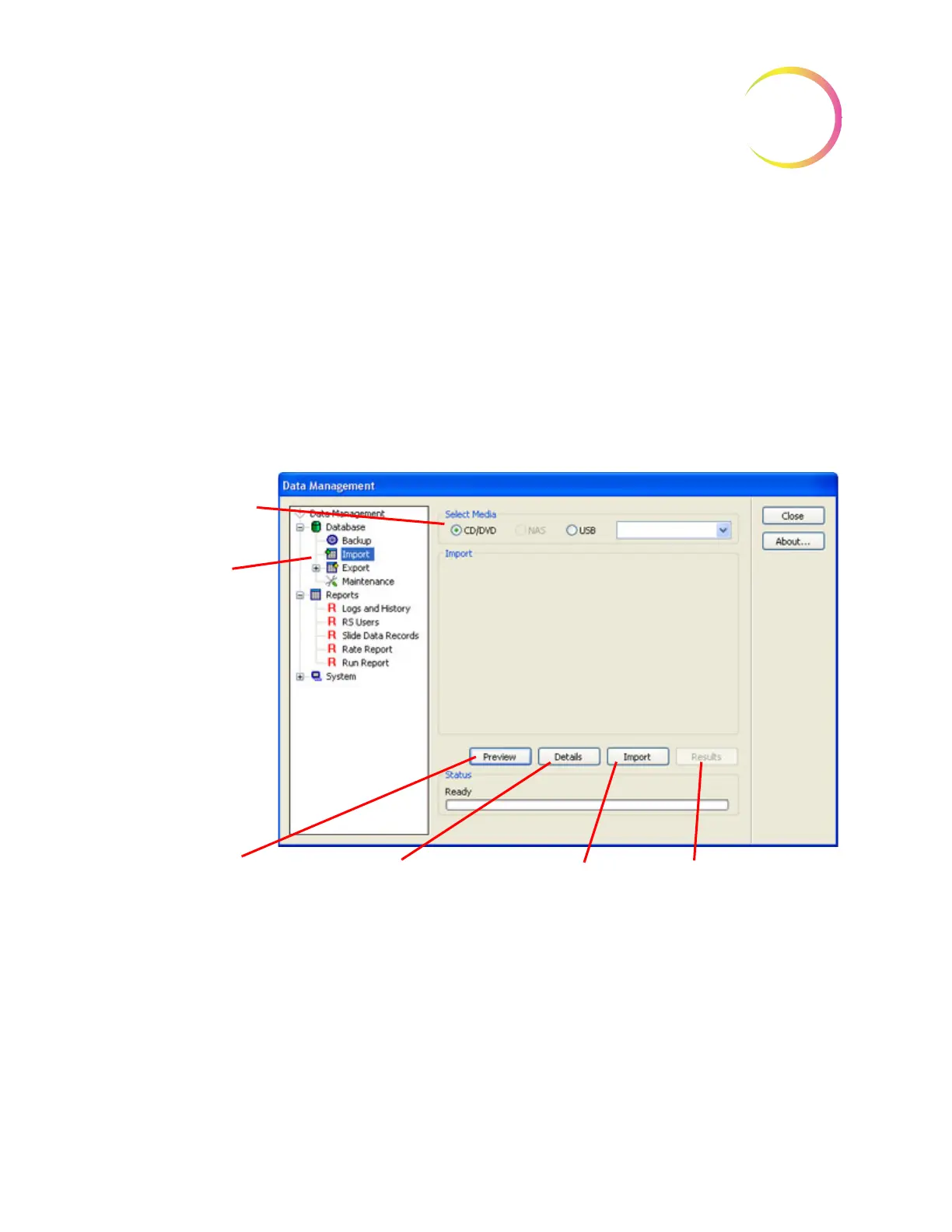
To access the Import window, click on the Import icon in the Data Management
menu. (See Figure 4-42.)
Figure 4-42 Import Window
Place the media containing imaged data into the correct drive of the Server.
Click on the
Preview
button to see a brief status of the date: date of export,
name of lab, number of slides. Refer to Figure 4-43.
Select the type of
media
Import function
icon
Results
button shows the
results of a completed
Import.
Preview
button shows
the range of slide IDs
to be imported.
Import
button begins
the Import function.
Details
button displays
a window with import
information and a table
with slide IDs.












 To Next Page