OPERATION OF THE SOFTWARE MENU
Imager Duo Operator’s Manual
4.67
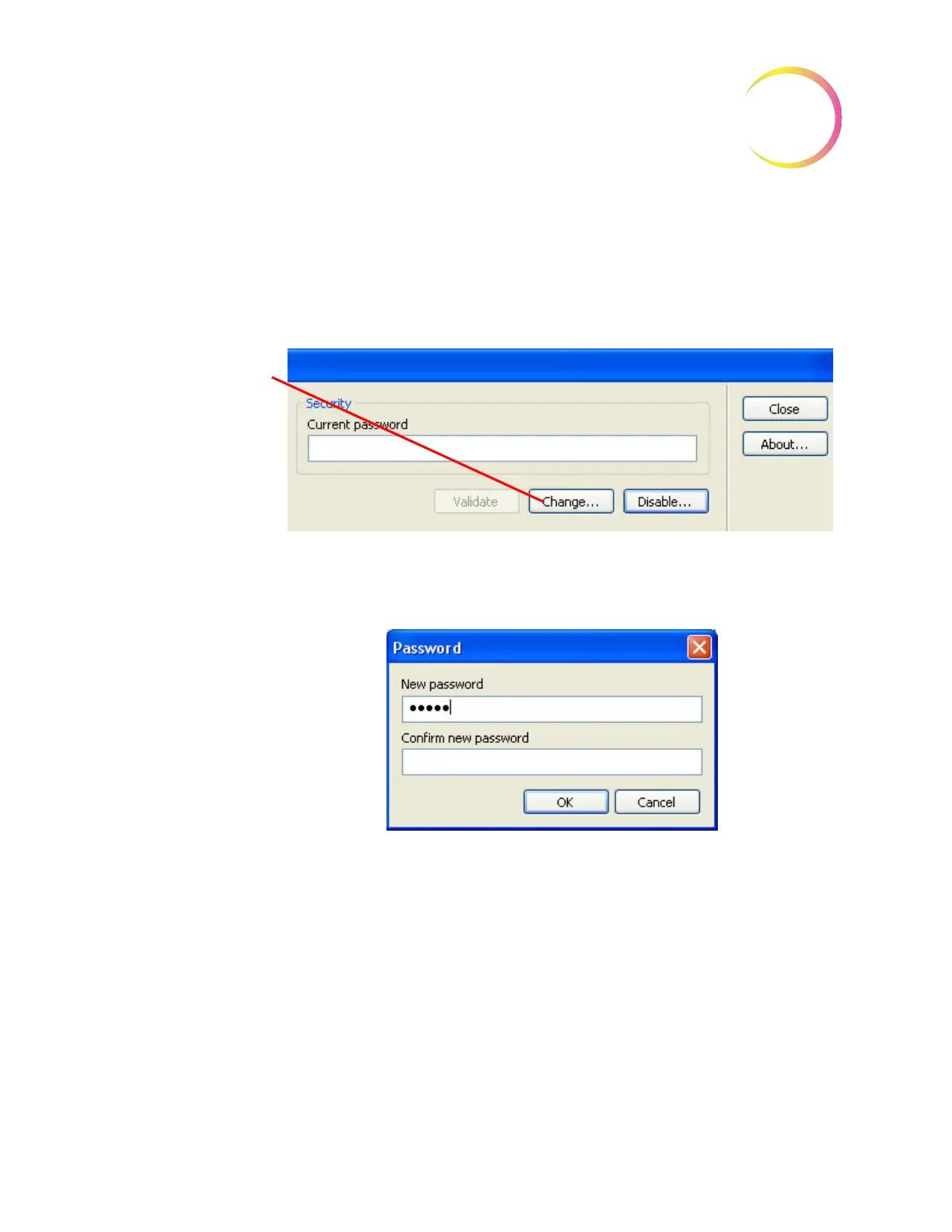
Change
The
Change...
button is used to change the password. Once the current pass-
word has been validated, click on the
Change
button to enter a new password.
(Figure 4-86.)
Figure 4-86 Change Password
The password box will appear. Enter a new password and click
OK
when done.
Figure 4-87 Enter New Password
Note:
Only one password can be used at a time. Previous passwords are not
retained.
The new password will be enabled the next time Data Management is opened.
Click on the
Change...
button to change the
password.












 To Next Page