Equipment:
........................
Function Generator HP 3325A
Procedure:
1.
Set the function generator as follows:
.........................................
Frequency
1
MHz
Function
...........................................
Sine Wave
Amplitude
........................................
8
mV rms
2.
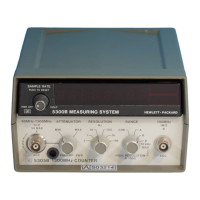
Set the 5334B as follows:
FUNCTION
................................
FREQ B
SENS (blue key)
..............................
ON
CHAN B SENS Control
................
MAX
INPUT B 50R
..................................
ON
GATE
TIME
...................................
1
Second
3.
Adjust
AIR41
(B
VOS) to the mid-range position, and adjust
AIR133 to the fully counterclockwise position. AIR133 is set to
maximum sensitivity for Channel B in this position.
4.
Connect the function generator signal to the
5334B Input B. Connect Time Base as shown in
Figure
5-7
5.
Adjust
AIR41
(B
VOS) for a 5334B front panel display of 1.000
000
00
MHz
5
0.06 Hz.
6.
Decrement the function generator signal amplitude by
1
mV rms and repeat step
5.
Continue to repeat steps
5
and
6
until no further adjustment can be made because the signal level drops
below the Counter's sensitivity limit (indicated
by
the
GATE
LED
staying on continuously and no display up-
date or an inaccurate reading).
7.
Set the function generator amplitude to 6.5 mV rms.
8.
Adjust AIR133 to the point at which the 5334B stops counting and then carefully adjust AIR133 so the
5334B just starts counting and accurately displays
1.000
000
00
MHz
2
0.06
Hz.
9. Set the function generator amplitude to 4
mV rms.
10. 10. Verify that the
5334B does not count the
1
MHz signal.
If
the,5334B
is
able to count at 4 mV rms, set the function generator amplitude to 7 mV rms and repeat
steps
8,9, and 10. If necessary, step 8 can be performed at 7.5 or 8.0
mV
rms so that there is no count at
4
mV rms.
HP
5334B
-
Service Manual
5-12



 To Next Page