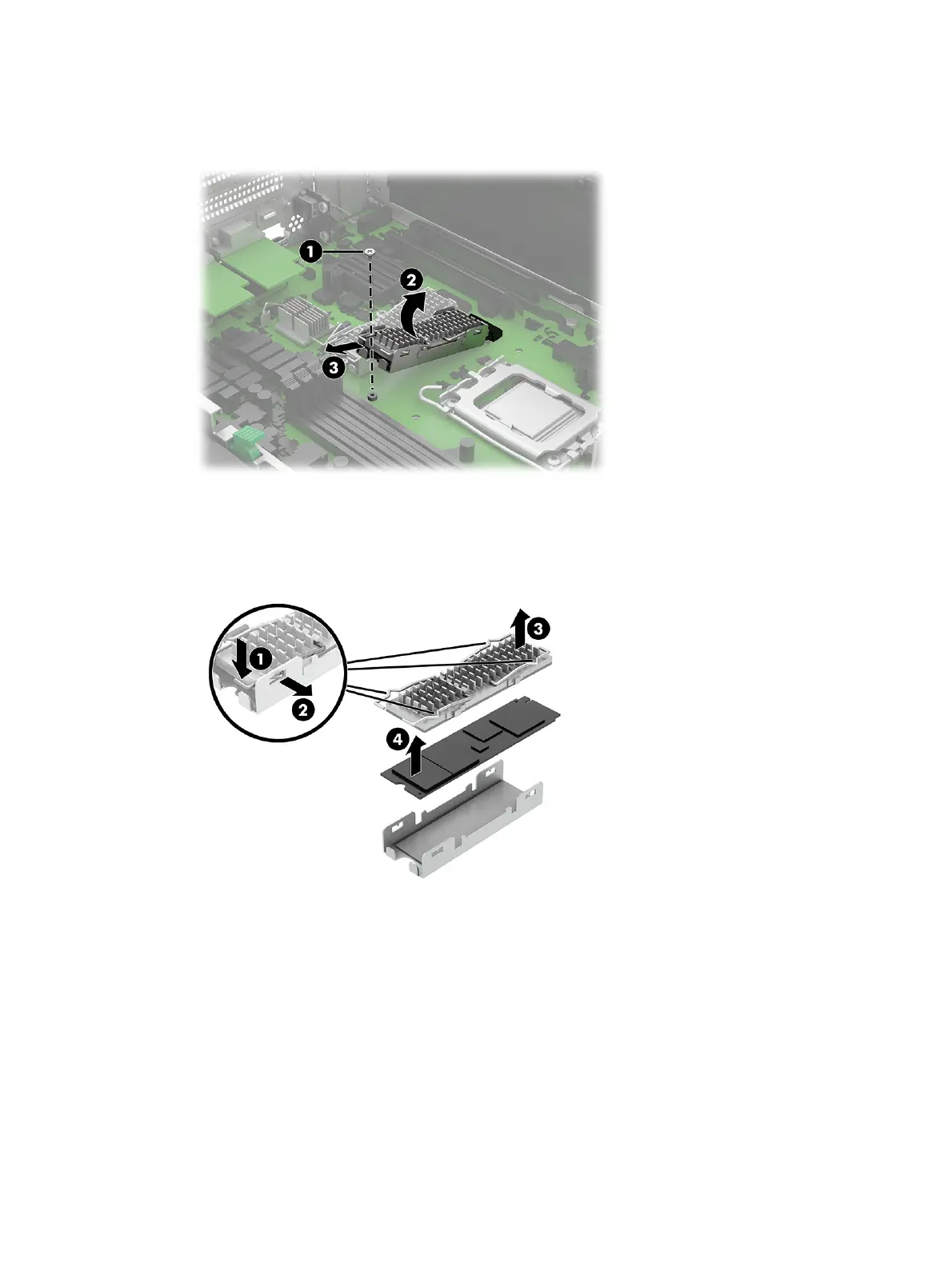
2. Remove the Phillips screw (1) that secures the drive.
3. Rotate the drive upward (2), and then pull the drive out of the socket (3).
4. To remove the heat sink from the drive, pull all four heat sink arms (1) down slightly, and then pull the
arms out of the slots (2) in the bracket.
5. Lift the heat sink (3) off the top of the drive, and then remove the drive (4) from the bracket.
Solid-state drive
39



 To Next Page