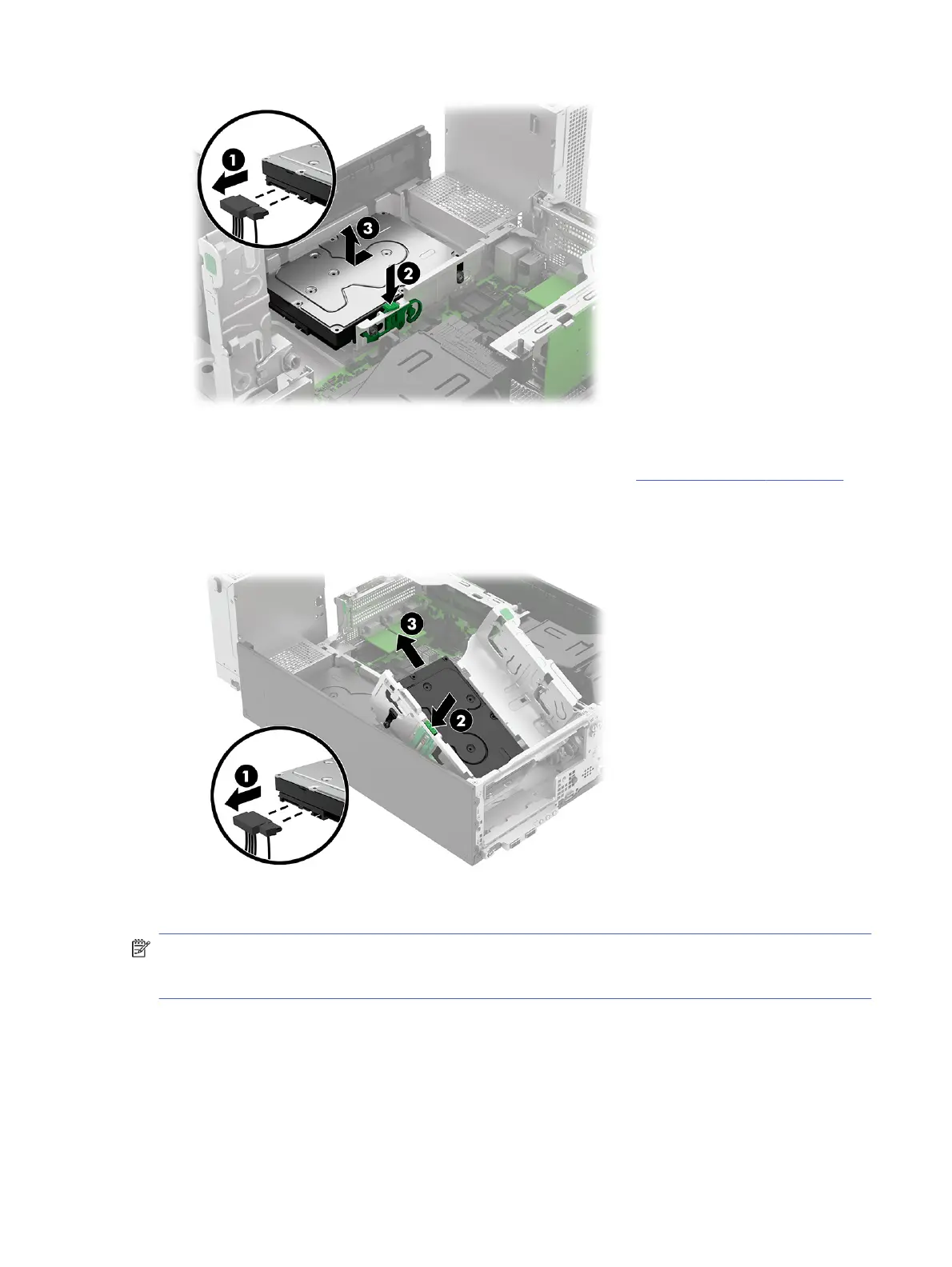
Remove the secondary hard drive from the drive cage:
1. Remove the optical drive cage from the rotating drive cage (see Optical drive cage on page 43).
2. Disconnect the power and data cables (1) from the back of the drive.
3. Press the release button (2), and then slide the drive (3) out of the drive cage.
To install the hard drives, reverse the removal procedure.
NOTE: You must install screws with grommets into the hard drive to install it into the lower drive bay.
You must install shorter M3 screws without grommets into the hard drive to install it into the bay in the
drive cage.
Fan duct
To remove the fan duct, use this procedure and illustration.
Before removing the fan duct, follow these steps:
Fan duct
47



 To Next Page