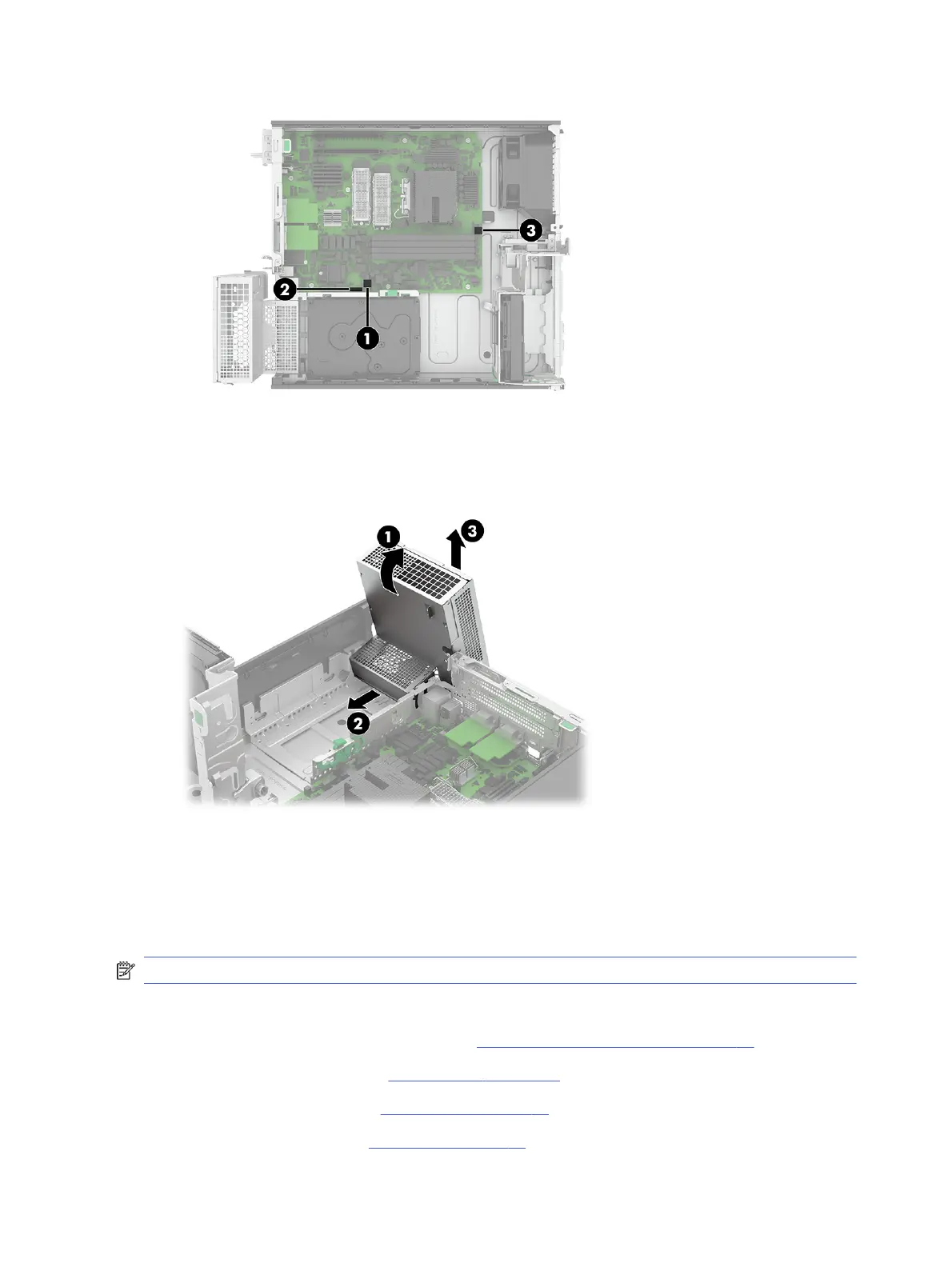
2. Rotate the power supply (1) up approximately 90°.
3. Slide the power supply forward (2), and then lift it up and out of the computer (3).
To install the power supply, reverse the removal procedures.
System board
To remove the system board, use this procedure and illustration.
NOTE: All system board spare part kits include replacement thermal material.
Before removing the system board, follow these steps:
1. Prepare the computer for disassembly (see Preparation for disassembly on page 20).
2. Remove the access panel (see Access panel on page 21).
3. Remove the optical drive (see Optical drive on page 23).
4. Remove the front bezel (see Front bezel on page 23).
56
Chapter 4 Removal and replacement procedures



 To Next Page