WLAN module
To remove the WLAN module, use these procedures.
Before removing the WLAN module, follow these steps:
1. Prepare the computer for disassembly (see Preparation for disassembly on page 20).
2. Remove the access panel (see Access panel on page 21).
3. Rotate the power supply to the upright position (see Drive cage on page 44).
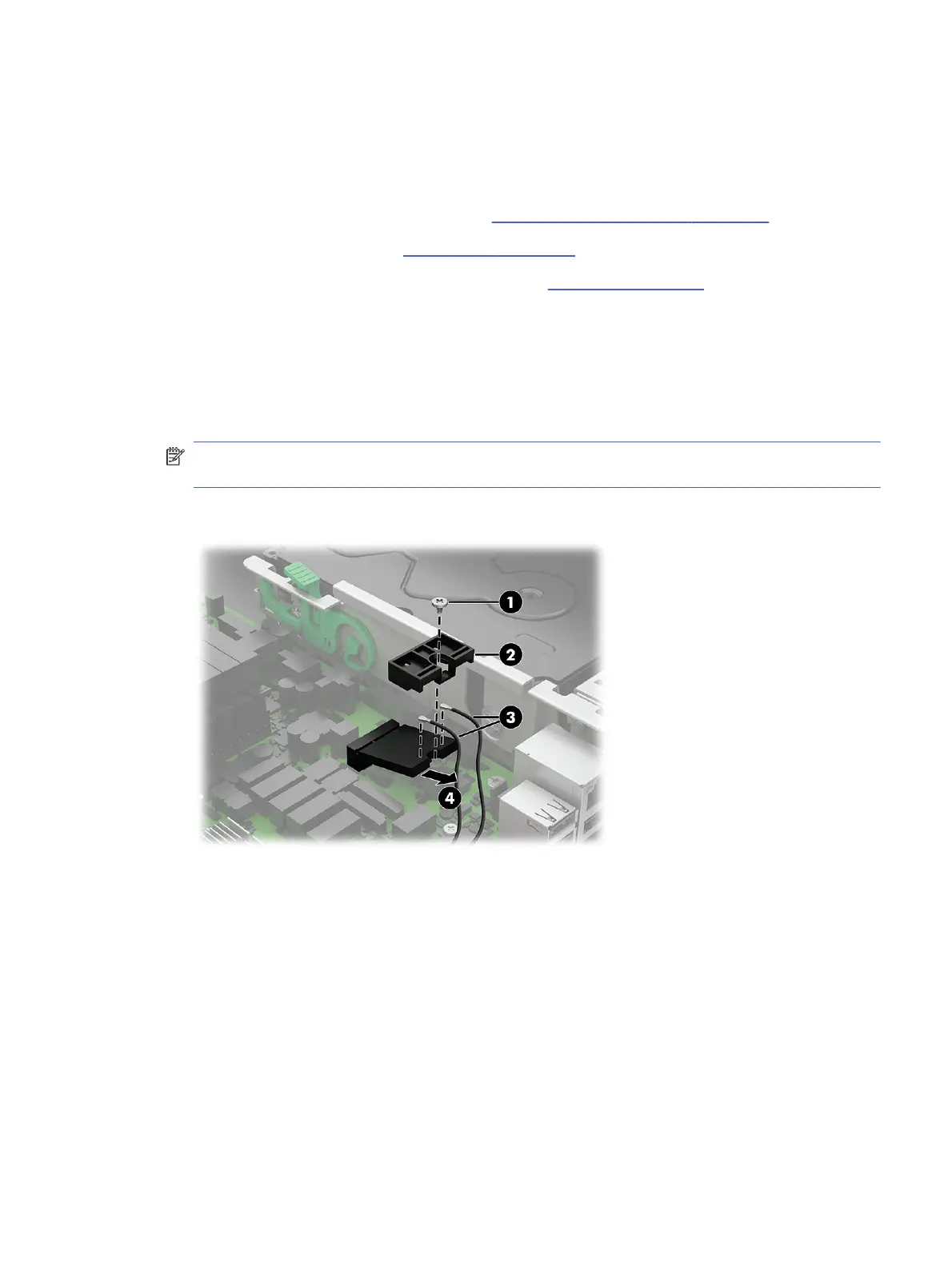
Remove the WLAN module:
1. Remove the screw (1) that secures the module to the computer.
2. Remove the plastic shield (2) that covers the antennas.
3. Disconnect the antenna cables (3) from the module.
NOTE: The WLAN antenna cable labeled 1/AUX connects to the WLAN module AUX terminal. The
WLAN antenna cable labeled 2/MAIN connects to the WLAN module MAIN terminal.
4. Pull the module (4) out of the socket.
WLAN module
45



 To Next Page