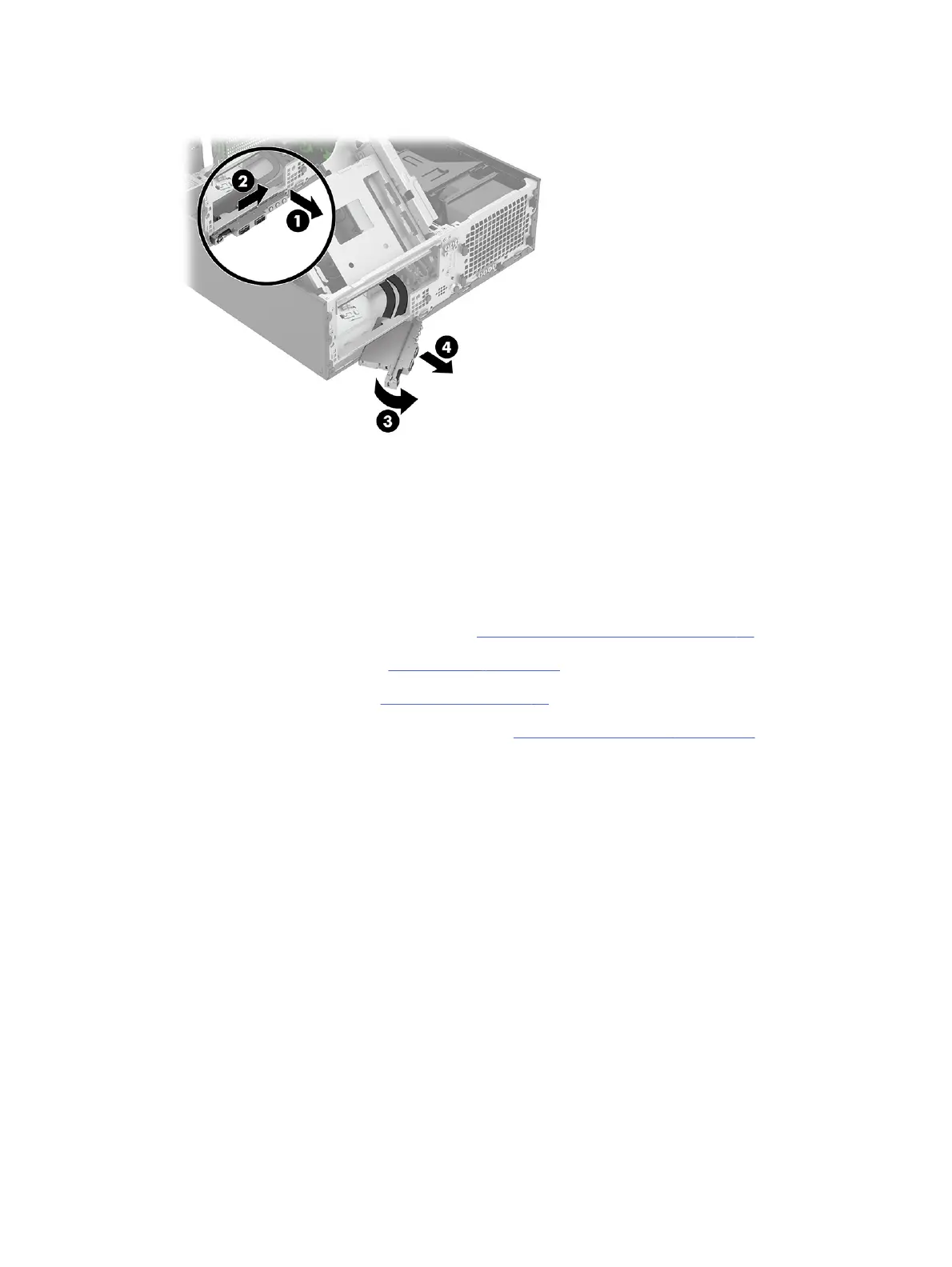
8. Pull the assembly and cables (4) out of the front of the computer.
To install the front I/O assembly, reverse the removal procedure.
Speaker
To remove the speaker, use this procedure and illustration.
Before removing the speaker, follow these steps:
1. Prepare the computer for disassembly (see Preparation for disassembly on page 20).
2. Remove the access panel (see Access panel on page 21).
3. Remove the optical drive (see Optical drive on page 23).
4. Rotate the drive cage to the upright position (see Rotating the drive cage on page 26).
Remove the speaker:
1. Disconnect the speaker cable from the SPKR connector (1) on the system board.
2. Under the drive cage, pull the rubber speaker connectors (2) away from each other to release the
speaker.
42
Chapter 4 Removal and replacement procedures



 To Next Page