Installing the console switch 19
4.
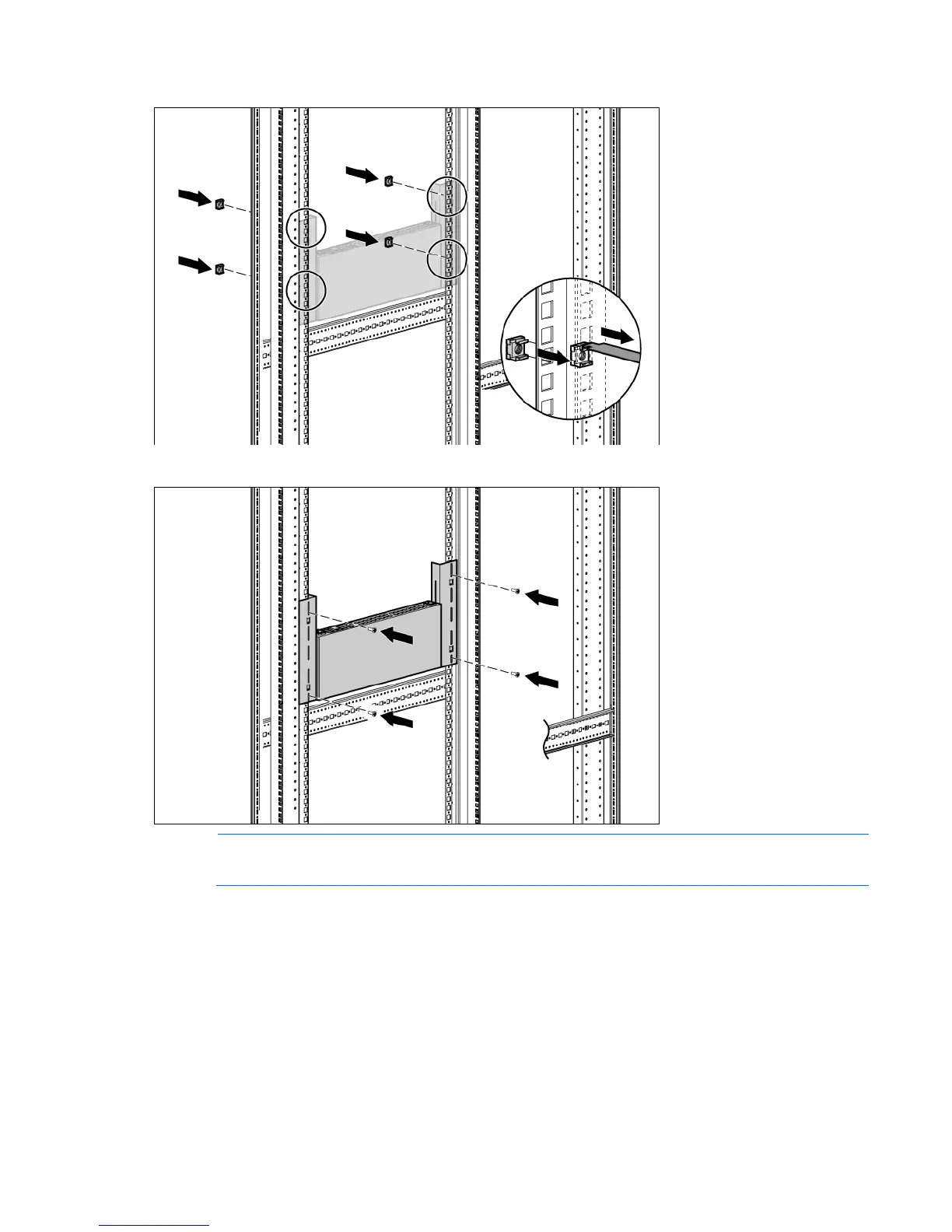
Install four cage nuts into the side-mounting bracket U locations.
5. Secure the console switch to the rails, using four M-6 screws, two on each side.
NOTE: Some racks enable you to use four sheet metal screws in place of M-6 screws and cage
nuts.
Connecting the console switch
1. Connect the local keyboard, video, and mouse to the console switch.













 To Next Page