Using Virtual Media 63
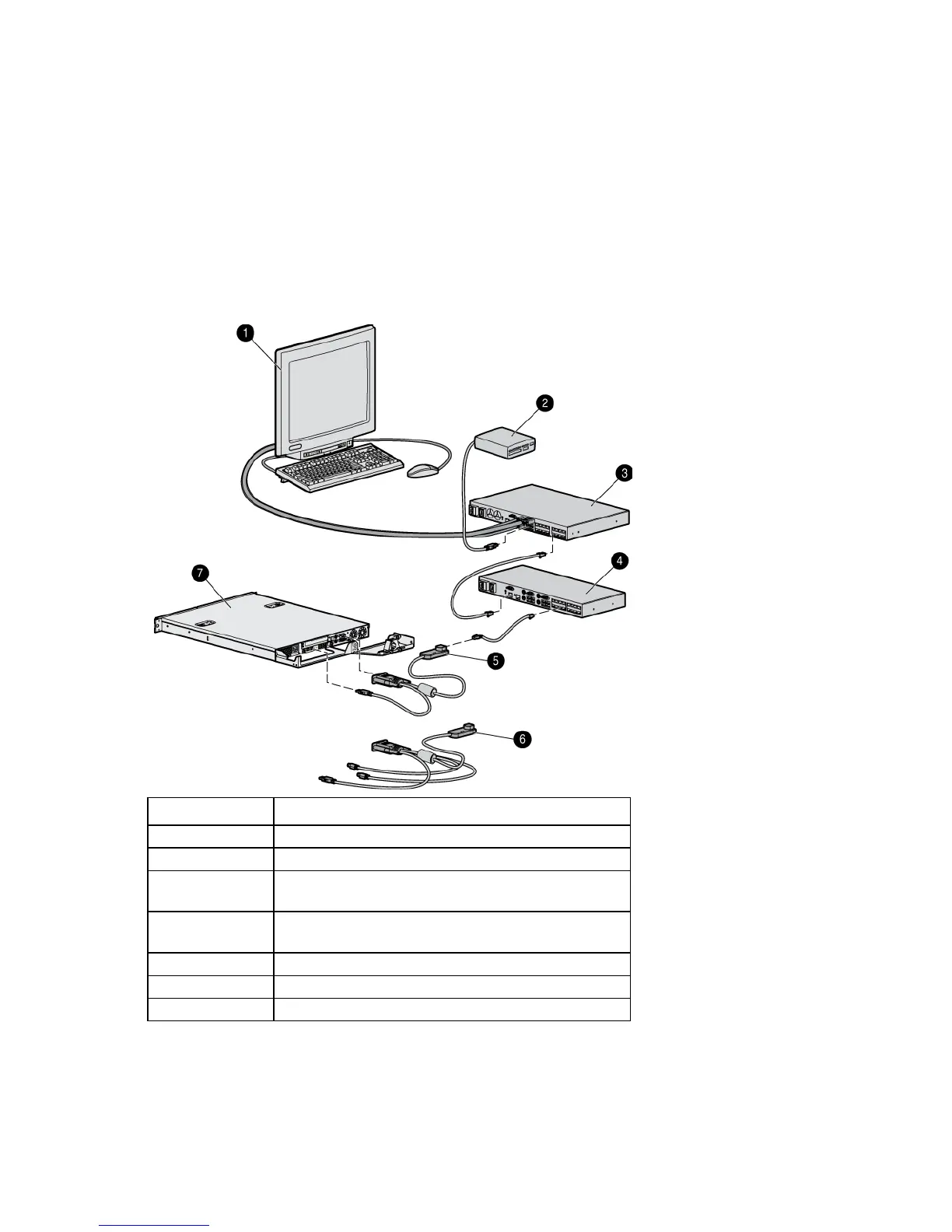
Using Virtual Media in a two-level cascade
configuration
For Virtual Media to work properly in a two-level cascade configuration, you must have:
• A console switch with Virtual Media as the primary console switch
• A console switch with Virtual Media as the secondary console switch
• An interface adapter with Virtual Media connecting each server to the console switch
For more information on cascading, see Cascading console switches (on page 25).
Item Description
1
Local user
2
USB media device
3
Console switch (HP Server Console Switch with Virtual
Media or HP IP Console Switch with Virtual Media)
4
Secondary console switch (HP Server Console Switch with
Virtual Media)
5
USB 2.0 interface adapter with Virtual Media
6
PS2 interface adapter with Virtual Media
Server













 To Next Page