Configuring the console switch 33
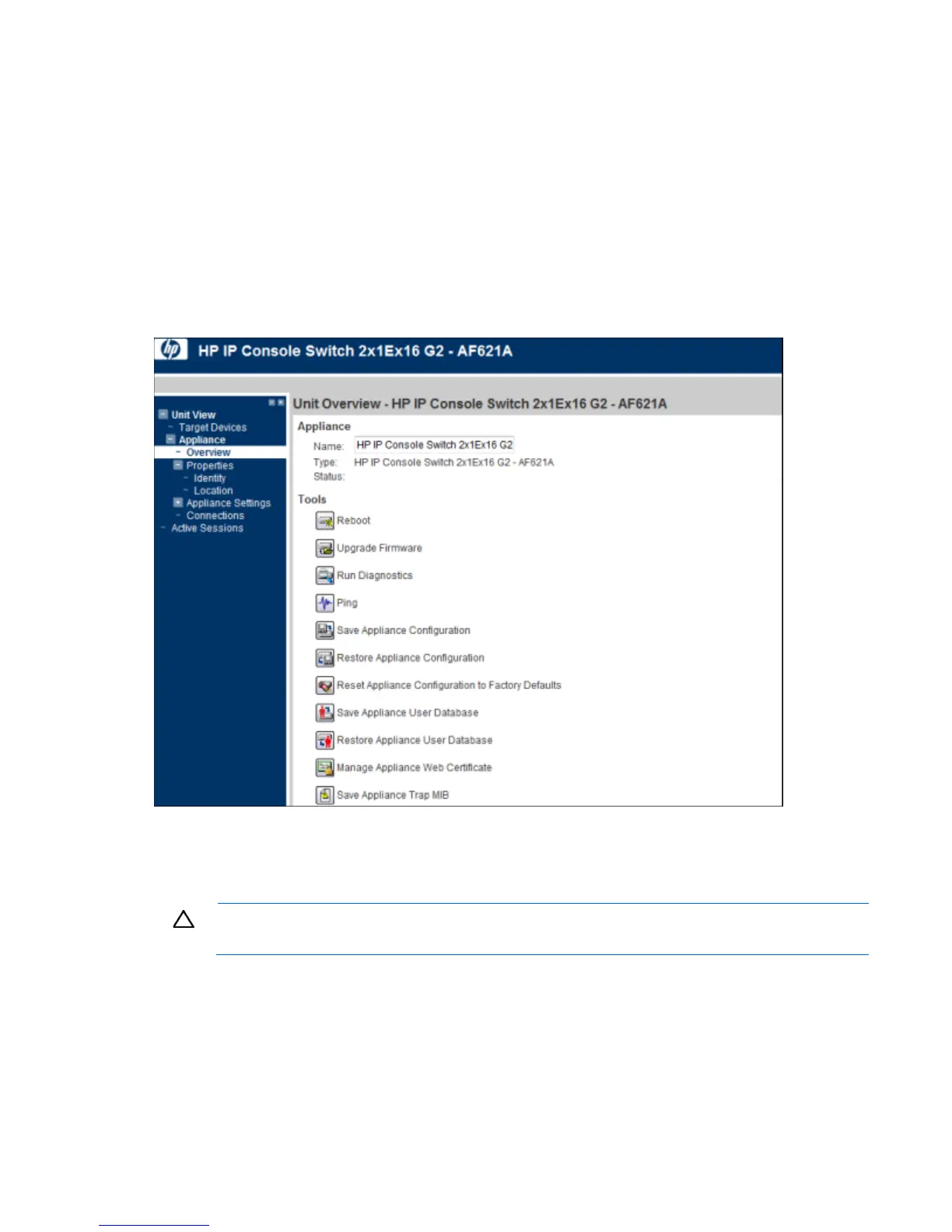
• Save Appliance Configuration ("Saving the console switch configuration or user database" on page
34)
• Restore Appliance Configuration ("Restoring the console switch configuration or user database" on
page 35)
• Save Appliance User Database ("Saving the console switch configuration or user database" on page
34)
• Restore Appliance User Database ("Restoring the console switch configuration or user database" on
page 35)
• Manage Appliance Web Certificate
• Save Application Trap MIB
Upgrading the console switch firmware
HP recommends updating your console switch with the latest firmware available.
CAUTION: Do not disconnect an interface adapter during a firmware upgrade or power cycling.
The interface adapter becomes inoperable and must be returned to the factory for repair.
After the Flash memory is reprogrammed with the upgrade, the console switch performs a soft reset,
terminating all interface adapter sessions. Any console switch receiving a firmware update might appear
disconnected or might not appear. The console switch appears again with a normal status once the Flash
update is complete.
To update the console switch firmware:
1. Select Unit View>Appliance>Overview. The Unit Overview page appears.













 To Next Page