Configuring the console switch 50
1.
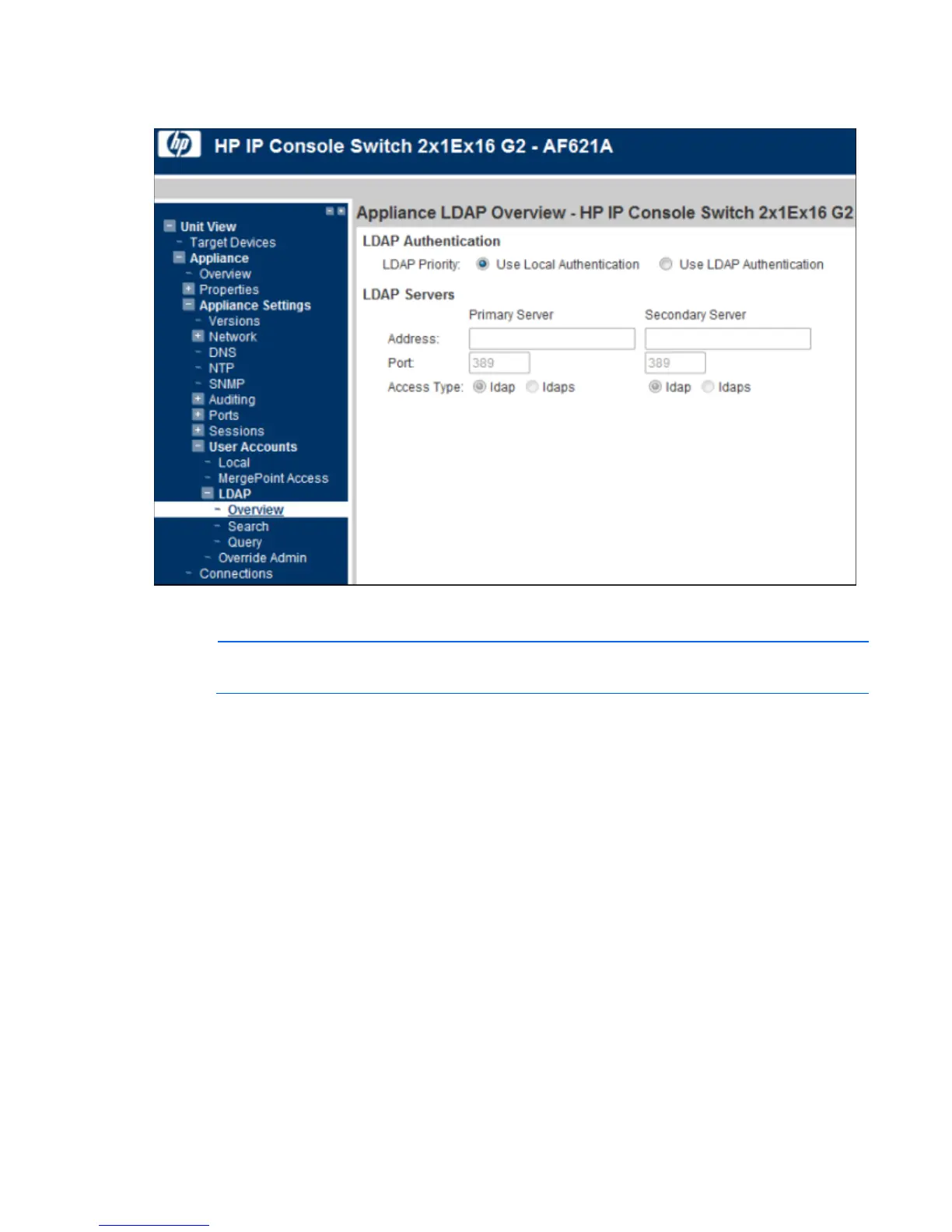
Select Unit View>Appliance>Appliance Settings>User Accounts>LDAP. The Appliance LDAP Overview
page appears.
2. Configure the LDAP authentication priority by selecting either Use Local Authentication or Use LDAP
Authentication.
NOTE: The secondary LDAP server is optional.
3. Configure the LDAP servers information:
o Address—Specifies the host names or IP addresses of the primary and secondary LDAP servers.
o Port—Specifies the UDP port numbers that communicate with the LDAP servers. The default port ID
for non-secure LDAP is 389 and the default port ID for secure LDAPS is 636.
o Access Type—Specifies how a query is sent to each LDAP target device. When using LDAP, all
usernames, passwords, and other information sent between the LDAP server and the target device
are sent as non-secure clear text. Use LDAPS for secure encrypted communication.
For more information about LDAP configuration, see the HP IP Console Viewer User Guide.
LDAP search
To configure the parameters when searching for LDAP directory service users:













 To Next Page