Configuring the console switch 51
1.
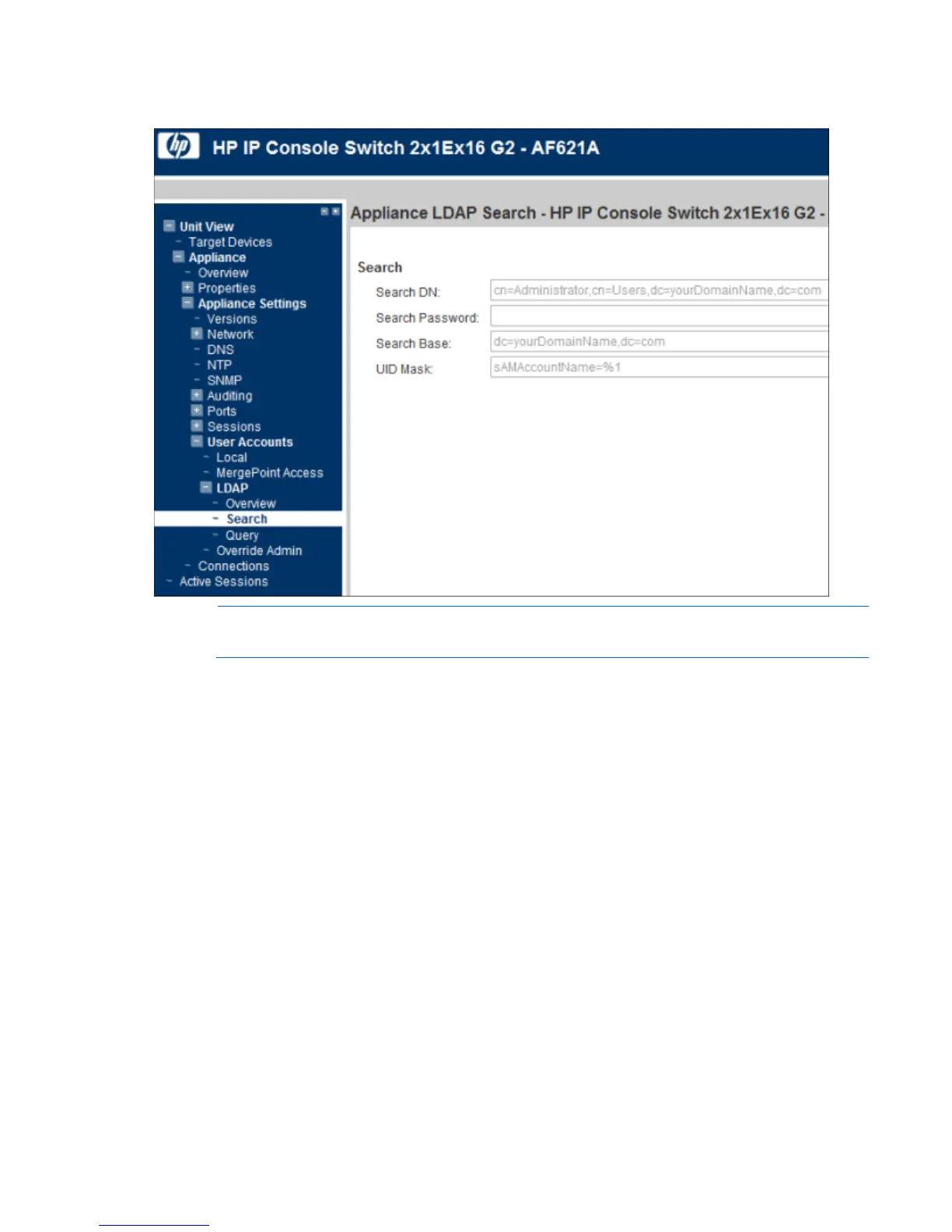
Select Unit View>Appliance>Appliance Settings>User Accounts>LDAP>Search. The Appliance LDAP
Search page appears.
NOTE: The LDAP Search and Query parameters can only be configured if LDAP Authentication
is enabled on the LDAP Overview ("Configuring LDAP" on page 49) page.
2. Configure the Search parameters:
o Search DN—Defines the administrator-level user that the target device uses to log into the directory
service. Once the target device is authenticated, the directory service grants it access to the
directory to perform the user authentication queries specified on the LDAP query page. The default
values are cn=Administrator, cn=Users, dc=DomainName, and dc=com. Each search value must
be separated by a comma.
o Search Password—Used to authenticate the administrator or user specified in the Search DN field.
o Search Base—Defines a starting point from which all LDAP searches begin. The default values are
dc=yourDomainName and dc=com. Each search value must be separated by a comma. For
example, to define a search base for test.com, your values are dc=test, dc=com.
o UID Mask—Specifies the search criteria for user ID searches of LDAP target devices. The format is
<name>=<%1>. The default value is sAMAccountName=%1, which corresponds to Active
Directory.
LDAP query
To configure LDAP query parameters:













 To Next Page