Video Session Viewer 57
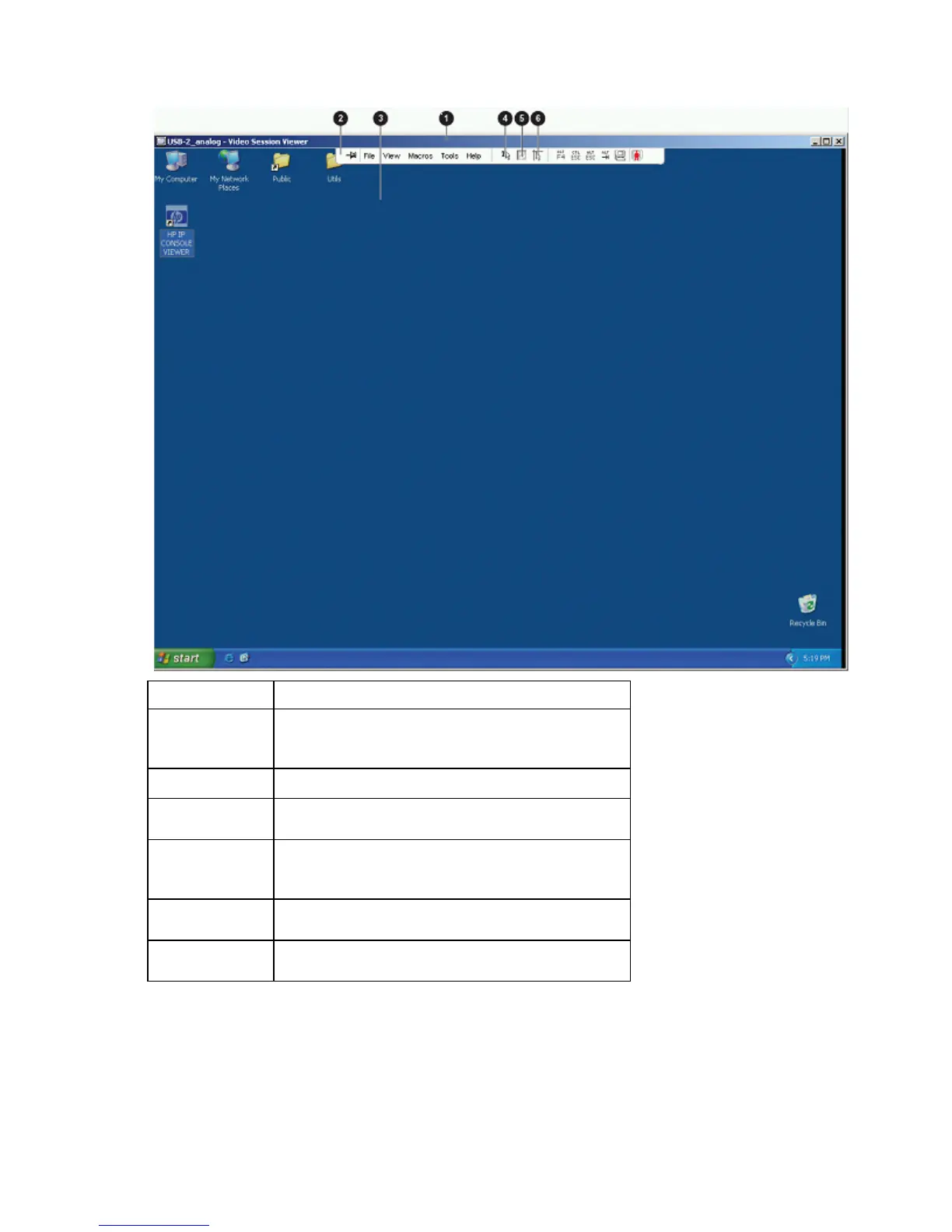
The following view of the Video Session Viewer is in normal window mode.
Item Description
1
Title bar—Displays the name of the server you are viewing
To access the menu bar, place your cursor in the middle
bottom of the title bar.
2
Menu bar—Enables you to access features
3
Server desktop—Enables you to interact with the server
through this desktop
4
Align Local Cursor icon—Enables you to reestablish
proper tracking of the local cursor to the remote server
cursor
5
Refresh Video icon—Enables you to regenerate the
digitized video image of the server desktop
6
Full Screen mode icon—Enables you to expand the
accessed server desktop to fill the entire screen
Changing the toolbar
You can adjust the amount of time that passes before the toolbar hides in the Video Session Viewer window
when it is not locked by thumbtack.













 To Next Page