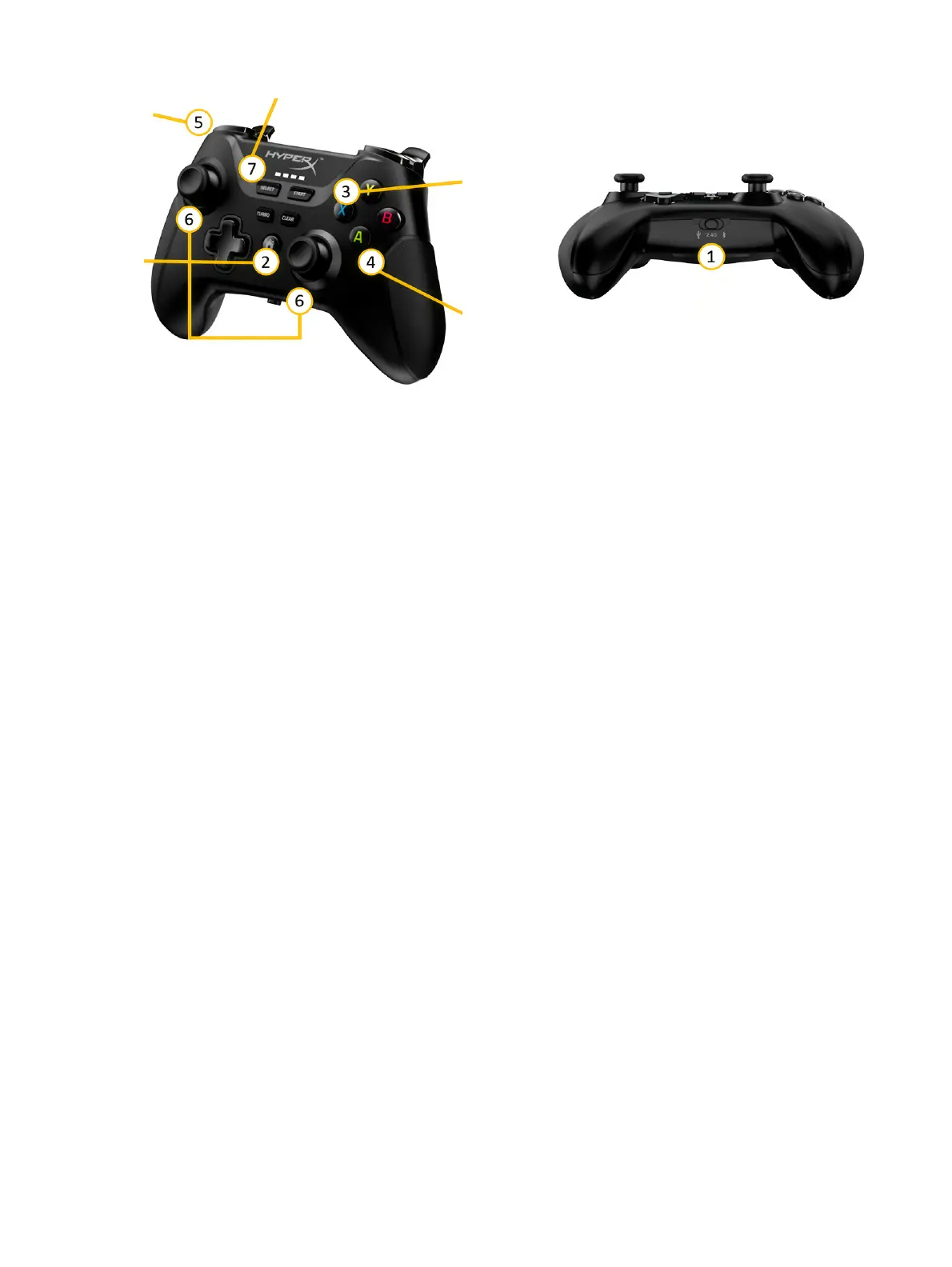
1. The switch must be set to Bluetooth position (right). To prevent battery drain, switch it back to USB
position (left) to turn off the controller before storing it in the suitcase.
2. Press the home button to connect to the robot.
3. Press the blue X button to turn the manual ink-firing system on or off.
4. Press the green A button to put the robot into manual mode.
5. Hold the L1 button to move the robot while using the joysticks as needed.
6. The left joystick moves the robot backwards and forwards. The right joystick steers it left to right.
7. Press the SELECT button to recover from stopping at an obstacle.
The controller is used to control the robot manually to ease movement between areas, to position it to
start a job, or to help it to avoid an obstacle.
To enable manual control:
1. Make sure the controller is on. Set the switch on the bottom of the controller to Bluetooth position
(right).
2. Connect the controller to the robot. Use the home button in the center of the controller. Lights on the
controller will start blinking. They should be on permanently once connected.
3. Press the A button to enable manual control. Make sure a red pilot light appears at the front of the
robot.
4. Hold L1 to start moving the robot. Use the joysticks to move and steer it.
To recover control after safety sensor activation:
1. Make sure the red pilot light is on (manual control is enabled). If not, press the A button.
2. Press the SELECT button to reset the sensor.
3. Try to move the robot using the joystick by holding the L1 button and steering it.
If the robot is not responding, make sure all four safety sensors are visible and pointing towards a flat,
non-reflective surface. Shiny or extremely dark surfaces could cause the sensors to activate.
34
Chapter 2 Product components



 To Next Page