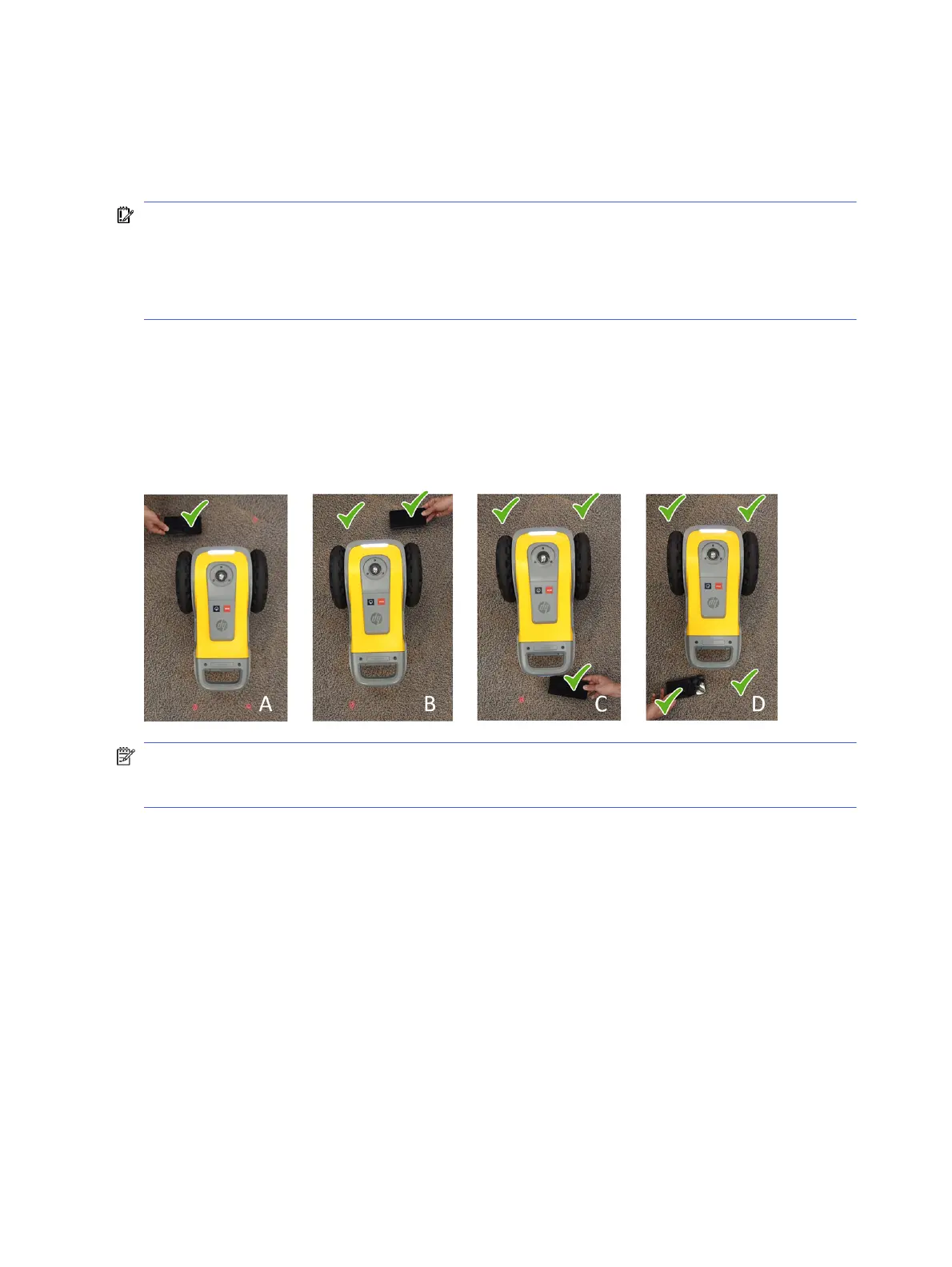
To ensure the correct operation of the safety sensors, it is mandatory to carry out a daily check in which
you are asked to trigger the switch of each sensor.
This can be done by interrupting the safety sensor beam with a reflective black surface (such as a
smartphone or tablet screen).
IMPORTANT: The sensors must be validated one after the other. If more than one are tested at the
same time, you will not know the status of each sensor.
If any of the four sensors show persistent failure, stop using the robot and call your service
representative. Operating the robot with a faulty sensor may result in a safety risk. HP will be exempt
from any and all liability for the operation of the robot in this situation.
1. Turn the robot on. Check that it can be moved with the controller, and that the four red lights are on
and pointing to the floor.
2. Place a reflective surface in front of the red light of one of the sensors (see image A).
3. Try to move the robot with the controller and check that it does not move (it should not).
4. Repeat with each of the other sensors.
NOTE: This robot is equipped with a safety function to avoid falling over. Disabling this function may
result in a hazardous operation. It is important to clean and maintain the sensors regularly as
described in the maintenance instructions.
Restarting the robot
Following an error or alert, you may be prompted to restart the robot. This action may resolve the issue in
some but not all cases.
Do not restart the robot more than 10 times in a short period. For security reasons, the robot will block
itself after more than 10-15 restarts in less than 30 minutes.
To recover from this block, simply turn the robot off, wait around 15-30 minutes, and turn it on again.
Software update
The robot’s various functions are controlled by software that resides in the robot (also known as
firmware).
60
Chapter 5 Robot maintenance



 To Next Page