Tap Done to confirm the selection and send it to print.
Printing
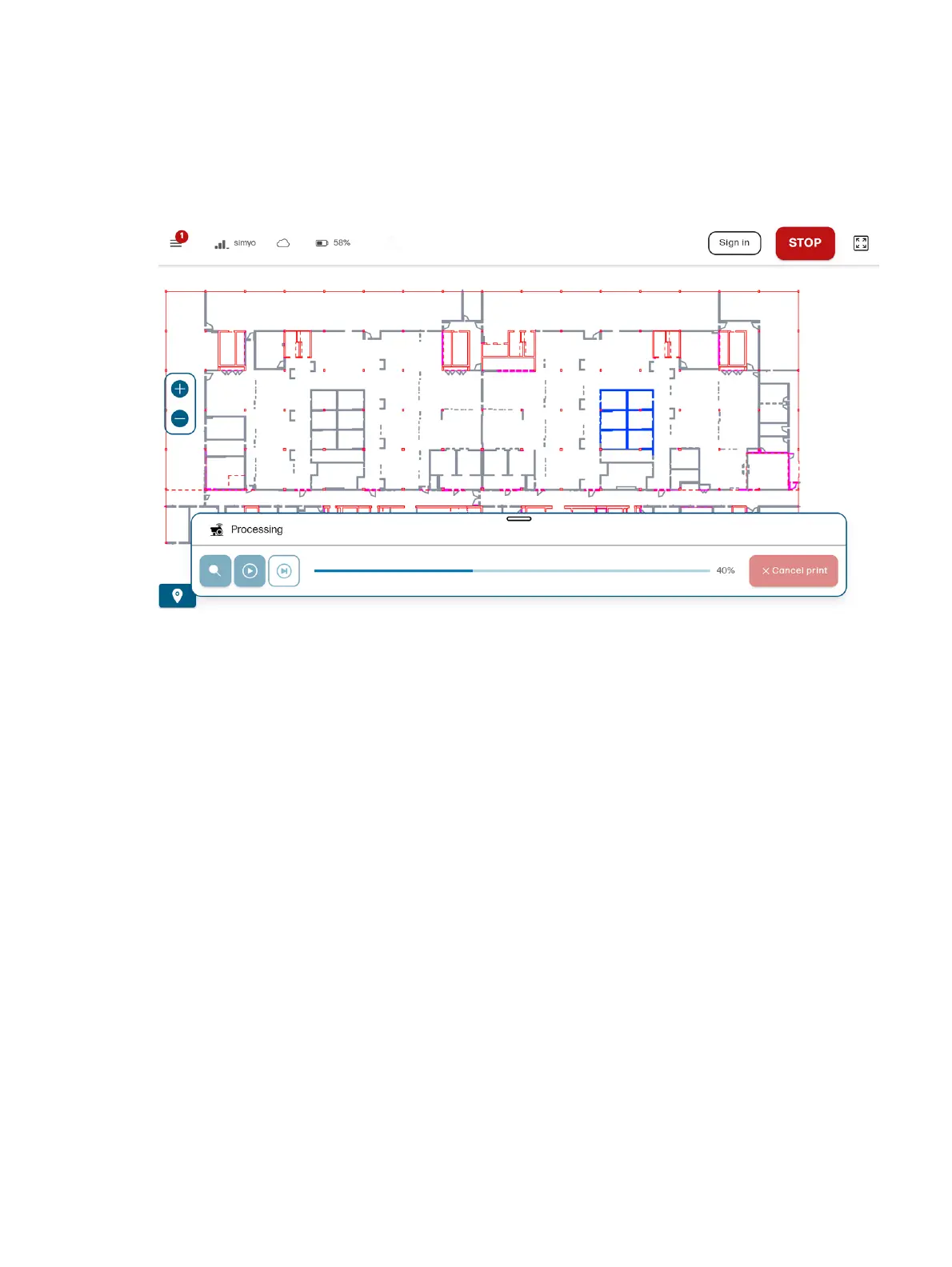
While the robot is printing, you can monitor its status with the control panel.
● Green lines show what has been printed successfully.
● A flashing line shows what will be printed next.
● Orange lines show anything that has failed to print.
● Pink lines show anything that has failed to print because an obstacle is too close.
Rearm the robot after a safety stop
After an obstacle or safety stop, you need to rearm the robot to continue.
Enable manual control
1. Make sure the controller is on. Set the switch on the bottom of the controller to the right position
(Bluetooth).
2. Connect the controller to the robot. Press the home button in the center of the controller. Lights in
the controller will start blinking. They will stay on permanently once it is connected.
3. Press the A button to enable the manual control. Make sure a red pilot light appears at the front of
the robot.
4. Hold down the L1 button to start moving the robot. Use the joystick to control its movement.
Recover control after safety sensor activation
1. Make sure the red pilot light is on (manual control is enabled). If not, press the A button.
Printing
55



 To Next Page