Table 4-1 Map icons (continued)
Icon Action
Check the recommended exclusion zone around the RTS, to ensure accuracy.
TIP: Add all the obstacles before you start printing: the job progress will be lost if more obstacles are
added later.
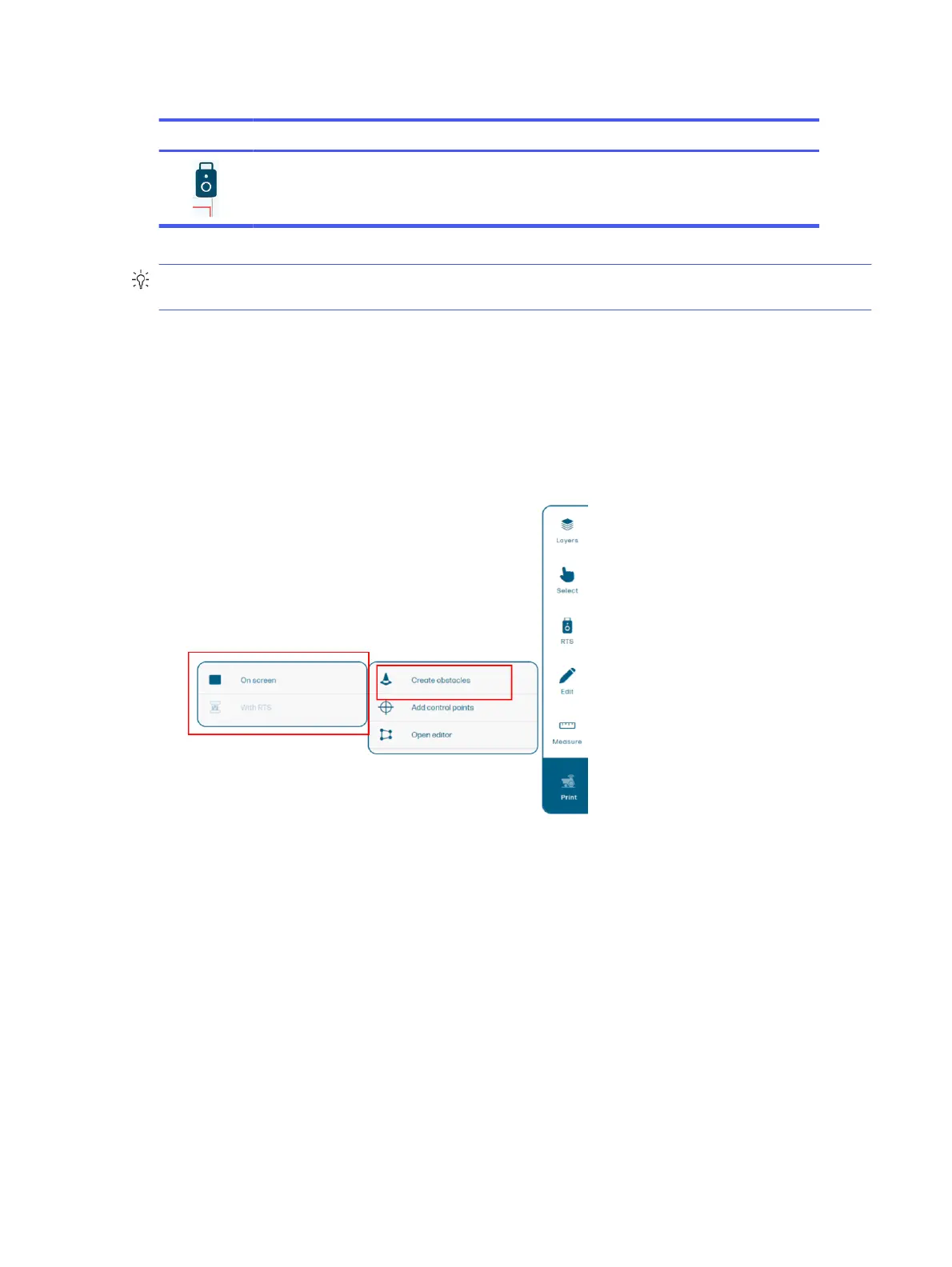
Add obstacles
Using the edit function, you can add obstacles that do not appear in the DXF file.
Two methods are available:
● On screen: You can add obstacles by tapping the map. You can also resize, move, rotate (using the
corners), and delete obstacles.
● With the RTS: You can add an obstacle by pointing the RTS directly at the physical location where
you want to add it. You can choose between making a circle, a rectangle, or a polygon by selecting
the correct prism.
Add obstacles
47



 To Next Page