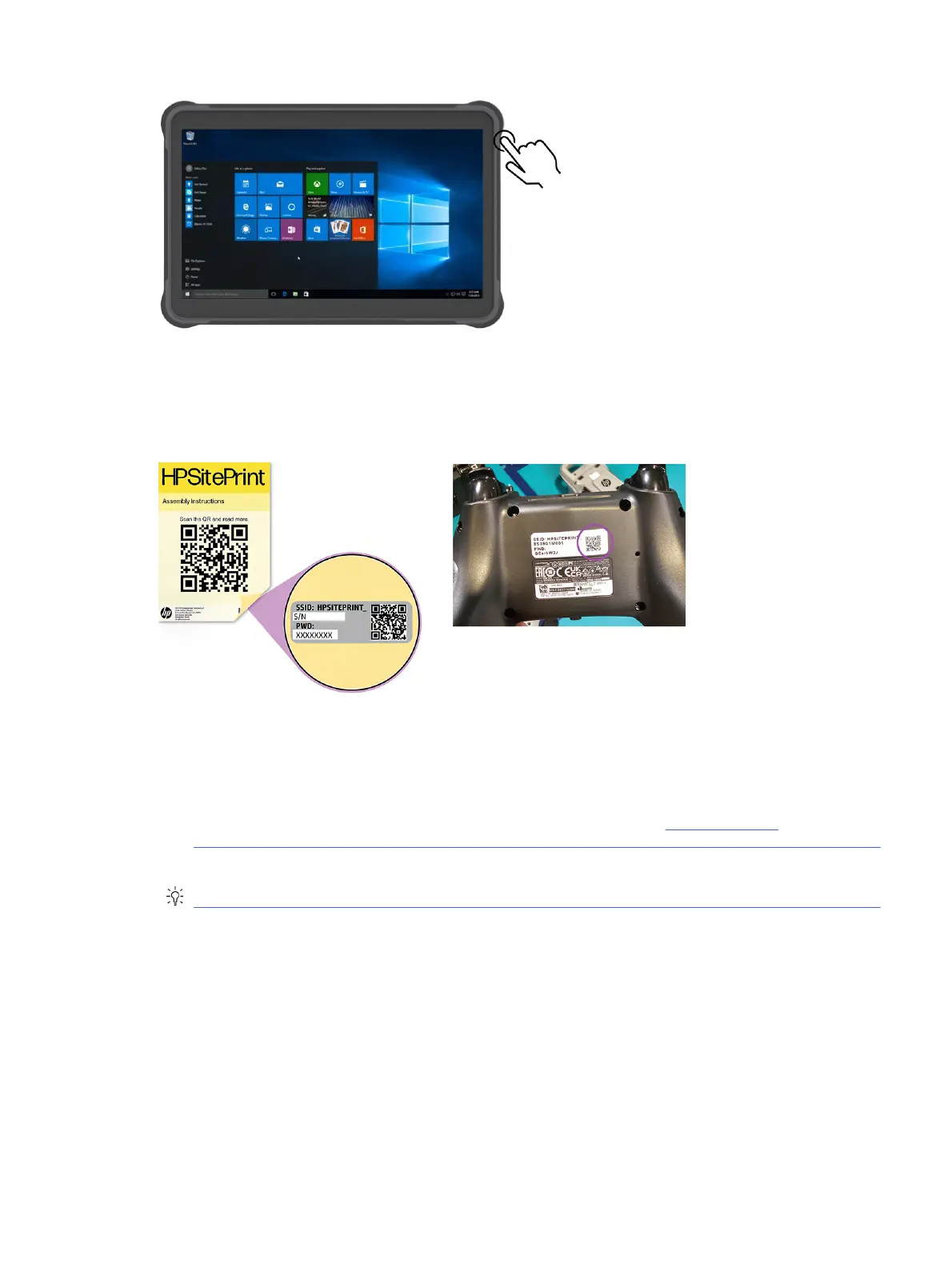
Connect to the robot’s Wi-Fi
You can find the Wi-Fi name and password of the robot by scanning the QR code on the back of the
assembly instructions, or on the back of the remote control.
The Wi-Fi name is the same as the robot’s serial number, which you can find on the label beside the
printhead.
Access the control panel
1. Access the control panel from the Chrome browser by navigating to http://192.168.10.1.
NOTICE: Only the Google Chrome browser is supported.
TIP: Create a shortcut on your desktop to enable easier access and full-screen view.
Connect to the robot’s Wi-Fi
43



 To Next Page