Job execution4
Once you have set up your RTS, and secured a connection between the RTS and the control panel, you
are ready to start printing.
Turn on the robot
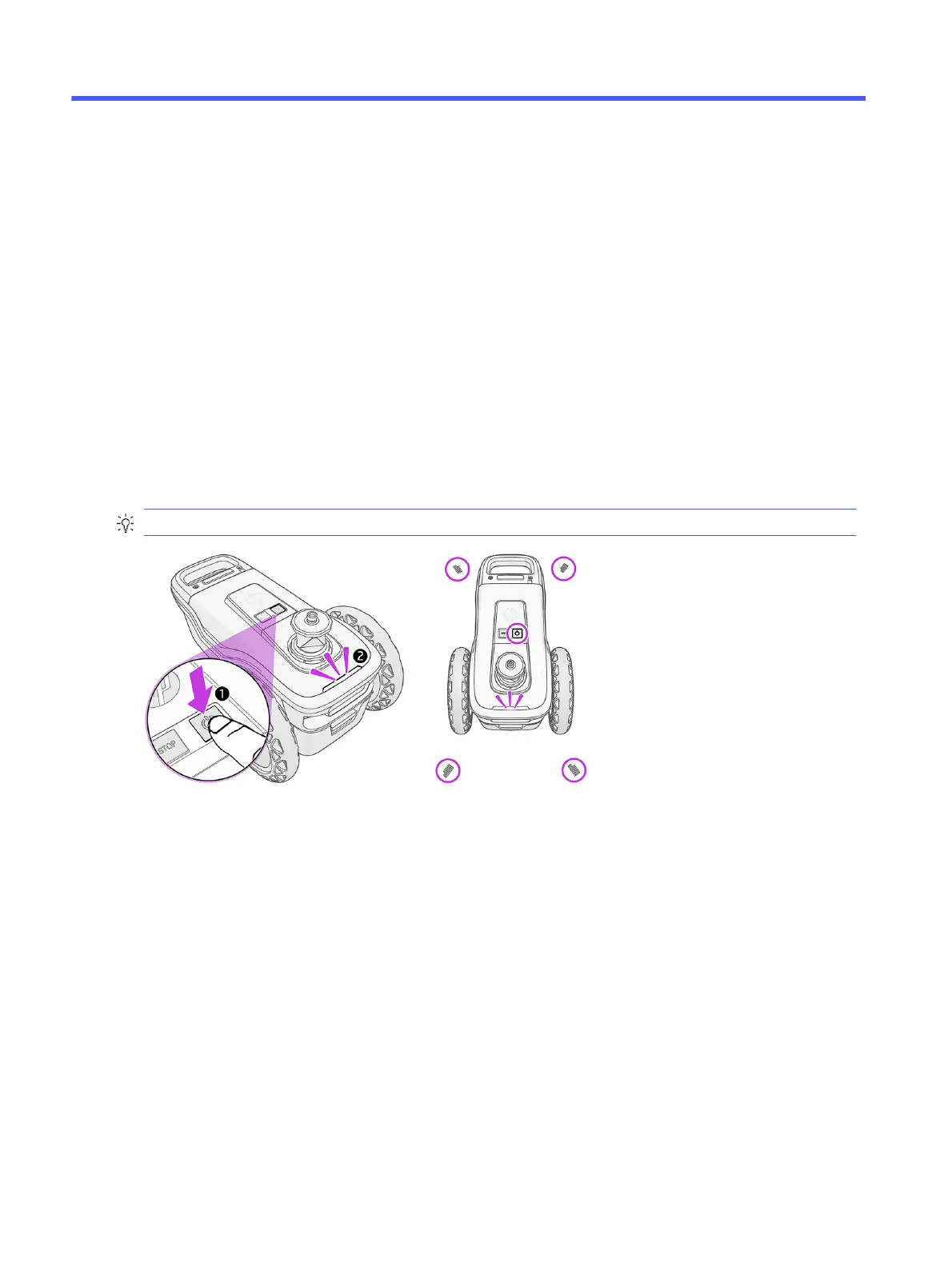
Turn on the robot by pressing the power button on top, and wait for the LEDs to turn white. This could take
up to 2 minutes.
TIP: The robot should be on a surface that is even, clear, and not reflective.
You should see four LEDs light up at the front and rear of the robot.
If the LEDs turn orange or red, use the power button to restart.
Turn on the control-panel device
Turn on the tablet or other device that you use to run the control-panel software.
42
Chapter 4 Job execution



 To Next Page