Chapter 4 105
Field Replaceable Units
FRU Removal and Replacement
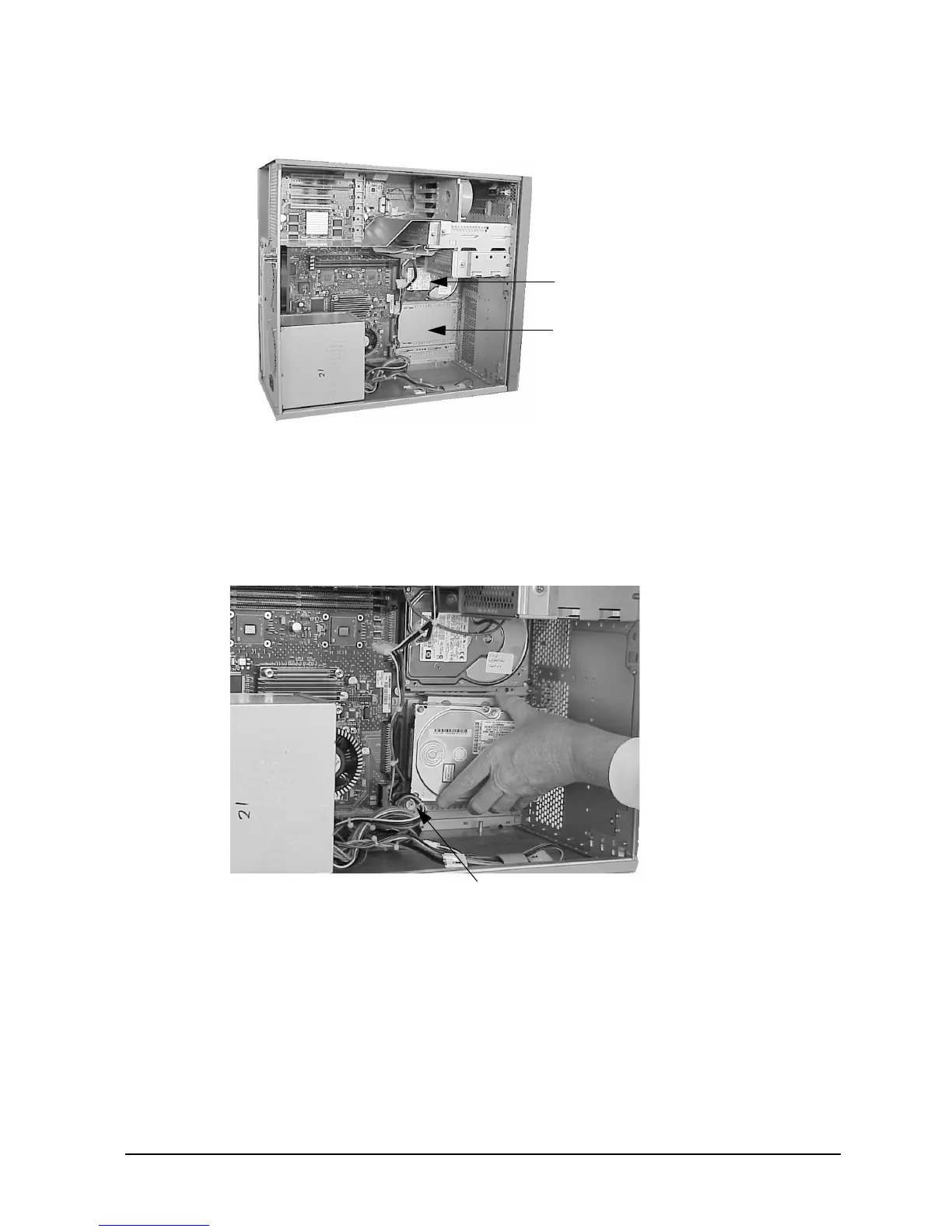
Figure 4-25. Location of the Hard Disk Drives
2. Loosen the T-15 Torx thumbscrew securing the hard disk drive assembly to the system
board. Grasp the assembly and slide it to the front of the workstation to unseat the
bracket from the chassis rail. See Figure 4-26. You may need to angle the hard disk
drive assembly slightly to disengage the hooks as you slide it along the rail.
Figure 4-26. Removing the Hard Disk Drive
Upper Hard Disk Drive
(SCSI ID 6 -- System Disk
Lower Hard Disk Drive
(SCSI ID 5)
T-15 Torx Thumbscrew



 To Next Page