114 Chapter 4
Field Replaceable Units
FRU Removal and Replacement
Memory DIMMs
This section explains how to remove and replace (or install additional) memory DIMM
cards in the B2000 workstation.
Removing Memory DIMMs
WARNING
Always unplug the workstation’s power cord from the electrical
outlet or power source before opening the workstation.
Perform the following steps to remove memory DIMMs:
1. Open the left side panel of the workstation as shown in the section “Opening the Left
Side Panel.”
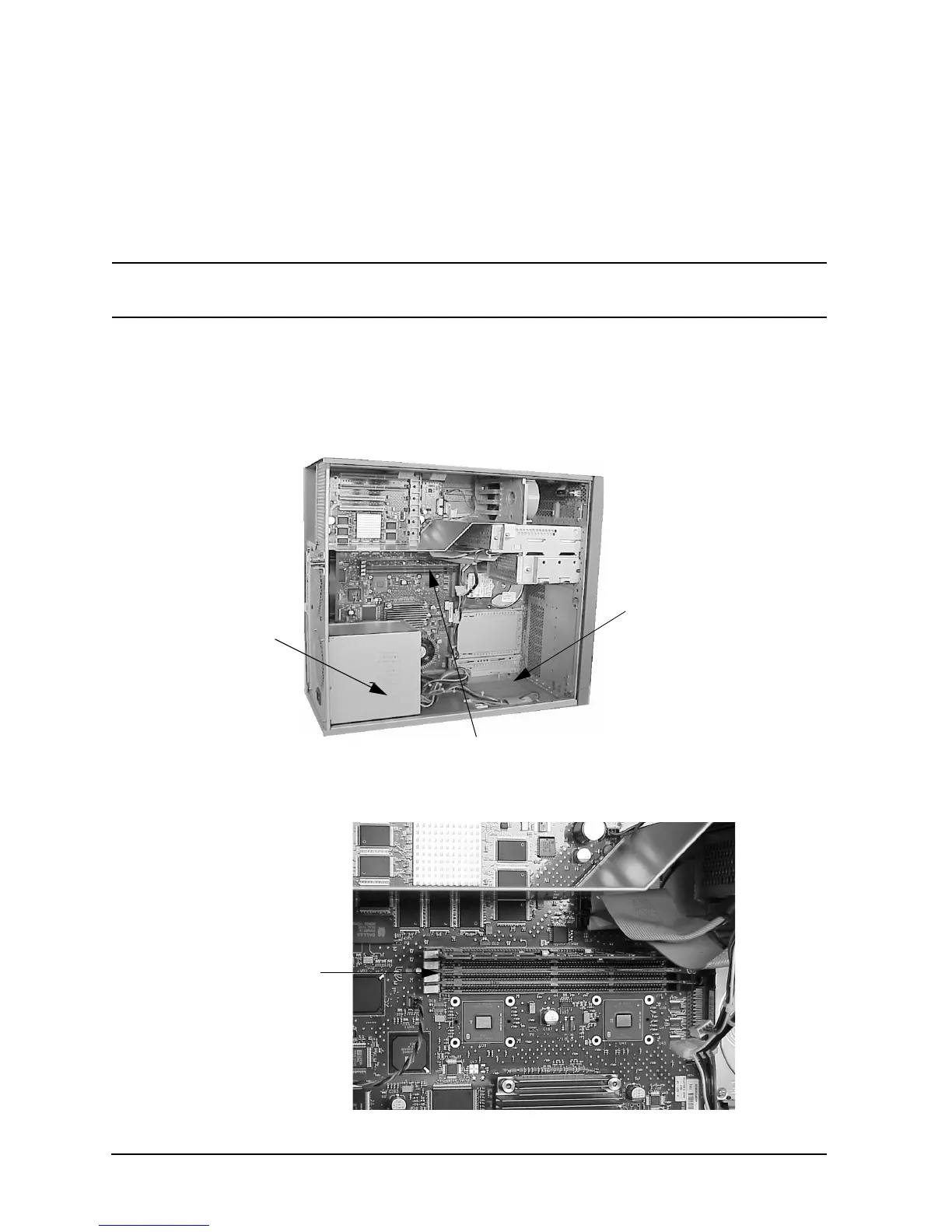
Figure 4-39. System Board View
Figure 4-40. DIMM Connectors on the System Board
DIMM Connectors
Power
Supply
B2000
System Label
DIMM
(4 Slots)
Connectors



 To Next Page