108 Chapter 4
Field Replaceable Units
FRU Removal and Replacement
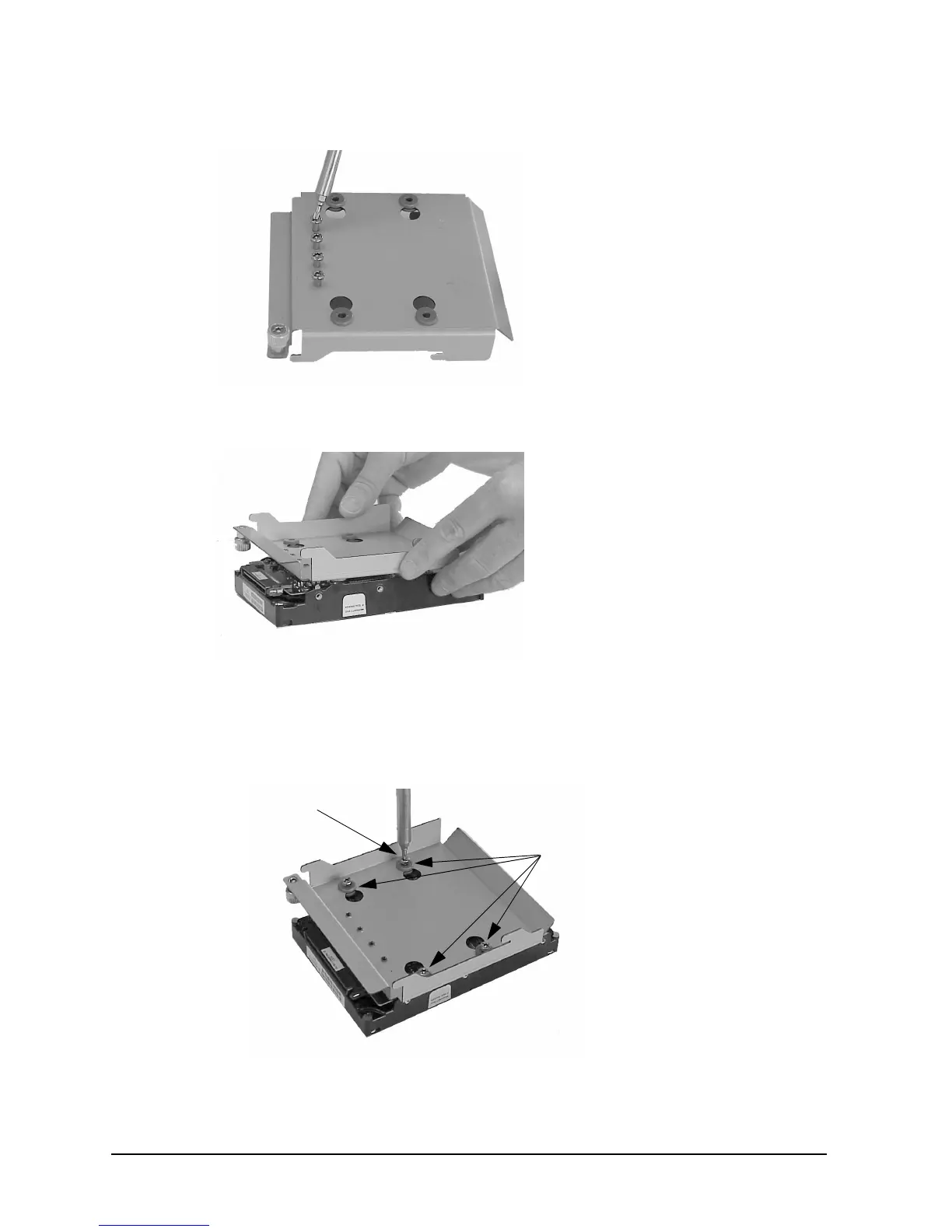
Figure 4-30. Removing the T-15 Torx Mounting Screws
Figure 4-31. Positioning the Bracket on to the Hard Disk Drive
4. Insert the T-15 Torx mounting screws through the four rubber mounting grommets and
into the screw holes of the hard disk drive. See Figure 4-32.
Figure 4-32. Mounting the Bracket on to the Hard Disk Drive
T-15 Torx
Mounting Grommets
Mounting Screw



 To Next Page