94 Chapter 4
Field Replaceable Units
FRU Removal and Replacement
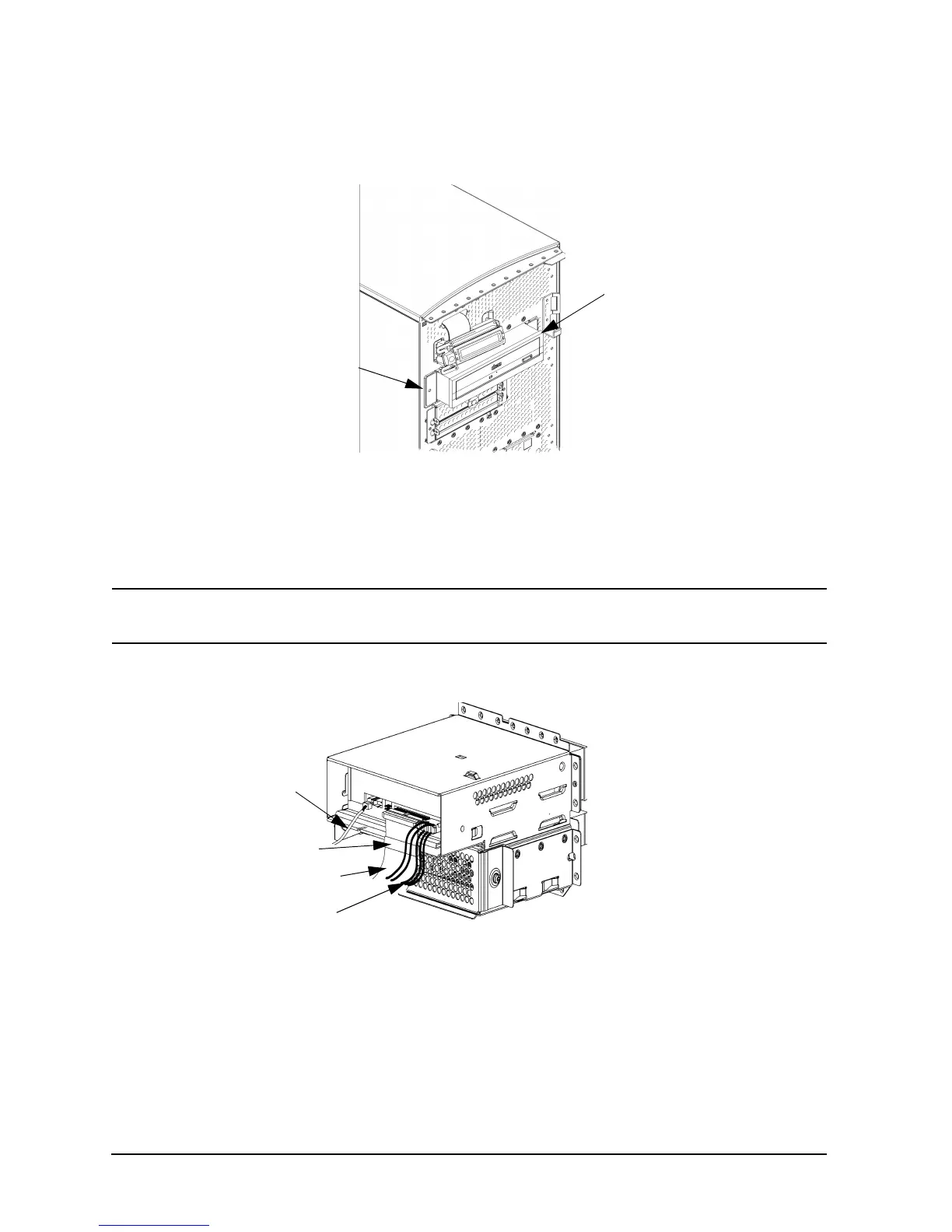
10.Tighten the two CD drive bracket screws as shown in Figure 4-9.
Figure 4-9. Tightening the Bracket Screws
11.Rotate the workstation around until you see the open, left side of the workstation. Plug
the audio, ATAPI, and power cables into their appropriate connectors on the rear of the
CD drive, as shown in Figure 4-10. Note that the connectors are keyed for proper
insertion, and that you should connect the audio cable first.
NOTE
The red striped side of the ATAPI cable should be positioned next to the
power cable.
Figure 4-10. Plugging in the Audio, ATAPI, and Power Cables
Bracket
Screw
(hidden)
Bracket Screw
Power Cable
ATAPI Cable
Audio
Cable
Ferrite Bead



 To Next Page