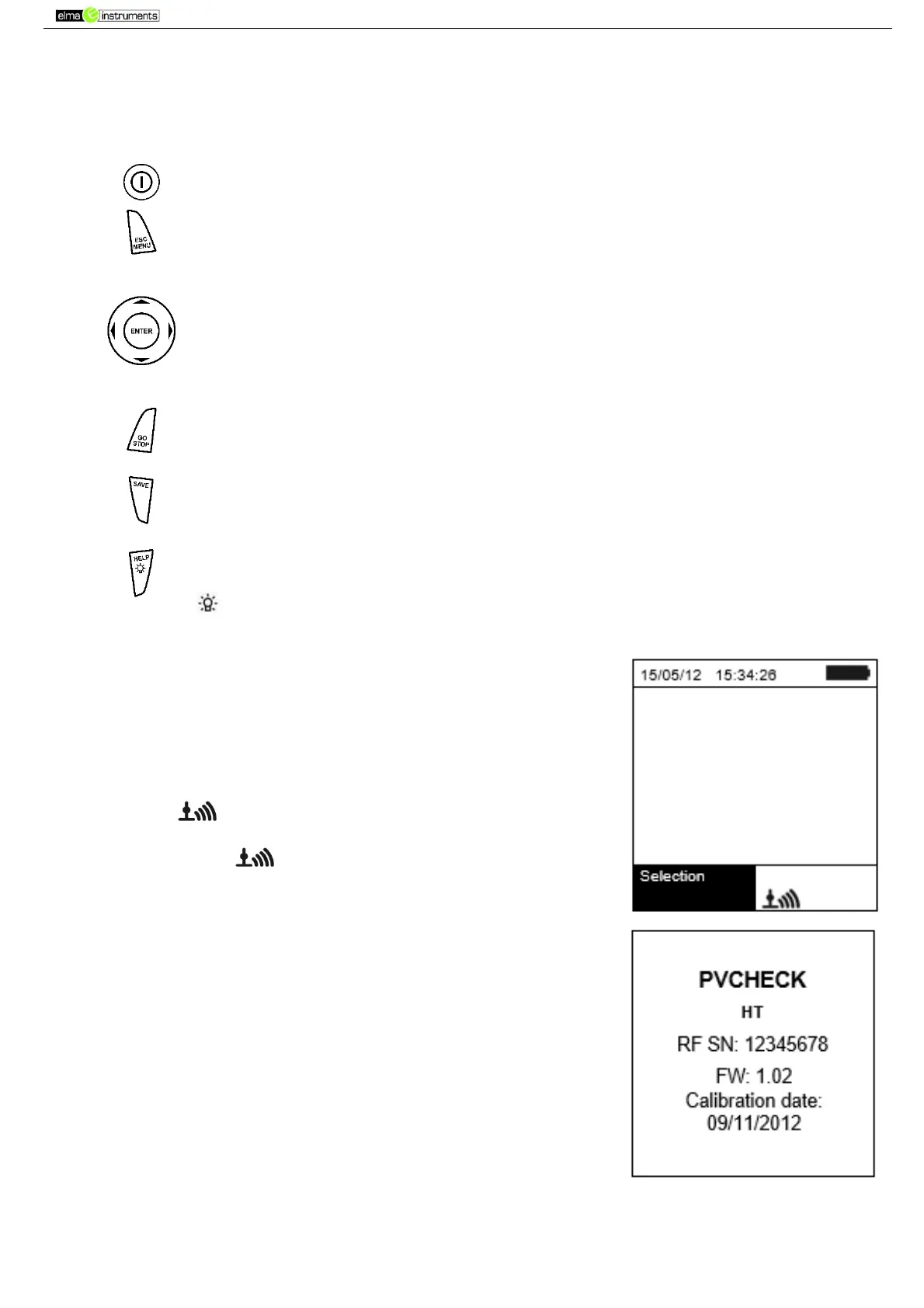
4.2. KEYBOARD DESCRIPTION
The keyboard includes the following keys:
ON/OFF key to switch on/off the instrument
ESC/MENU key to exit the selected menu without confirming and to go back to
the main menu
keys to move the cursor inside the various screens in order to select
programming parameters
ENTER key to confirm modifications, selected programming parameters and to
select the function to be accessed from the menu.
GO /STOP key to start measurements
SAVE key to save the measured values
HELP key (long pressing) to access the on-line help, to view the possible
connections between the instrument and the installation.
key (simple pressing) to activate the display’s backlighting.
4.3. DISPLAY DESCRIPTION
The display is a graphic module with a resolution of 128 x 128 dots.
The display’s first line indicates the system’s date/time and contains
the battery charge indicator.
At the bottom of the display, the function of the ENTER key and the
active mode are displayed.
The symbol indicates the presence of an active radio
connection with the remote unit SOLAR-02.
The flashing symbol indicates that the instrument is currently
searching for a radio connection with the remote unit SOLAR-02.
4.4. INITIAL SCREEN
When switching on the instrument, the initial screen appears for a
few seconds. It shows:
The instrument model (PVCHECK)
The manufacturer’s name
The presence of the enabled internal module for RF connection
The serial number (SN:) of the instrument
The firmware version (FW:) in the instrument's memory
The date of the last instrument calibration (Calibration date:)
After a few seconds, the instrument switches to the last function
selected.



 To Next Page