In general:
The rated values of Voc and Isc are the values found in the instrument’s internal modules’ DB (see
§ 5.6).
The overall value of the results:
o OK: if all results under STC are OK,
o NO if one of the results under STC is NO
23. Press the key to go back to the previous screen.
24. Press the SAVE key to store the test result in the instrument’s memory (see § 7.2) or the
ESC/MENU key to exit the screen without saving and go back to the main measuring screen.
The average values of Voc and Isc are displayed in the results’ page. These values
include the average values of Voc and Isc under OPC conditions calculated as mean of
the last 10 tests previously saved. If the user has carried out and saved a number of tests
<10 or reset the average values (see § 6.3.4) the average value displayed during test
N+1 will be calculated on the available N values.
6.3.4. Reset Averages
If irradiance values are measured, the instrument provides a result by comparing the values
measured with the average values calculated according to the previously saved measured.
In this case, the average values calculated by the instrument are therefore particularly important. In
case a new measurement campaign is started with significant variations in irradiance or
temperature, it is advisable to set the average reference values to zero in order to make new
calculations based on new measurements. To reset the average values, please keep to the
following steps:
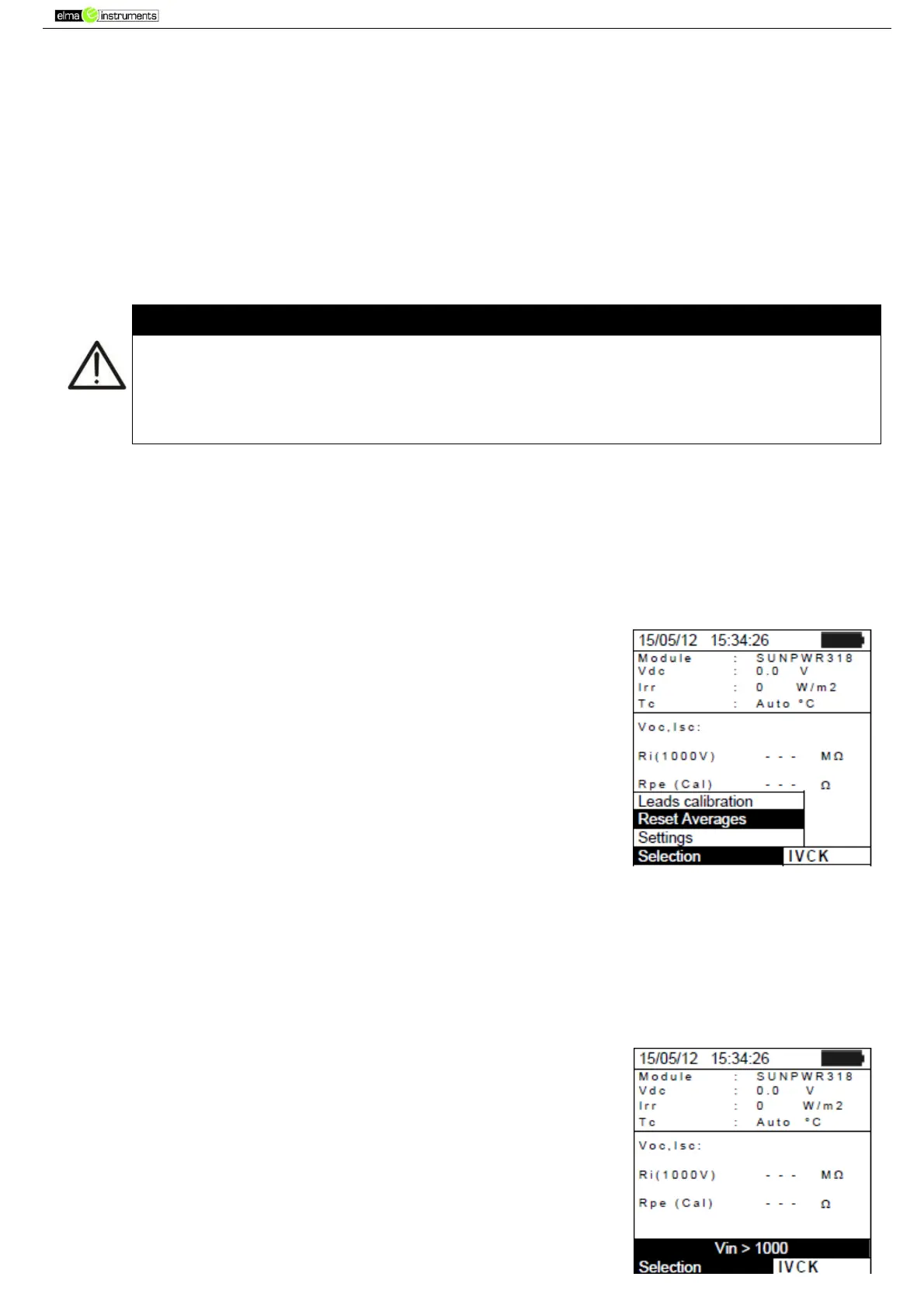
1. In IVCK mode, press the ENTER key, select “Reset Averages”
and confirm by pressing ENTER again to zero the average values
calculated until that moment.
The average values are automatically reset also modifying and then saving one of the following
parameters:
Type of PV module
Number of modules per string
The average values are not reset if the operator changes operating mode and then goes back to
this mode.
6.3.4.1. Anomalous situations when performing IVCK tests
1. In case the instrument detects a voltage higher than 1000V at
terminals P-N, P-E and N-E, it does not carry out the test, gives
out a long sound and displays the message “Vin > 1000”.



 To Next Page