5.2. EFF – EFFICIENCY TEST SETTINGS FOR PV INSTALLATIONS
The purpose of this measurement is to evaluate the DC efficiency of a photovoltaic
installation, with the possibility of obtaining a positive or negative result of the
check/recording depending on a limit on the nDC parameter, freely set by the user. For this
test, the use of the optional remote unit SOLAR-02 is necessary (see § 6.1)
5.2.1. Instrument settings
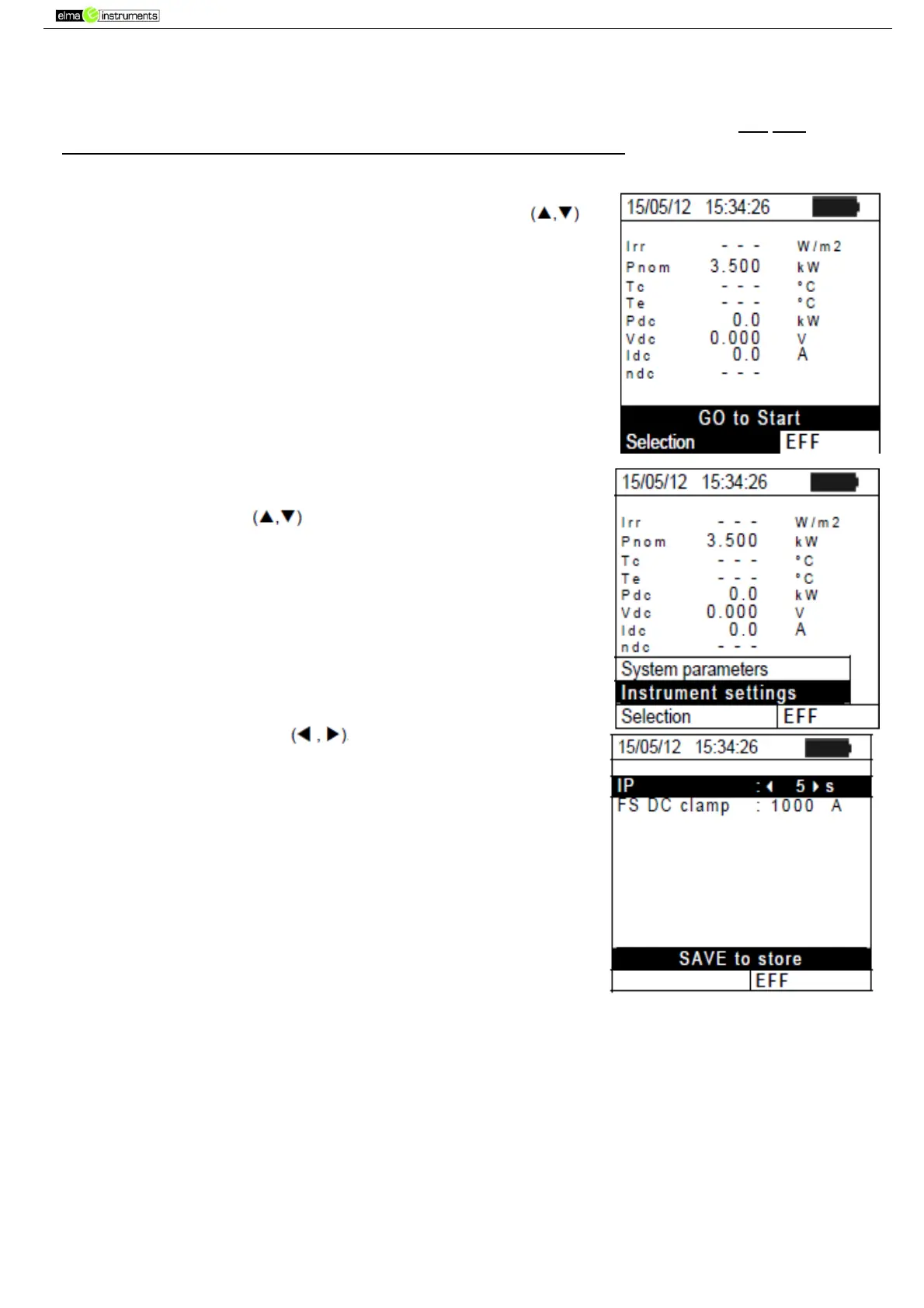
1. Position the cursor onto EFF by using the arrow keys
and confirm with ENTER. The display shows the values of the
output electrical parameters of the photovoltaic generator.
2. Press the ENTER key. The instrument shows the following
options: System parameters and Instrument settings.
3. Use the arrow keys to select “Instrument settings”
and confirm with ENTER. The instrument shows the following
screen: cursor onto EFF by using the arrow keys
4. By using the arrow keys it is possible to set:
The integration period (IP) which can be used by the
instrument when testing the parameters of a PV system.
The following values can be selected: 5s, 10s, 30s, 60s,
120s, 300s, 600s, 900s, 1800s, 3600s.
The FS of the DC clamp used for measuring DC current
with value selectable between 1A 3000A
5. Press the SAVE key to save the settings made; the message
“Data saved” will be displayed for a few seconds. Press the
ESC/MENU key to exit without saving and go back to the
previous screen.(



 To Next Page