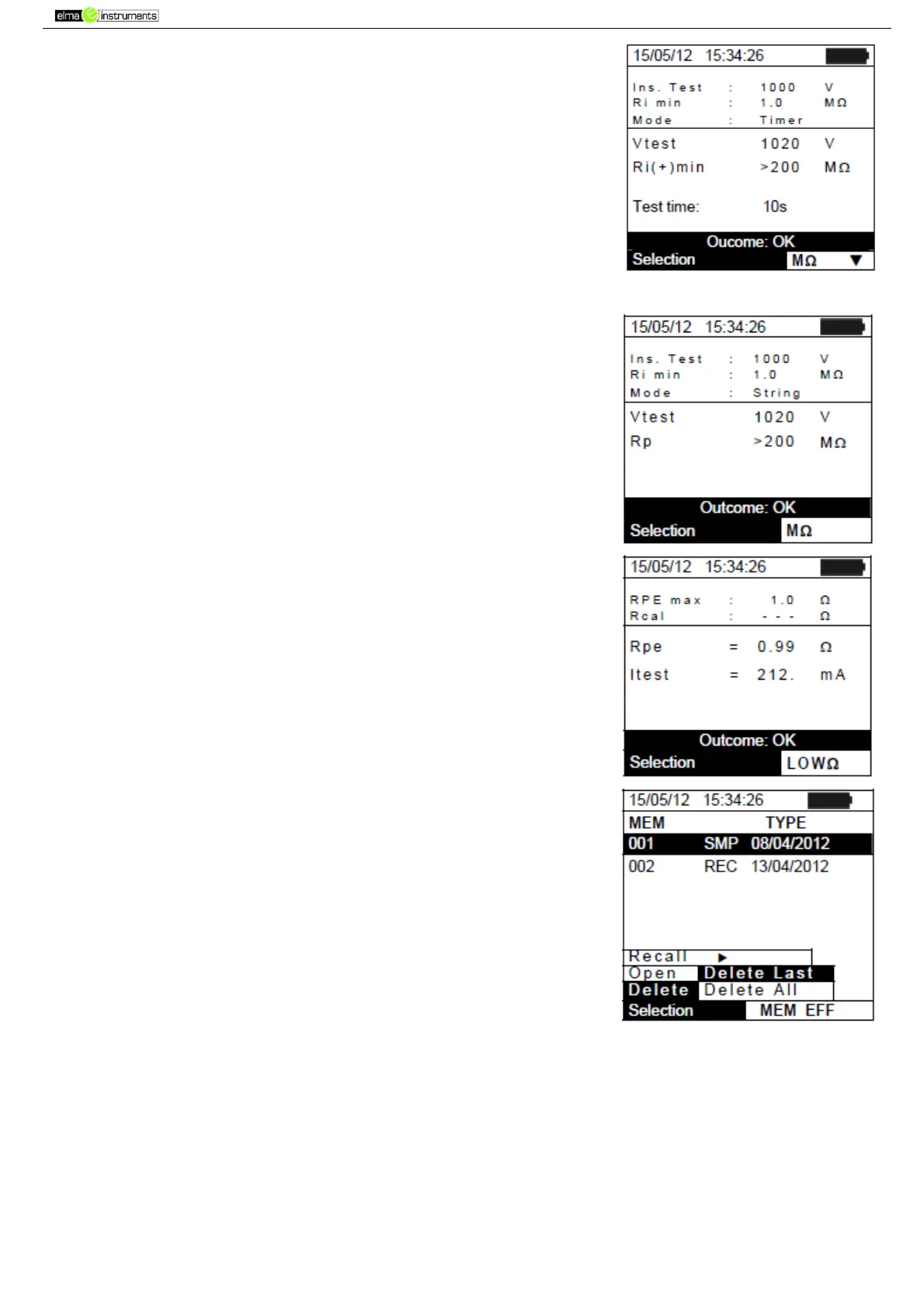
5. For MΩ test in TIMER mode there are the values of the following
parameters:
Set rated test voltage
Minimum threshold set on insulation measurement
The type of selected mode
The real value of the applied test voltage
The Ri(+) minimum value of insulation resistance of the PV
module/string (or of other metal masses) being tested,
continuously measured during the whole duration of
measurement.
The set measuring time
6. For MΩ test in STRING mode there are the values of the
following parameters:
Set rated test voltage
Minimum threshold set on insulation measurement
The type of mode selected
The real value of the applied test voltage
The Rp final value of the measurement obtained by the
parallel of Ri(+) e Ri(-) values which is compared with the Ri
min limit by the instrument
7. For LOWΩ test, there are the values of the following
parameters:
Limit threshold set for continuity measurement
Value of calibration resistance of test cables
The value of resistance of the object being tested
The real value of the applied test current
7.3.3. Deleting data from the memory
1. Within the list of saved results, press ENTER to display the
submenus.
2. Select “Delete”, then press . The instrument allows selecting
the following items:
Delete Last deletes the last saved test
Delete All deletes the whole memory content
3. Use the arrow keys (,) to select the desired option, then
press the ENTER key to confirm selection
4. Press ESC/MENU to exit the screen and go back to the main
menu.



 To Next Page