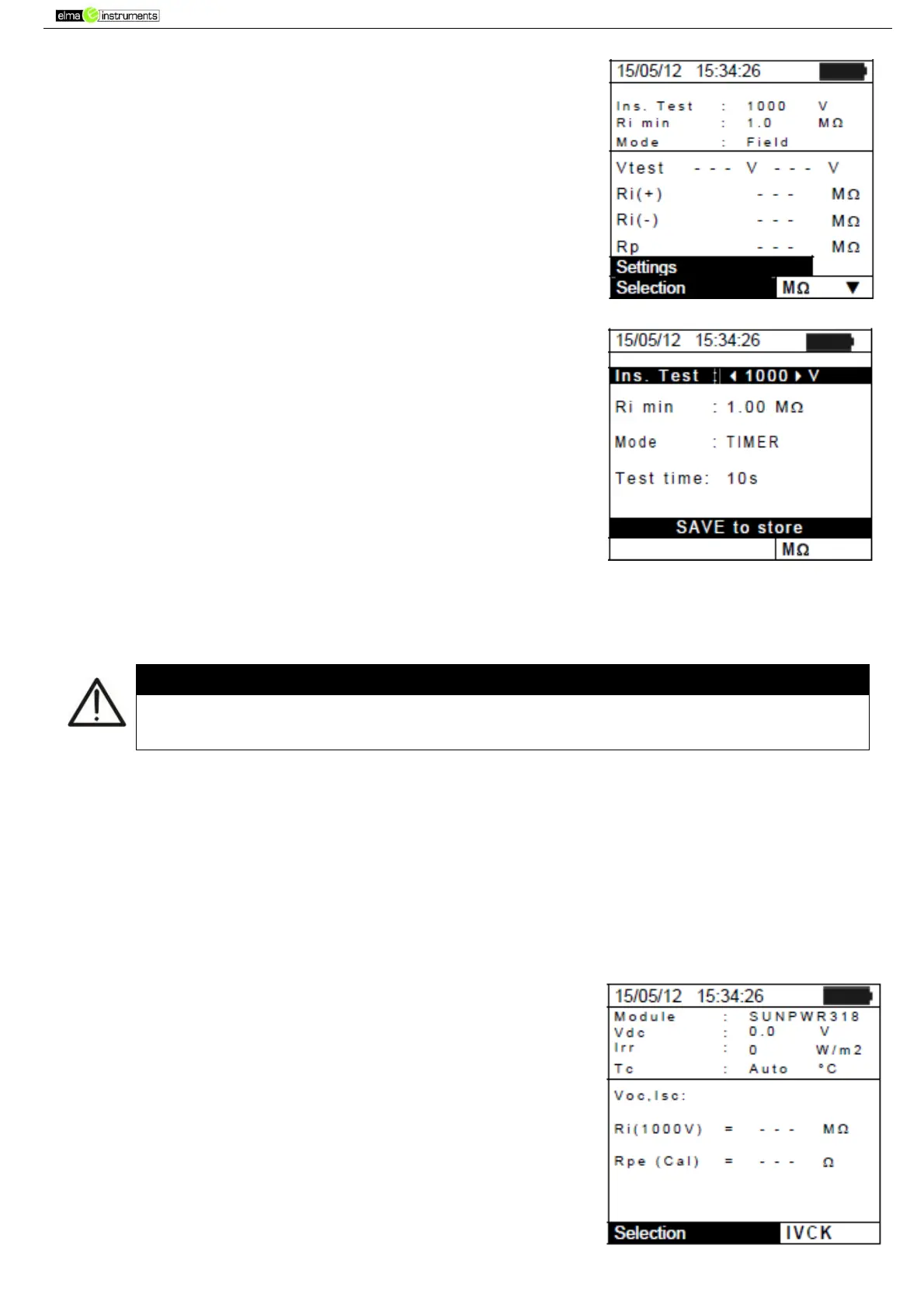
2. Press the ENTER key. The instrument shows the option:
Settings:
3. Confirm with ENTER. The instrument shows the following
screen:
4. Use the arrow keys (,) for option setting, and select the
desired option by means of the arrow keys ( , ). The
following parameters can be set:
Ins. Test test voltage: 250, 500, 1000VDC
Mode operating modes: Field, Timer, String
Ri min minimum limit value for insulation resistance
Test time maximum value of test time (only for TIMER
mode) with a maximum value of 300s in steps of 1s.
5. Press the SAVE key to save the settings made; the
message “Data saved” will be displayed for a few
seconds. Press the ESC/MENU key to exit without saving
and go back to the previous screen.
The settings saved for test voltage also affect the settings for the insulation
measurement contained in the IVCK measurement (MENU IVCK)
5.5. IVCK – SETTINGS FOR IVCK QUICK TEST
The purpose of this measurement is to verify the functionality of the connections and of the strings
in a photovoltaic field, according to the provisions of standard IEC/EN62446 by measuring the open
circuit voltage and the short-circuit current at operating conditions and referred to STC (via the
optional measurement of irradiation) and providing immediate results regarding the measurement
just carried out, both in absolute terms and by comparison with the strings previously tested. The
test also allows carrying out (if selected) the continuity test and an insulation measurement in a
sequence.
5.5.1. Instrument settings
1. Position the cursor onto IVCK by using the arrow keys (,)
and confirm with ENTER. The display shows the following
screen:



 To Next Page