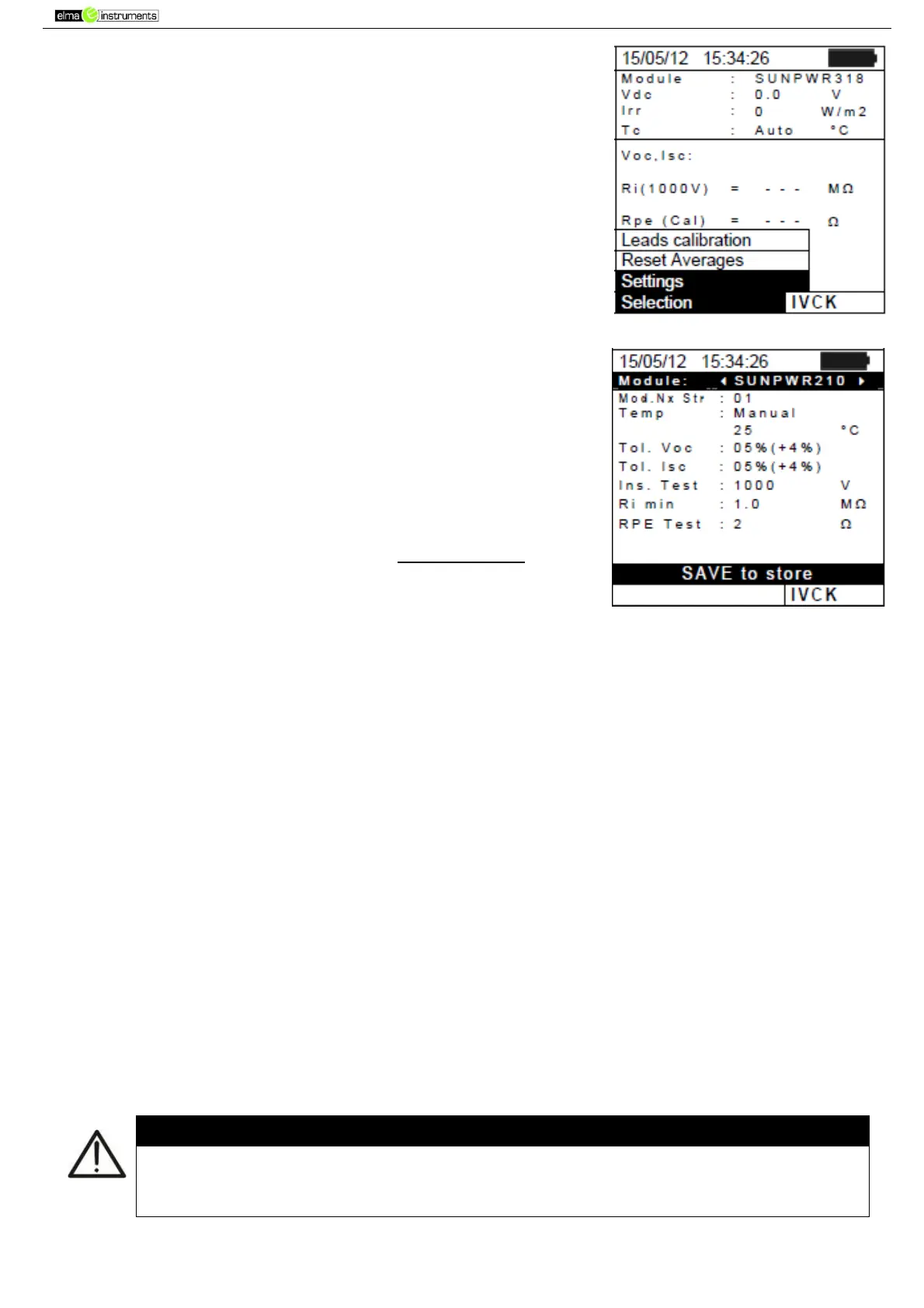
2. Press the ENTER key. The instrument shows the following
options: Settings, Reset Averages (see § 6.3.4) and Leads
calibration (see § 6.5.2).
3. Use the arrow keys (,) to select “Settings” and confirm with
ENTER. The instrument shows the following screen:
4. Use the arrow keys (,) for option setting, and select the
desired option by means of the arrow keys ( , ). The
following parameters can be set:
Module type of module being tested
Mod. N x Str. number of modules in the string. Allowable
values 1 ÷ 50
Temp temperature measuring method. Possible options:
“Auto” automatic measurement (recommended) carried
out according to the measured value of the modules’ Voc.
“Manual” setting, made by the operator, of the known
temperature value of the module in the line below. Aux
temperature measurement with auxiliary probe PT1000.
Tol. Voc (%) percentage value of the desired limit tolerance (set by the operator according
to his/her own requirements) for the measurement of Voc carried out by the instrument.
Allowable values: 0% ÷ 25%. The value between brackets (4%) indicates the reading error of
the instrument in Voc measurement.
Tol. Isc (%) percentage value of the desired limit tolerance (set by the operator according
to his/her own requirements) for the measurement of Isc carried out by the instrument.
Allowable values: 0% ÷ 25%. The value between brackets (4%) indicates the reading error of
the instrument in Isc measurement.
Ins Test enabling/disabling of insulation measurement and setting of test voltage.
Possible options: OFF, 250V, 500V, 1000V. With enabled function, the line “Ri min” appears,
which allows setting the minimum limit threshold in the range 0.1 ÷ 100MΩ
RPE Test enabling/disabling of continuity test and setting of the limit threshold value for
measurement. Possible options OFF, 1Ω ÷ 5Ω in steps of 1Ω
5. Press the SAVE key to save the settings made; the message “Data saved” will be displayed for
a few seconds. Press the ESC/MENU key to exit without saving and go back to the previous
screen.
The settings saved for test voltage for the insulation measurement carried out
within the IVCK function also affect the settings for the single measurement
(MENU MΩ).



 To Next Page