6. On PVCHECK, press the MENU key, select the function EFF and press ENTER; wait for the
two units to start communicating with each other. This condition is highlighted by the
contemporary presence of the following indicators:
Symbol steady (not flashing) on the display of PVCHECK
Symbol steady (not flashing) on the display of SOLAR-02
7. Connect the inputs P and N respectively to the positive and negative output of the string,
respecting the colours indicated in Fig. 4
8. Connect the output connector of the DC clamp to the IDC input.
BEFORE CONNECTING THE DC CLAMP TO THE CONDUCTORS
Switch on the clamp, check the LED indicating the status of the clamp’s internal
batteries (if present), select the correct range, press the ZERO key on the DC
clamp and check on the display of PVCHECK the actual zeroing of the
corresponding Idc value (values up to 0.02A are acceptable).
9. Connect the DC current clamp to the positive output conductor of the string, respecting the
direction of the arrow found on the clamp itself as indicated in 10. Fig. 4: Connection of
instrument for efficiency measurement on a PV installation
11. Position the clamp so that the jaw is not near the negative conductor.
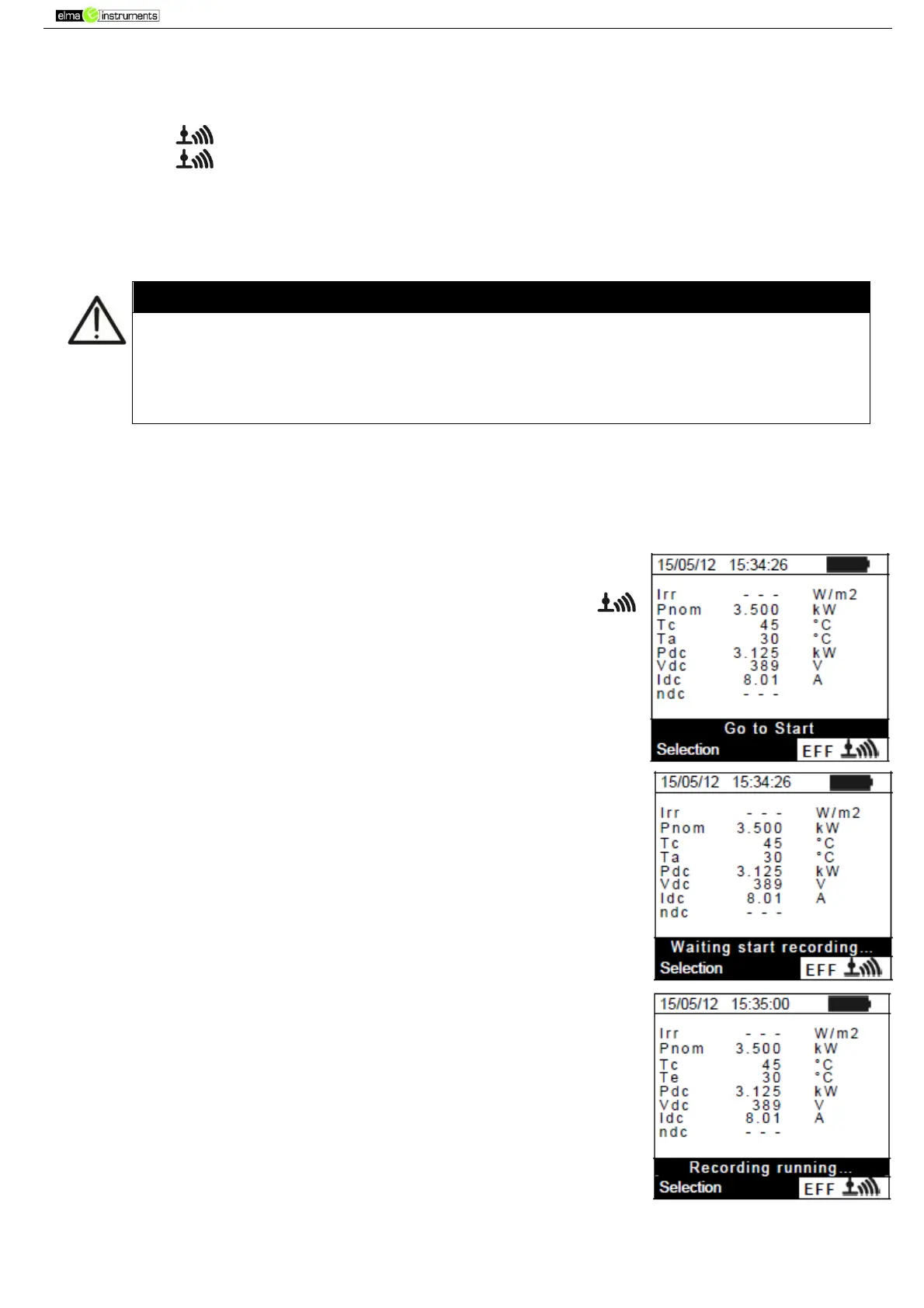
12. The display shows the first screen which contains the values of the
output electrical parameters of the module/string.
13. Before starting measuring, check for the presence of symbol “
” steady on the display, which indicated a correct RF connection
with the remote unit SOLAR-02.
14. Keeping the remote unit SOLAR-02 always close to the main unit,
press the GO/STOP key on PVCHECK to start testing. The
message “Waiting start recording…” appears on the display of the
main unit and “HOLD” is shown on the display of SOLAR-02,
together with an indication of the time remaining, expressed in
seconds, until “00” is reached.
15. Upon reaching “00” after pressing the GO/STOP key, the test is
started and the two units are synchronized with each other. In these
conditions the message “Recording running…” is displayed on the
main unit and “Recording…” is displayed by SOLAR-02.



 To Next Page