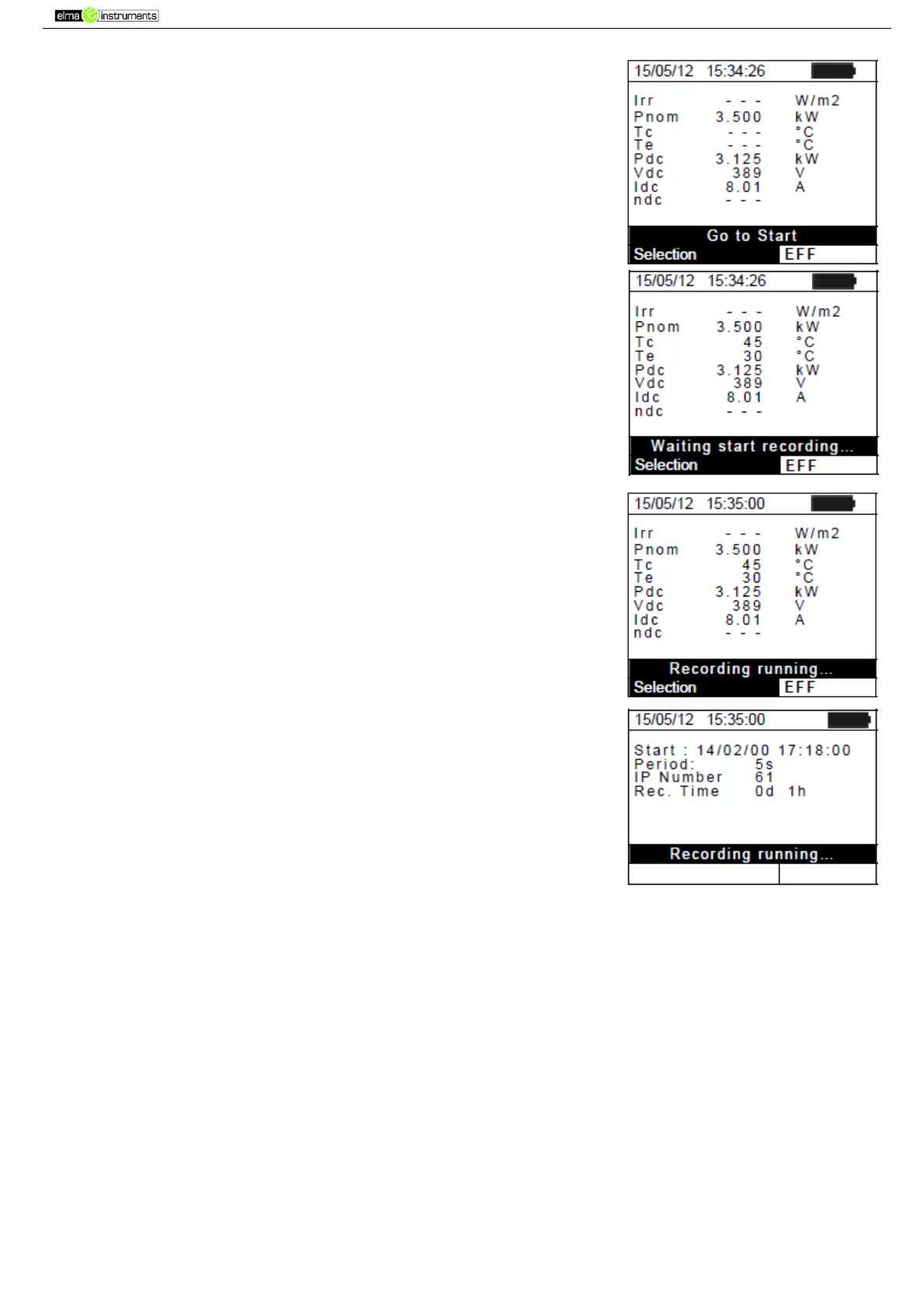
6. The display shows the first screen which contains the values of
the output electrical parameters of the module/string.
7. Press GO/STOP key on PVCHECK to start the test. The
message “Waiting start recording…” appears on the display of
the instrument until “00” is reached.
8. Upon reaching “00” after pressing the GO/STOP key, the test is
started. Unser these conditions, the message “Recording
running…” appears on the instrument’s display.
9. At any time it will be possible to analyze the current recording
status by pressing the MENU key. The following information will
be shown:
Starting date and time of recording
The value set for the integration period
The number of periods elapsed from the beginning of the
recording
The remaining memory capacity for recording
Press the ESC key to exit the screen
10. To stop testing, press the GO/STOP key on the instrument and confirm with ENTER that you
want to stop recording.
11. Press SAVE to save the results obtained (see § 7.1) or ESC to exit the screen and go back to
the initial screen.



 To Next Page