Gmail 120
NOUG-2.1.0-100 Nexus One User’s Guide
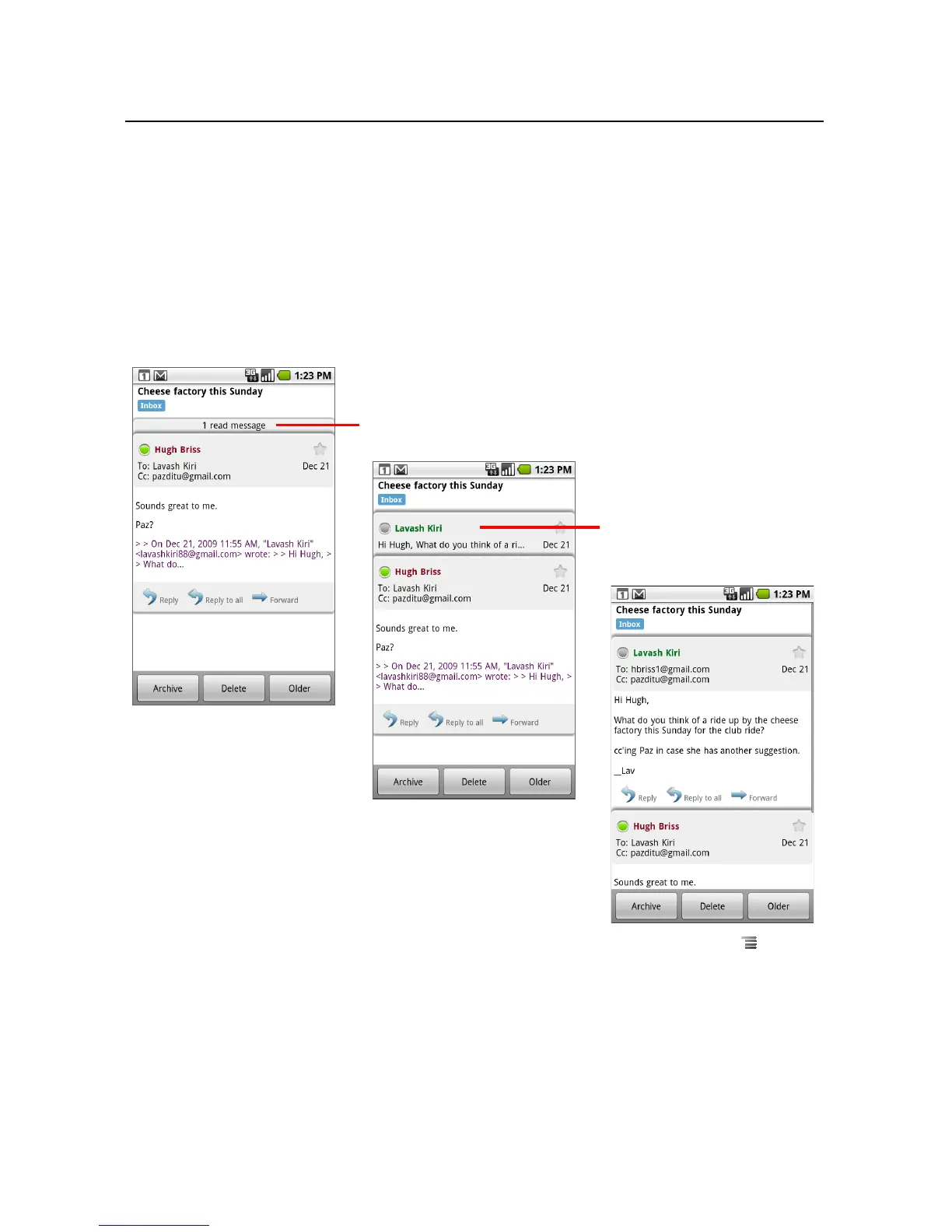
To reread a message
When you open a conversation, messages that you’ve already read are hidden, in a tab
that indicates the number of hidden messages.
1 Touch the tab that indicates the number of previously read messages.
The tab expands into tabs that list the sender and the first line of each read
message.
2 Touch an expanded tab to reread the message.
When reading a message or when its tab is selected, you can press Menu and
touch Mark read to return a read message to the unread state—for example, to
remind yourself to read it again later.
Touch the tab of a message
you’ve already read to open it,
so you can read it again.
Touch the tab that indicates the number
of unread messages to view their
summary tabs.


 To Next Page
 Loading...









