Browser 203
NOUG-2.1.0-100 Nexus One User’s Guide
Working with multiple Browser windows
You can open up to eight Browser windows at once and switch among them.
To open a new Browser window
S Press Menu and touch New Window.
S Press Menu and touch Windows. In the screen that opens, touch New
window.
New windows open with your home page. You can set whether they open in front
or in back of existing windows. See “Changing Browser settings” on page 207.
To switch Browser windows
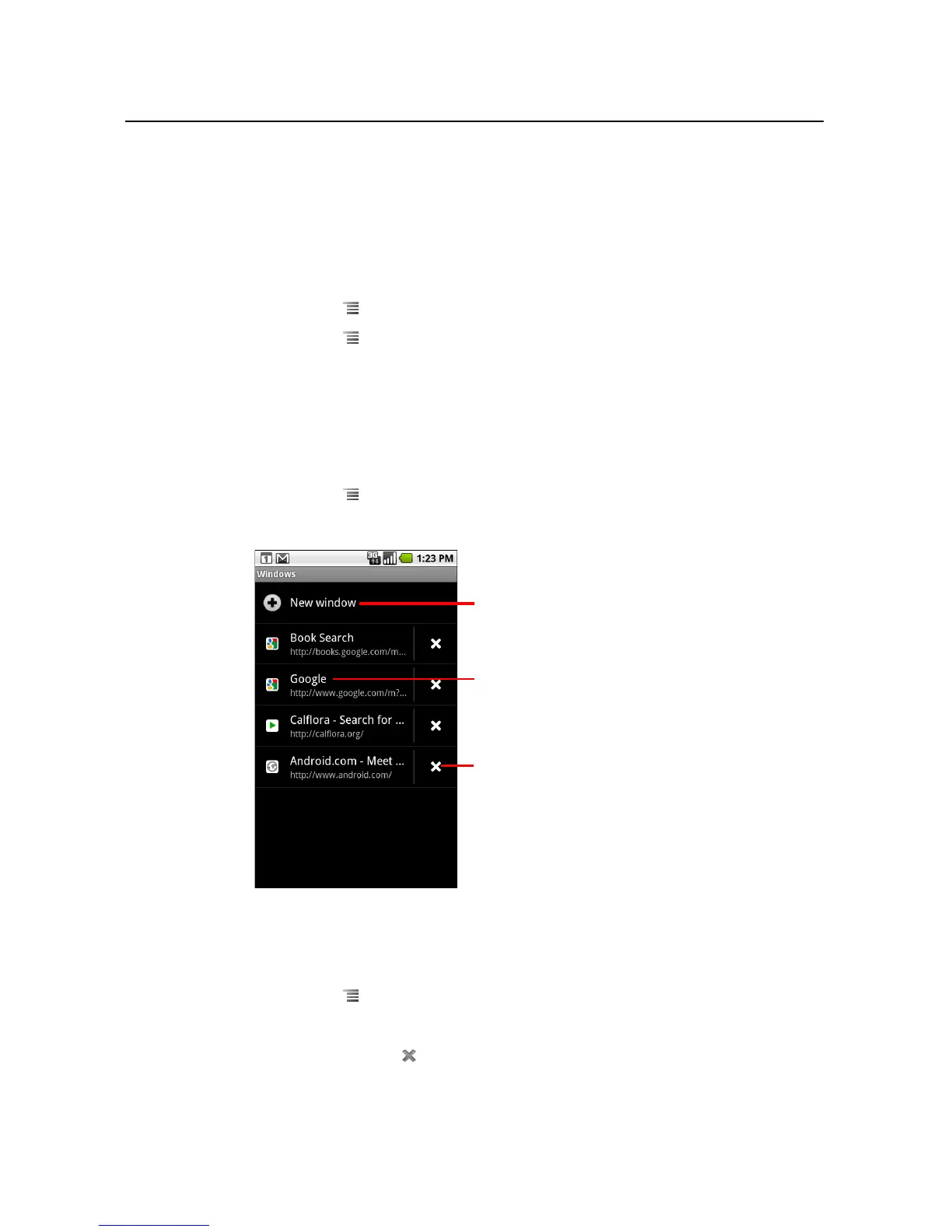
1 Press Menu and touch Windows.
Your open windows are displayed.
2 Touch a window to open it.
To close a Browser window
1 Press Menu and touch Windows.
All open windows are displayed in a scrolling list of thumbnails.
2 Touch the Close Box on the window to close it.
Touch to open a new window.
Touch to close a window.
Touch to open an existing window.



 To Next Page