Maps 217
NOUG-2.1.0-100 Nexus One User’s Guide
Searching for locations and places
You can search for a location and view it on a map. You can also search for places on
the map that you’re viewing.
To search for a location
1 While viewing a map, press Menu and touch Search. Or press the Search
button .
2 In the search box, enter the place you’re looking for. You can enter an address, a
city, or a type of business or establishment—for example, “museums in San
Francisco”.
As you enter information, previous searches appear in a list below the search box.
You can touch one to search again.
3 Touch the search icon.
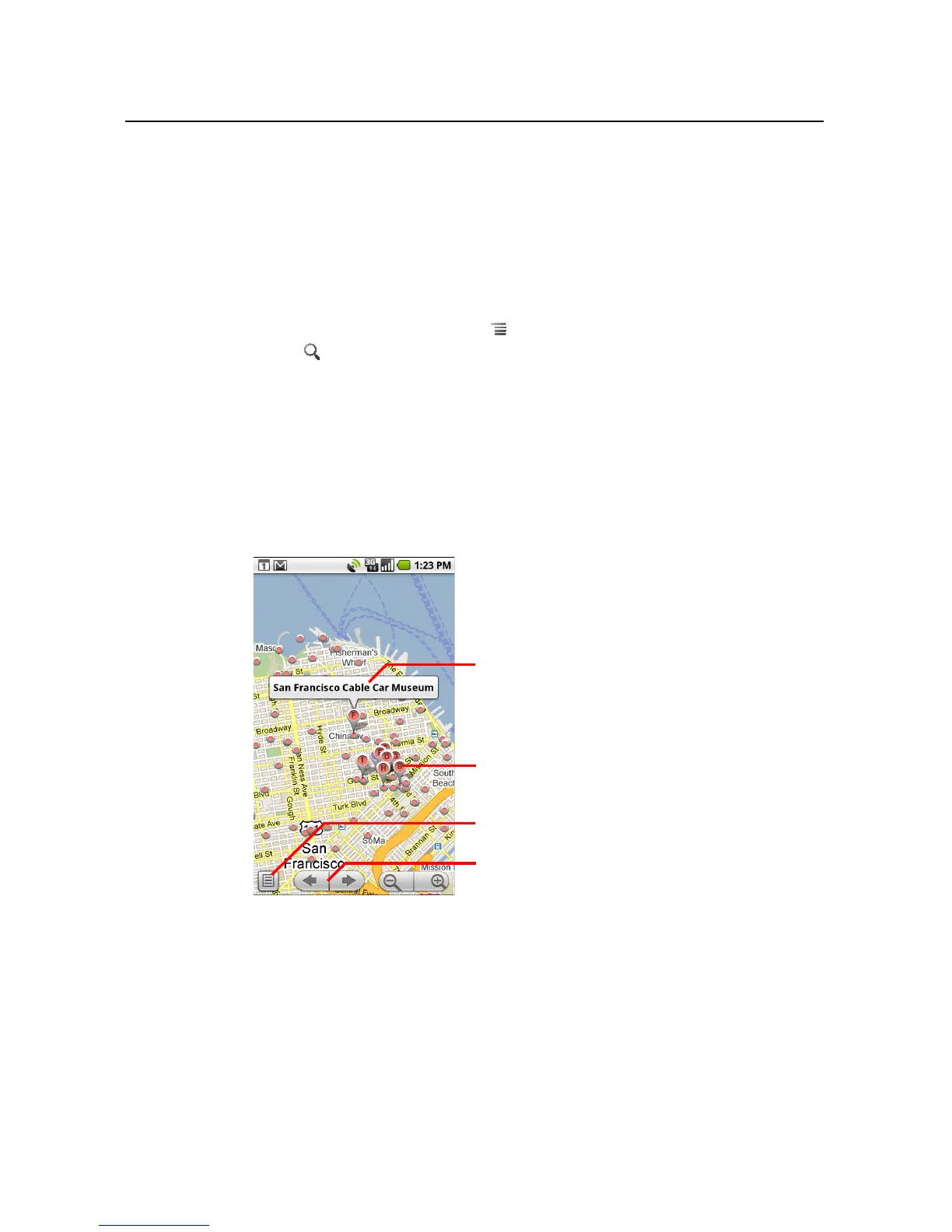
Markers with letter labels indicate search matches on the map.
You can touch a marker to open a balloon that contains a label. Touch the balloon
to open a screen with more information about the location, as well as options for
obtaining directions.
Touch a balloon to open a screen with
more information about the location.
Touch a marker to open a balloon with
more information.
Touch to open a list of all the results on
the map.
Touch to select the next or previous
marker on the map and view its label.



 To Next Page