Android basics 28
NOUG-2.1.0-100 Nexus One User’s Guide
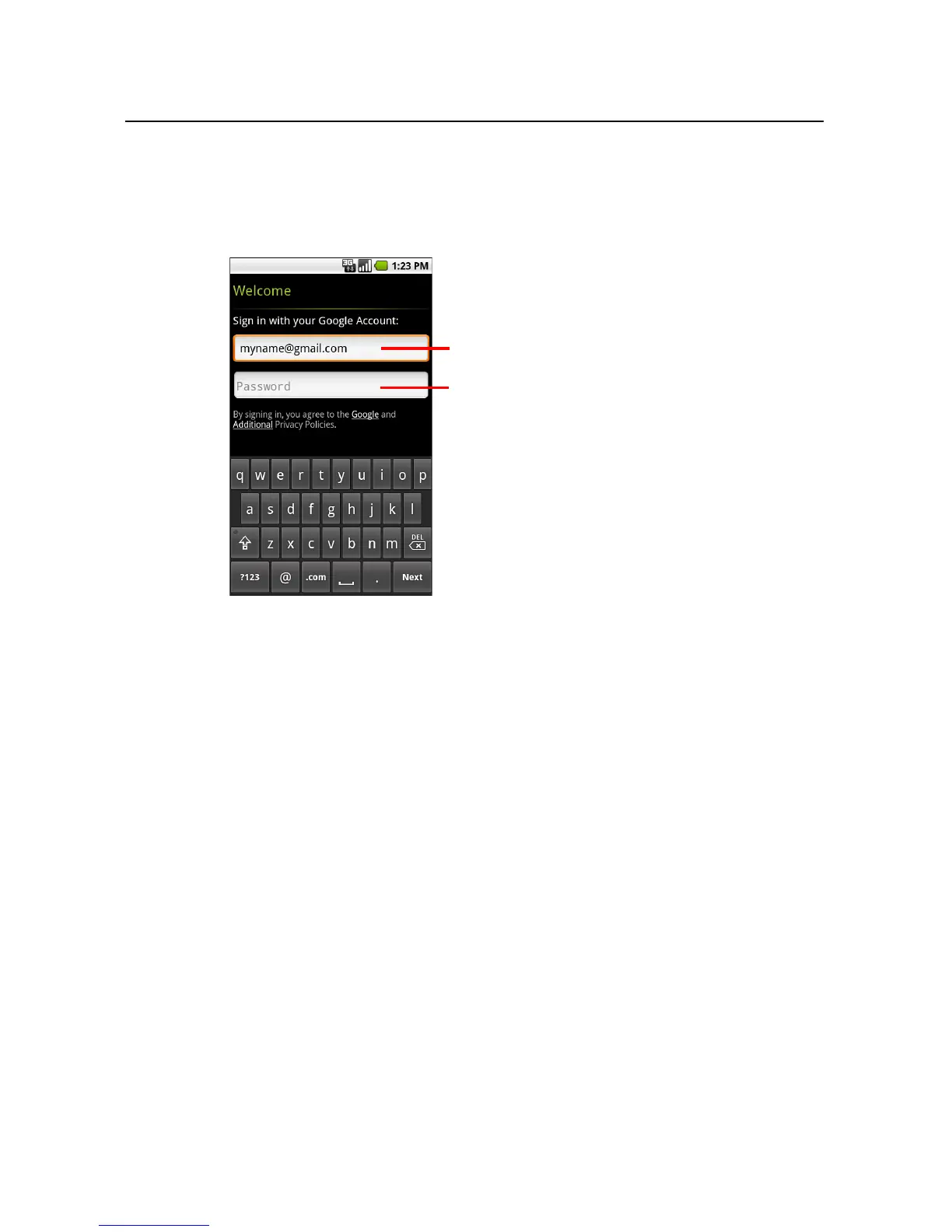
When you sign in, you’re prompted to enter your username and password, using the
onscreen keyboard. For information about navigating the touchscreen and entering
text, see “Using the touchscreen” on page 34 and “Using the onscreen keyboard” on
page 37.
If you have a Google Account but have forgotten your password, you must reset it
before you can sign in. Go to http://www.google.com, click Sign In, click “Can’t access
your account?” in the sign-in box, and then follow the instructions for resetting your
password.
Additional accounts
After setup, you can add Google, Microsoft Exchange ActiveSync, Facebook,
conventional email, and other kinds of accounts to your phone, and sync some or all of
their data, as described in “Accounts” on page 107. However, only the first Google
Account you sign into is backed up to Google servers, and some applications that only
work with a single account, such as Calendar, sync and display data only from the first
account that you sign into.
When you’re finished, touch Done on
the keyboard (or press the phone’s
Back button) to close the onscreen
keyboard, so you can touch the Sign In
button at the bottom of the screen.
Touch to open the onscreen keyboard, to
enter your Google Account username.
Touch (or touch Next on the keyboard)
to enter your password.



 To Next Page